Small businesses rely on digital tools for customer communication, payments, accounting, marketing, file storage, collaboration, and daily operations. These tools make businesses more efficient, but they also create security risks. A single compromised email account, infected computer, exposed customer database, or fraudulent payment request can disrupt operations and damage customer trust.
Cybersecurity is not only a concern for large corporations. Small businesses are increasingly attractive targets because they often hold valuable information while operating with limited security resources. Protecting business systems requires practical safeguards, clear procedures, and consistent awareness across the organization.
Many small business owners believe that cybercriminals are primarily interested in large companies, banks, or government institutions. In reality, attackers may target businesses of any size. A small company can provide access to customer records, payment information, employee details, supplier relationships, and business accounts. It may also be connected to larger organizations through shared systems and third-party services.
A cybersecurity incident can interrupt sales, prevent employees from accessing important files, expose confidential information, and create unexpected recovery expenses. The impact may continue long after the technical problem has been resolved. Customers may lose confidence, suppliers may question the reliability of the business, and employees may struggle to complete essential tasks.
This article explains the cybersecurity risks faced by small businesses and provides practical steps for protecting business data, devices, accounts, networks, employees, and customers.
Continue Reading
Why Small Businesses Need Cybersecurity
Small businesses often depend on a combination of cloud applications, laptops, smartphones, payment systems, websites, social media accounts, and communication platforms. Each system can store valuable information or provide access to other business resources.
Consider a small online retailer. Its operations may depend on an e-commerce website, payment gateway, customer database, email service, inventory system, and social media accounts. If an attacker compromises the business email account, they may attempt to reset passwords for other services, impersonate the owner, or send fraudulent payment instructions to suppliers.
A professional services company faces similar risks. Its computers may contain client documents, contracts, invoices, financial records, and confidential communications. Unauthorized access to these files could damage client relationships and create legal or contractual problems.
Cybersecurity helps protect three important aspects of business information: confidentiality, integrity, and availability. Confidentiality means that information is accessible only to authorized people. Integrity means that information remains accurate and is not changed without permission. Availability means that systems and information remain accessible when the business needs them.
A practical cybersecurity strategy should protect all three. Keeping customer information private is important, but businesses must also ensure that attackers cannot secretly change payment details or prevent employees from accessing essential systems.
Common Cybersecurity Threats Facing Small Businesses
Phishing and Business Email Compromise
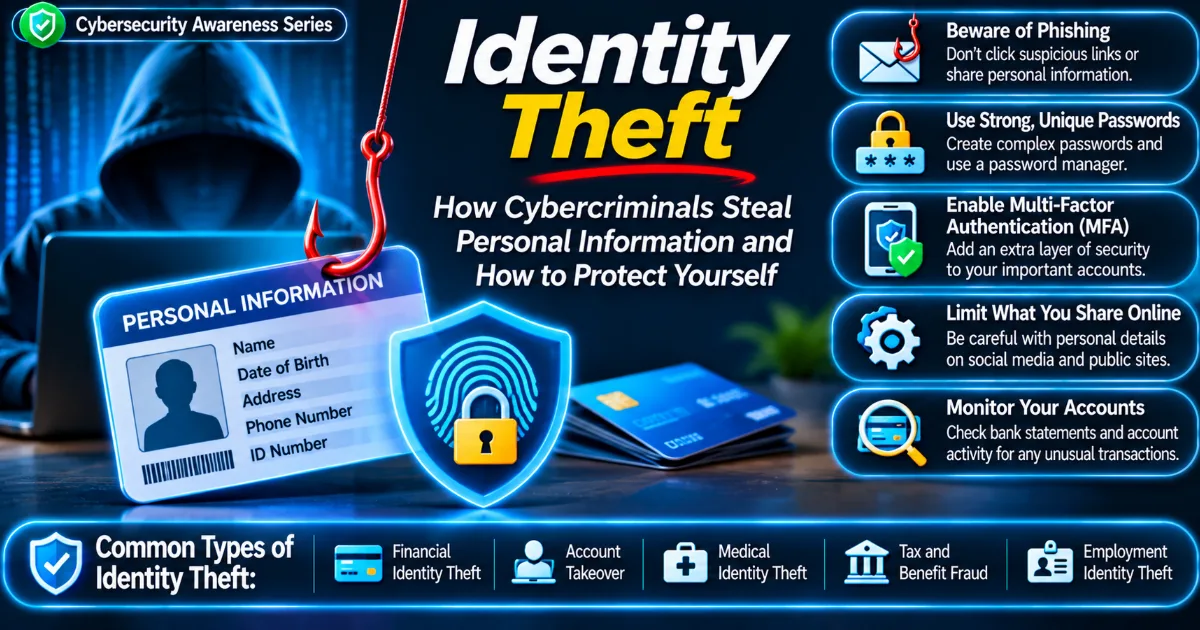
Phishing is a deceptive technique used to persuade people to reveal information, open harmful links, download malicious files, or approve unauthorized actions. Messages may appear to come from customers, suppliers, banks, delivery companies, colleagues, or business owners.
A common example involves an email that appears to come from a supplier. It informs the accounts team that the supplier's bank details have changed and requests payment to a new account. If the employee accepts the message without verification, the business may transfer money directly to a criminal.
Business email compromise can also involve attackers gaining control of a legitimate business email account. They may study conversations, understand payment schedules, and send convincing instructions at the right moment.
Businesses should verify payment changes through a previously established contact method. Employees should not rely only on the telephone number or contact details included in an unexpected message.
Ransomware Attacks
Ransomware is malicious software that can encrypt files, disrupt systems, or prevent access to business information. Criminals may demand payment in exchange for a decryption key or threaten to publish information they have stolen.
For a small business, losing access to invoices, customer records, accounting data, product information, or project files can interrupt operations. Even when backups exist, restoring systems may take time and require technical assistance.
Ransomware may enter through phishing attachments, compromised remote access, vulnerable software, or malicious downloads.
Regular backups, secure access controls, software updates, endpoint protection, and employee awareness can reduce the likelihood and impact of ransomware incidents.
Weak Passwords and Account Takeover
Business accounts may be exposed when employees use weak or reused passwords. If credentials are stolen from one service, attackers may attempt to use them on email, cloud storage, banking, social media, and workplace applications.
An account takeover can give criminals access to confidential files, customer conversations, advertising accounts, or administrative settings.
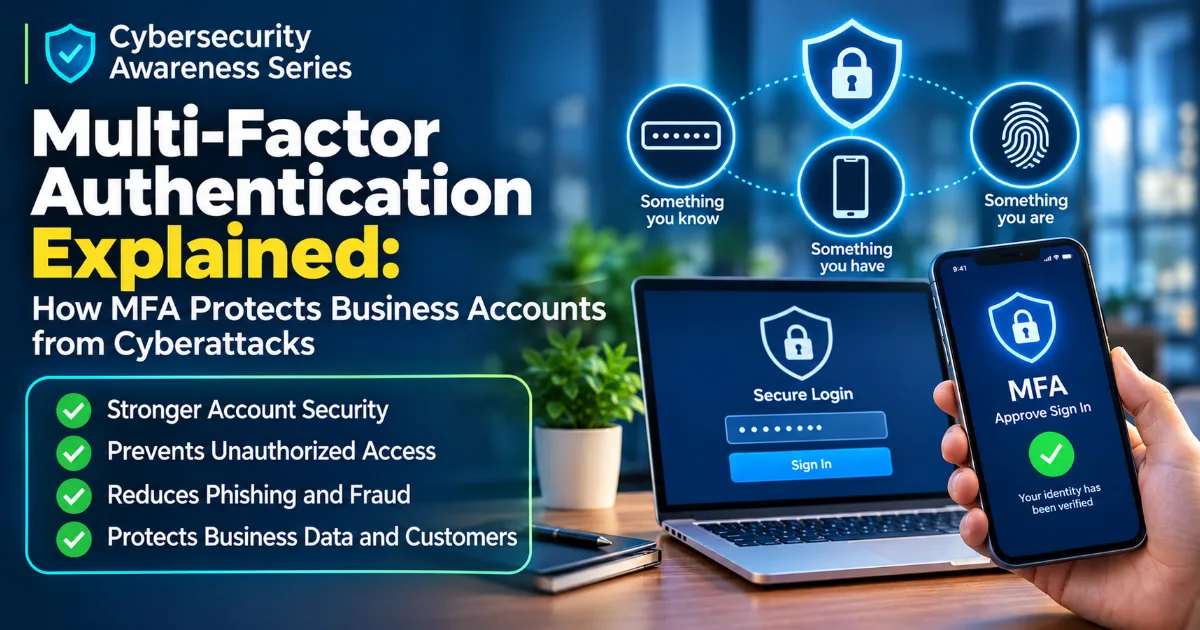
Every important business account should have a unique, strong password. Password managers can help employees create and store credentials securely. Multi-factor authentication should be enabled wherever supported, especially for email, financial services, cloud platforms, and administrator accounts.
Malware and Unsafe Downloads
Malware is software designed to perform unauthorized or harmful activities. It may steal information, monitor activity, damage files, or give attackers access to a device.
Small businesses may encounter malware through fake software updates, pirated applications, suspicious email attachments, unofficial browser extensions, and downloads from untrusted websites.
Employees should install software only from trusted sources and avoid using unauthorized applications for business tasks. Devices should have appropriate endpoint protection, and operating systems and applications should be updated regularly.
Website and Application Vulnerabilities
A business website may contain customer forms, payment integrations, content management systems, plugins, databases, and administrative accounts. Outdated software or insecure configurations can create opportunities for attackers.
A compromised website may redirect visitors to fraudulent pages, distribute malicious downloads, expose customer information, or damage the business's reputation.
Businesses should keep website software, plugins, themes, server components, and frameworks updated. Remove unused extensions and accounts, restrict administrative access, and use secure development and maintenance practices.
Insider Threats and Human Error
Not every security incident originates outside a business. Employees and contractors may accidentally expose information by sharing files incorrectly, using personal accounts for business data, or sending confidential documents to the wrong recipient.
An insider may also intentionally misuse legitimate access.
Businesses should provide employees with access only to the information they need. They should establish clear procedures for sharing files, handling customer information, and reporting suspicious activity. Access should be removed when a person leaves the organization or changes responsibilities.
Third-Party and Supplier Risks
Small businesses often depend on external service providers for website hosting, payment processing, accounting, marketing, customer support, cloud storage, and software development.
If a supplier experiences a security incident, information shared with that provider may also be affected. A poorly secured integration may expose business systems to additional risks.
Before choosing a service provider, understand what information it handles, what access it requires, and what security measures it offers. Limit permissions to what is necessary and review integrations periodically.
Identify the Information Your Business Needs to Protect
A business cannot protect information effectively without understanding what it collects and where it is stored.
Start by identifying important categories of business data. These may include customer names and contact details, employee records, invoices, payment information, contracts, supplier information, financial statements, intellectual property, project files, and login credentials.
Next, identify where that information exists. It may be stored on laptops, smartphones, email accounts, cloud drives, accounting applications, websites, external storage devices, or third-party platforms.
Determine who can access each category and whether the access is necessary. For example, a marketing employee may need access to campaign materials and customer communication tools but may not need access to payroll records or financial administration systems.
Classifying information according to sensitivity helps businesses apply suitable protections. Public marketing content does not require the same level of control as customer identity documents or financial records.
Businesses should also avoid collecting information they do not need. Reducing unnecessary data collection limits the amount of information that could be exposed in a future incident.
Create a Strong Password and Authentication Policy
Passwords remain an important part of business security, but relying on passwords alone is not sufficient.
Require employees to use unique passwords for business accounts. Passwords should be long and difficult to guess. Avoid predictable choices based on company names, employee names, birthdays, or common phrases.
A password manager can help employees generate and store strong credentials. It also reduces the temptation to reuse passwords or write them in unsecured documents.
Enable multi-factor authentication for email, cloud storage, financial applications, website administration, social media, and remote access. Where available, passkeys or security keys can provide strong protection against phishing.
Administrator accounts deserve particular attention. Do not use an administrator account for ordinary browsing, email, or routine work. Maintain separate accounts for everyday tasks and privileged administration.
If an employee leaves the business, remove their access promptly. Change shared credentials when necessary and review any applications or services they managed.
Secure Business Email
Business email is often one of the most important systems in an organization. It may contain contracts, invoices, customer conversations, password reset messages, and confidential documents.
Protect email accounts with strong unique passwords and multi-factor authentication. Review account recovery details, forwarding rules, connected applications, and active login sessions.
Attackers who compromise an email account may create hidden forwarding rules so that they continue receiving copies of important messages. Businesses should investigate unexpected forwarding settings, unfamiliar login activity, and unusual changes to account permissions.
Use business email accounts rather than personal email services for official communication. Establish clear procedures for verifying sensitive requests, especially payment instructions, bank detail changes, password resets, and requests for confidential files.
Employees should report suspicious messages rather than forwarding them casually to colleagues. If a message appears to come from a senior manager but requests an unusual payment or urgent disclosure, verify the request through another trusted channel.
Protect Business Devices
Laptops, desktop computers, smartphones, tablets, and external drives may contain valuable business information. Every device that connects to business systems should be included in the organization's security practices.
Use screen locks and strong device authentication. Enable full-disk encryption where supported, especially for laptops and portable devices. This helps protect stored information if a device is lost or stolen.
Install operating system and application updates promptly. Remove software that is no longer required and restrict the installation of unauthorized applications.
Use reputable endpoint protection and ensure that security features are active. Employees should not disable security controls simply because an application or website requests it.
Establish a process for reporting lost devices immediately. Where supported, remote management tools may allow administrators to lock or erase a missing device. Businesses should also know which accounts and files the device could access so they can take appropriate protective action.
Secure Your Business Wi-Fi and Network
A business network connects computers, printers, payment systems, servers, smartphones, and other devices. If the network is poorly secured, an attacker may attempt to access connected systems or intercept poorly protected communications.
Change default router administrator credentials and use strong Wi-Fi encryption supported by the equipment. Keep router firmware updated and disable remote administration unless it is genuinely needed and properly secured.
Use a separate guest network for visitors and personal devices that do not need access to business systems. This reduces the number of devices sharing the same network environment.
Small businesses with more complex requirements may benefit from network segmentation. This means separating systems into different network areas so that a compromise in one area does not automatically provide access to everything else.
Review connected devices periodically. Remove equipment that is no longer used and investigate unfamiliar devices.
Secure Websites, E-Commerce Platforms, and Business Applications
A business website can be a valuable part of its operations, but it also requires ongoing maintenance.
Use secure administrative credentials and multi-factor authentication where supported. Limit administrator access to people who genuinely need it. Remove unused accounts and plugins, and update the website platform and extensions regularly.
Use HTTPS to protect information transmitted between visitors and the website. However, HTTPS alone does not prove that a website is secure or legitimate. It must be combined with secure application design, access controls, monitoring, and proper maintenance.
For e-commerce websites, use reputable payment providers and avoid storing payment card information unless there is a legitimate business need and the business can meet the applicable security requirements.
Review third-party scripts, plugins, integrations, and analytics tools. Every external component can introduce additional dependencies and potential risks.
Test important website functions after updates and maintain backups of the website and its database. Establish a clear process for responding to defacement, suspicious redirects, unauthorized administrative changes, or unexpected website behaviour.
Back Up Important Business Data
Backups are essential because data can be lost through ransomware, hardware failure, accidental deletion, software errors, theft, or other incidents.
Identify the information required to keep the business operating. This may include accounting records, customer databases, invoices, contracts, website files, product information, and employee records.
Create a backup schedule based on how frequently the information changes and how much data the business can afford to lose. Important systems may require more frequent backups than files that change only occasionally.
Keep backup copies protected from unauthorized access. If every backup is connected to the same network and accessible through the same administrator account, ransomware may affect the backups as well as the original files.
Maintain a separate or otherwise protected backup copy where practical. Encrypt backups containing sensitive information and restrict who can restore or delete them.
Most importantly, test restoration. A backup is useful only if the business can recover the information when needed. Periodically restore selected files or systems in a controlled test to confirm that the process works.
Train Employees to Recognize Cyber Threats
Employees play an important role in protecting business systems. Technical controls are necessary, but people still make decisions about links, attachments, passwords, document sharing, and unusual requests.
Provide regular cybersecurity awareness training using examples relevant to the business. Employees should understand how to identify phishing messages, suspicious attachments, fake login pages, fraudulent payment requests, and impersonation attempts.
Explain that attackers may use urgency, authority, fear, or financial incentives to influence people. A message that claims a supplier payment must be completed immediately should be treated carefully, especially when bank details have changed.
Make reporting simple. Employees should know whom to contact when they receive a suspicious message, lose a device, accidentally share information, or notice unusual account activity.
Create a culture in which early reporting is encouraged. An employee who quickly reports clicking a suspicious link gives the business a better chance to respond before the incident spreads.
Establish Access Control and Employee Offboarding Procedures
Not every employee needs access to every business system. Access should be based on job responsibilities and reviewed when those responsibilities change.
Use individual user accounts instead of sharing one login among several employees. Individual accounts improve accountability and make it easier to identify unusual activity.
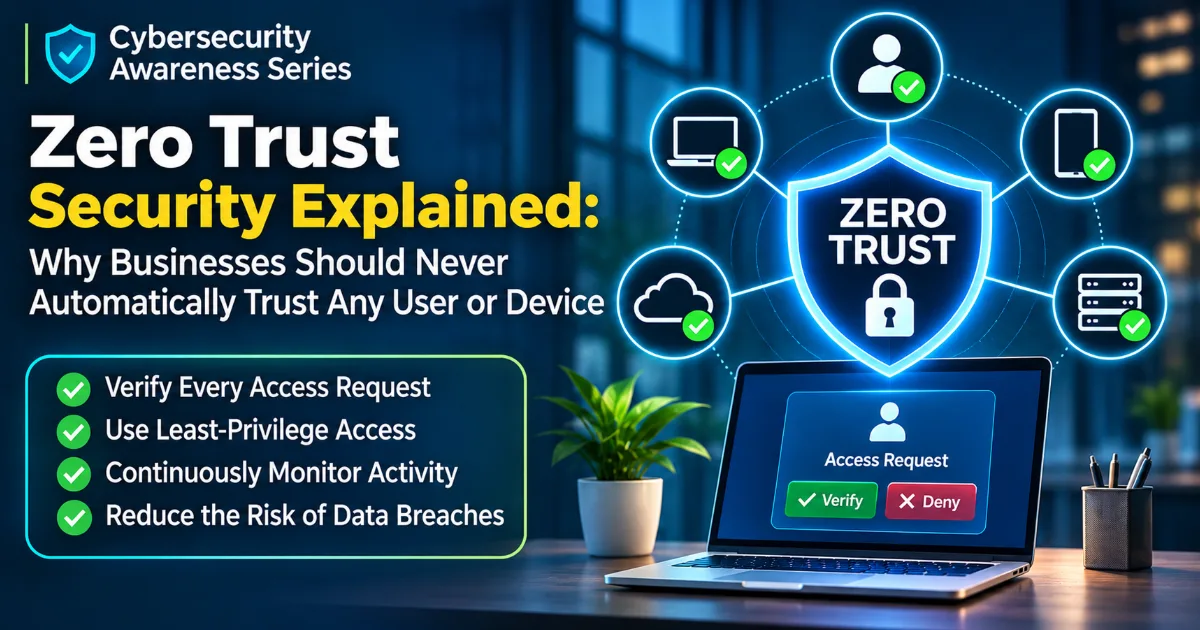
Apply the principle of least privilege. Give employees the minimum access required to perform their work. Administrative permissions should be limited and monitored.
When someone leaves the business, disable their accounts, revoke application access, recover company devices, and review shared credentials. Do not assume that access automatically disappears when an employee's contract ends.
For external contractors and service providers, define the scope and duration of access. Remove temporary permissions when the work is complete.
Protect Customer Information and Build Trust
Customers expect businesses to handle their personal information responsibly. Names, phone numbers, email addresses, addresses, purchase histories, and support conversations should be protected from unnecessary exposure.
Collect only the information required to provide the service. Restrict access to customer records and use secure systems for storage and communication.
Avoid sending sensitive customer information through informal messaging channels or unprotected attachments. Use approved business applications and secure sharing methods.
Be transparent about how customer information is collected and used. Maintain appropriate privacy notices and follow the data protection requirements that apply to the business.
If a security incident affects customer information, investigate promptly and follow applicable notification and reporting obligations. Honest and timely communication can help customers understand the situation and take protective action.
Create a Practical Cybersecurity Incident Response Plan
Every small business should know what to do when a security incident occurs. Waiting until an attack happens to decide who is responsible can increase confusion and delay recovery.
A basic incident response plan should identify the person responsible for coordinating the response, the technical support contact, the relevant service providers, and the process for escalating serious incidents.
The plan should explain how to report suspected phishing, compromised accounts, lost devices, malware infections, unauthorized transactions, and data exposure.
If a device is infected, isolate it from the network when appropriate and seek qualified technical assistance. Do not immediately delete files or wipe systems if evidence may be needed for investigation.
For compromised accounts, secure access through official recovery procedures, revoke unfamiliar sessions, change affected credentials, and review connected applications.
For suspected financial fraud, contact the relevant bank or payment provider promptly through verified contact details. Preserve transaction information and related communications.
If personal information has been exposed, identify the affected data, systems, and individuals. Follow applicable legal, contractual, and regulatory requirements when deciding what notifications or reports are necessary.
The response plan should also cover recovery. Identify which systems are most important, how backups will be restored, how business operations will continue, and how the organization will communicate with employees, customers, and suppliers.
Review and test the plan periodically. Even a short tabletop exercise can reveal missing contacts, unclear responsibilities, or gaps in recovery procedures.
Build a Cost-Effective Cybersecurity Strategy
Small businesses may not have dedicated cybersecurity departments or large technology budgets. However, effective protection does not always require expensive tools.
Start with the highest-impact controls. Secure business email, enable multi-factor authentication, use unique passwords, update devices, maintain backups, and train employees.
Use reputable security features already available in operating systems, cloud platforms, routers, and business applications. Configure them correctly and review them regularly.
Prioritize systems based on business impact. A payment platform, customer database, primary email account, and accounting system may require more attention than a low-risk internal tool.
For complex requirements, consider engaging a qualified IT or cybersecurity provider. External support can help with network security, cloud configuration, vulnerability assessment, incident response preparation, and ongoing monitoring.
Avoid purchasing tools simply because they advertise advanced protection. Understand the business problem first, then select controls that address it. A smaller set of well-configured and consistently maintained safeguards is often more useful than a large collection of poorly managed products.
A Practical Cybersecurity Checklist for Small Businesses
Small business owners can use the following checklist to review their current security practices:
Every important business account uses a unique, strong password.
Multi-factor authentication is enabled wherever supported.
Business email accounts have secure recovery methods and monitored login activity.
Computers and mobile devices receive security updates.
Business devices use screen locks and appropriate encryption.
Important business information is backed up regularly.
Backups are protected and restoration is tested.
Employees receive cybersecurity awareness training.
Payment detail changes are verified through a trusted second channel.
Website platforms, plugins, and applications are maintained.
Customer information is accessible only to authorized people.
Unused accounts and third-party integrations are removed.
Business Wi-Fi uses secure configuration and a separate guest network where appropriate.
Lost devices and suspicious activity can be reported quickly.
The business has a documented incident response and recovery plan.
Review this checklist periodically and assign responsibility for each action. Security improves when tasks have clear owners and are part of normal business operations.
Conclusion
Cybersecurity is an essential part of running a modern small business. Customer information, financial records, employee details, websites, email accounts, cloud applications, and connected devices all require appropriate protection.
Small businesses face threats such as phishing, ransomware, account takeover, malware, insecure websites, insider misuse, and third-party compromises. These incidents can interrupt operations, expose sensitive information, create financial losses, and damage customer confidence.
Protecting a business does not require solving every cybersecurity problem at once. Begin with strong authentication, secure email, updated devices, reliable backups, access controls, employee awareness, and a clear incident response plan. Review the systems that matter most to daily operations and improve protection over time.
Cybersecurity should be treated as an ongoing business responsibility rather than a one-time technical project. Owners, employees, contractors, and service providers all have a role in protecting business information.
A small business that builds sensible security habits can reduce avoidable risks, respond more effectively to incidents, and strengthen the trust of customers and partners. Protecting digital systems is ultimately part of protecting the business itself.
#SmallBusinessCybersecurity #CybersecurityAwareness #BusinessDataProtection #OnlineSecurity #CyberRiskManagement
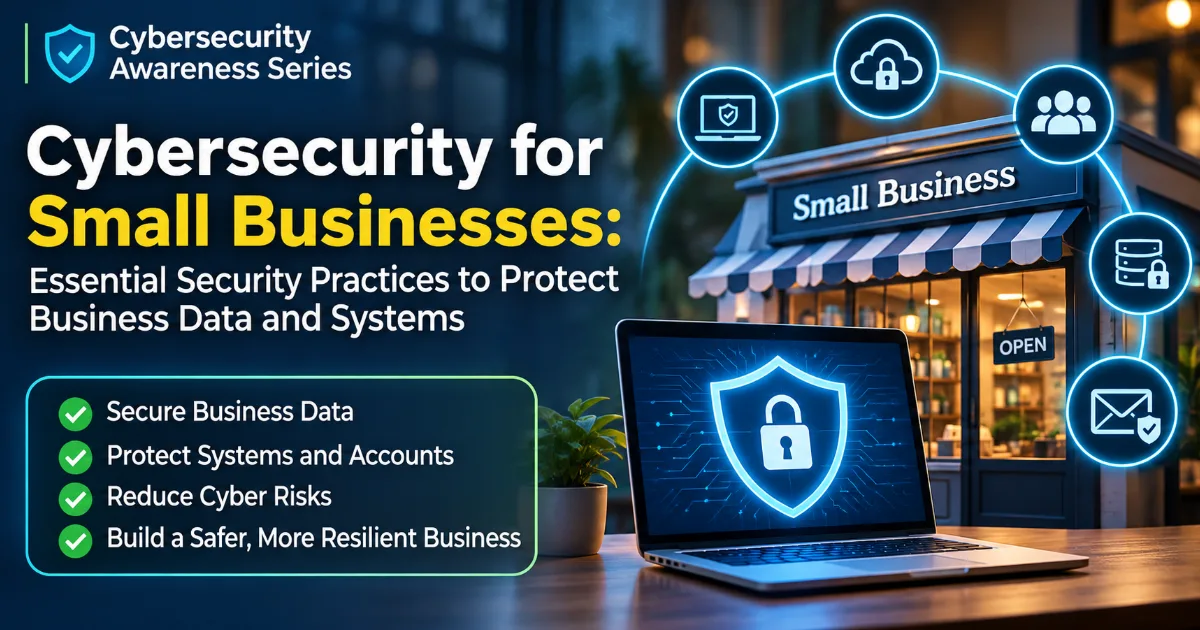
Cybersecurity for Small Businesses: Essential Security Practices to Protect Business Data and Systems
Introduction
Small businesses rely on digital tools for customer communication, payments, accounting, marketing, file storage, collaboration, and daily operations. These tools make businesses more efficient, but they also create security risks. A single compromised email account, infected computer, exposed customer database, or fraudulent payment request can disrupt operations and damage customer trust.
Cybersecurity is not only a concern for large corporations. Small businesses are increasingly attractive targets because they often hold valuable information while operating with limited security resources. Protecting business systems requires practical safeguards, clear procedures, and consistent awareness across the organization.
Many small business owners believe that cybercriminals are primarily interested in large companies, banks, or government institutions. In reality, attackers may target businesses of any size. A small company can provide access to customer records, payment information, employee details, supplier relationships, and business accounts. It may also be connected to larger organizations through shared systems and third-party services.
A cybersecurity incident can interrupt sales, prevent employees from accessing important files, expose confidential information, and create unexpected recovery expenses. The impact may continue long after the technical problem has been resolved. Customers may lose confidence, suppliers may question the reliability of the business, and employees may struggle to complete essential tasks.
This article explains the cybersecurity risks faced by small businesses and provides practical steps for protecting business data, devices, accounts, networks, employees, and customers.
Why Small Businesses Need Cybersecurity
Small businesses often depend on a combination of cloud applications, laptops, smartphones, payment systems, websites, social media accounts, and communication platforms. Each system can store valuable information or provide access to other business resources.
Consider a small online retailer. Its operations may depend on an e-commerce website, payment gateway, customer database, email service, inventory system, and social media accounts. If an attacker compromises the business email account, they may attempt to reset passwords for other services, impersonate the owner, or send fraudulent payment instructions to suppliers.
A professional services company faces similar risks. Its computers may contain client documents, contracts, invoices, financial records, and confidential communications. Unauthorized access to these files could damage client relationships and create legal or contractual problems.
Cybersecurity helps protect three important aspects of business information: confidentiality, integrity, and availability. Confidentiality means that information is accessible only to authorized people. Integrity means that information remains accurate and is not changed without permission. Availability means that systems and information remain accessible when the business needs them.
A practical cybersecurity strategy should protect all three. Keeping customer information private is important, but businesses must also ensure that attackers cannot secretly change payment details or prevent employees from accessing essential systems.
Common Cybersecurity Threats Facing Small Businesses
Phishing and Business Email Compromise
Phishing is a deceptive technique used to persuade people to reveal information, open harmful links, download malicious files, or approve unauthorized actions. Messages may appear to come from customers, suppliers, banks, delivery companies, colleagues, or business owners.
A common example involves an email that appears to come from a supplier. It informs the accounts team that the supplier's bank details have changed and requests payment to a new account. If the employee accepts the message without verification, the business may transfer money directly to a criminal.
Business email compromise can also involve attackers gaining control of a legitimate business email account. They may study conversations, understand payment schedules, and send convincing instructions at the right moment.
Businesses should verify payment changes through a previously established contact method. Employees should not rely only on the telephone number or contact details included in an unexpected message.
Ransomware Attacks
Ransomware is malicious software that can encrypt files, disrupt systems, or prevent access to business information. Criminals may demand payment in exchange for a decryption key or threaten to publish information they have stolen.
For a small business, losing access to invoices, customer records, accounting data, product information, or project files can interrupt operations. Even when backups exist, restoring systems may take time and require technical assistance.
Ransomware may enter through phishing attachments, compromised remote access, vulnerable software, or malicious downloads.
Regular backups, secure access controls, software updates, endpoint protection, and employee awareness can reduce the likelihood and impact of ransomware incidents.
Weak Passwords and Account Takeover
Business accounts may be exposed when employees use weak or reused passwords. If credentials are stolen from one service, attackers may attempt to use them on email, cloud storage, banking, social media, and workplace applications.
An account takeover can give criminals access to confidential files, customer conversations, advertising accounts, or administrative settings.
Every important business account should have a unique, strong password. Password managers can help employees create and store credentials securely. Multi-factor authentication should be enabled wherever supported, especially for email, financial services, cloud platforms, and administrator accounts.
Malware and Unsafe Downloads
Malware is software designed to perform unauthorized or harmful activities. It may steal information, monitor activity, damage files, or give attackers access to a device.
Small businesses may encounter malware through fake software updates, pirated applications, suspicious email attachments, unofficial browser extensions, and downloads from untrusted websites.
Employees should install software only from trusted sources and avoid using unauthorized applications for business tasks. Devices should have appropriate endpoint protection, and operating systems and applications should be updated regularly.
Website and Application Vulnerabilities
A business website may contain customer forms, payment integrations, content management systems, plugins, databases, and administrative accounts. Outdated software or insecure configurations can create opportunities for attackers.
A compromised website may redirect visitors to fraudulent pages, distribute malicious downloads, expose customer information, or damage the business's reputation.
Businesses should keep website software, plugins, themes, server components, and frameworks updated. Remove unused extensions and accounts, restrict administrative access, and use secure development and maintenance practices.
Insider Threats and Human Error
Not every security incident originates outside a business. Employees and contractors may accidentally expose information by sharing files incorrectly, using personal accounts for business data, or sending confidential documents to the wrong recipient.
An insider may also intentionally misuse legitimate access.
Businesses should provide employees with access only to the information they need. They should establish clear procedures for sharing files, handling customer information, and reporting suspicious activity. Access should be removed when a person leaves the organization or changes responsibilities.
Third-Party and Supplier Risks
Small businesses often depend on external service providers for website hosting, payment processing, accounting, marketing, customer support, cloud storage, and software development.
If a supplier experiences a security incident, information shared with that provider may also be affected. A poorly secured integration may expose business systems to additional risks.
Before choosing a service provider, understand what information it handles, what access it requires, and what security measures it offers. Limit permissions to what is necessary and review integrations periodically.
Identify the Information Your Business Needs to Protect
A business cannot protect information effectively without understanding what it collects and where it is stored.
Start by identifying important categories of business data. These may include customer names and contact details, employee records, invoices, payment information, contracts, supplier information, financial statements, intellectual property, project files, and login credentials.
Next, identify where that information exists. It may be stored on laptops, smartphones, email accounts, cloud drives, accounting applications, websites, external storage devices, or third-party platforms.
Determine who can access each category and whether the access is necessary. For example, a marketing employee may need access to campaign materials and customer communication tools but may not need access to payroll records or financial administration systems.
Classifying information according to sensitivity helps businesses apply suitable protections. Public marketing content does not require the same level of control as customer identity documents or financial records.
Businesses should also avoid collecting information they do not need. Reducing unnecessary data collection limits the amount of information that could be exposed in a future incident.
Create a Strong Password and Authentication Policy
Passwords remain an important part of business security, but relying on passwords alone is not sufficient.
Require employees to use unique passwords for business accounts. Passwords should be long and difficult to guess. Avoid predictable choices based on company names, employee names, birthdays, or common phrases.
A password manager can help employees generate and store strong credentials. It also reduces the temptation to reuse passwords or write them in unsecured documents.
Enable multi-factor authentication for email, cloud storage, financial applications, website administration, social media, and remote access. Where available, passkeys or security keys can provide strong protection against phishing.
Administrator accounts deserve particular attention. Do not use an administrator account for ordinary browsing, email, or routine work. Maintain separate accounts for everyday tasks and privileged administration.
If an employee leaves the business, remove their access promptly. Change shared credentials when necessary and review any applications or services they managed.
Secure Business Email
Business email is often one of the most important systems in an organization. It may contain contracts, invoices, customer conversations, password reset messages, and confidential documents.
Protect email accounts with strong unique passwords and multi-factor authentication. Review account recovery details, forwarding rules, connected applications, and active login sessions.
Attackers who compromise an email account may create hidden forwarding rules so that they continue receiving copies of important messages. Businesses should investigate unexpected forwarding settings, unfamiliar login activity, and unusual changes to account permissions.
Use business email accounts rather than personal email services for official communication. Establish clear procedures for verifying sensitive requests, especially payment instructions, bank detail changes, password resets, and requests for confidential files.
Employees should report suspicious messages rather than forwarding them casually to colleagues. If a message appears to come from a senior manager but requests an unusual payment or urgent disclosure, verify the request through another trusted channel.
Protect Business Devices
Laptops, desktop computers, smartphones, tablets, and external drives may contain valuable business information. Every device that connects to business systems should be included in the organization's security practices.
Use screen locks and strong device authentication. Enable full-disk encryption where supported, especially for laptops and portable devices. This helps protect stored information if a device is lost or stolen.
Install operating system and application updates promptly. Remove software that is no longer required and restrict the installation of unauthorized applications.
Use reputable endpoint protection and ensure that security features are active. Employees should not disable security controls simply because an application or website requests it.
Establish a process for reporting lost devices immediately. Where supported, remote management tools may allow administrators to lock or erase a missing device. Businesses should also know which accounts and files the device could access so they can take appropriate protective action.
Secure Your Business Wi-Fi and Network
A business network connects computers, printers, payment systems, servers, smartphones, and other devices. If the network is poorly secured, an attacker may attempt to access connected systems or intercept poorly protected communications.
Change default router administrator credentials and use strong Wi-Fi encryption supported by the equipment. Keep router firmware updated and disable remote administration unless it is genuinely needed and properly secured.
Use a separate guest network for visitors and personal devices that do not need access to business systems. This reduces the number of devices sharing the same network environment.
Small businesses with more complex requirements may benefit from network segmentation. This means separating systems into different network areas so that a compromise in one area does not automatically provide access to everything else.
Review connected devices periodically. Remove equipment that is no longer used and investigate unfamiliar devices.
Secure Websites, E-Commerce Platforms, and Business Applications
A business website can be a valuable part of its operations, but it also requires ongoing maintenance.
Use secure administrative credentials and multi-factor authentication where supported. Limit administrator access to people who genuinely need it. Remove unused accounts and plugins, and update the website platform and extensions regularly.
Use HTTPS to protect information transmitted between visitors and the website. However, HTTPS alone does not prove that a website is secure or legitimate. It must be combined with secure application design, access controls, monitoring, and proper maintenance.
For e-commerce websites, use reputable payment providers and avoid storing payment card information unless there is a legitimate business need and the business can meet the applicable security requirements.
Review third-party scripts, plugins, integrations, and analytics tools. Every external component can introduce additional dependencies and potential risks.
Test important website functions after updates and maintain backups of the website and its database. Establish a clear process for responding to defacement, suspicious redirects, unauthorized administrative changes, or unexpected website behaviour.
Back Up Important Business Data
Backups are essential because data can be lost through ransomware, hardware failure, accidental deletion, software errors, theft, or other incidents.
Identify the information required to keep the business operating. This may include accounting records, customer databases, invoices, contracts, website files, product information, and employee records.
Create a backup schedule based on how frequently the information changes and how much data the business can afford to lose. Important systems may require more frequent backups than files that change only occasionally.
Keep backup copies protected from unauthorized access. If every backup is connected to the same network and accessible through the same administrator account, ransomware may affect the backups as well as the original files.
Maintain a separate or otherwise protected backup copy where practical. Encrypt backups containing sensitive information and restrict who can restore or delete them.
Most importantly, test restoration. A backup is useful only if the business can recover the information when needed. Periodically restore selected files or systems in a controlled test to confirm that the process works.
Train Employees to Recognize Cyber Threats
Employees play an important role in protecting business systems. Technical controls are necessary, but people still make decisions about links, attachments, passwords, document sharing, and unusual requests.
Provide regular cybersecurity awareness training using examples relevant to the business. Employees should understand how to identify phishing messages, suspicious attachments, fake login pages, fraudulent payment requests, and impersonation attempts.
Explain that attackers may use urgency, authority, fear, or financial incentives to influence people. A message that claims a supplier payment must be completed immediately should be treated carefully, especially when bank details have changed.
Make reporting simple. Employees should know whom to contact when they receive a suspicious message, lose a device, accidentally share information, or notice unusual account activity.
Create a culture in which early reporting is encouraged. An employee who quickly reports clicking a suspicious link gives the business a better chance to respond before the incident spreads.
Establish Access Control and Employee Offboarding Procedures
Not every employee needs access to every business system. Access should be based on job responsibilities and reviewed when those responsibilities change.
Use individual user accounts instead of sharing one login among several employees. Individual accounts improve accountability and make it easier to identify unusual activity.
Apply the principle of least privilege. Give employees the minimum access required to perform their work. Administrative permissions should be limited and monitored.
When someone leaves the business, disable their accounts, revoke application access, recover company devices, and review shared credentials. Do not assume that access automatically disappears when an employee's contract ends.
For external contractors and service providers, define the scope and duration of access. Remove temporary permissions when the work is complete.
Protect Customer Information and Build Trust
Customers expect businesses to handle their personal information responsibly. Names, phone numbers, email addresses, addresses, purchase histories, and support conversations should be protected from unnecessary exposure.
Collect only the information required to provide the service. Restrict access to customer records and use secure systems for storage and communication.
Avoid sending sensitive customer information through informal messaging channels or unprotected attachments. Use approved business applications and secure sharing methods.
Be transparent about how customer information is collected and used. Maintain appropriate privacy notices and follow the data protection requirements that apply to the business.
If a security incident affects customer information, investigate promptly and follow applicable notification and reporting obligations. Honest and timely communication can help customers understand the situation and take protective action.
Create a Practical Cybersecurity Incident Response Plan
Every small business should know what to do when a security incident occurs. Waiting until an attack happens to decide who is responsible can increase confusion and delay recovery.
A basic incident response plan should identify the person responsible for coordinating the response, the technical support contact, the relevant service providers, and the process for escalating serious incidents.
The plan should explain how to report suspected phishing, compromised accounts, lost devices, malware infections, unauthorized transactions, and data exposure.
If a device is infected, isolate it from the network when appropriate and seek qualified technical assistance. Do not immediately delete files or wipe systems if evidence may be needed for investigation.
For compromised accounts, secure access through official recovery procedures, revoke unfamiliar sessions, change affected credentials, and review connected applications.
For suspected financial fraud, contact the relevant bank or payment provider promptly through verified contact details. Preserve transaction information and related communications.
If personal information has been exposed, identify the affected data, systems, and individuals. Follow applicable legal, contractual, and regulatory requirements when deciding what notifications or reports are necessary.
The response plan should also cover recovery. Identify which systems are most important, how backups will be restored, how business operations will continue, and how the organization will communicate with employees, customers, and suppliers.
Review and test the plan periodically. Even a short tabletop exercise can reveal missing contacts, unclear responsibilities, or gaps in recovery procedures.
Build a Cost-Effective Cybersecurity Strategy
Small businesses may not have dedicated cybersecurity departments or large technology budgets. However, effective protection does not always require expensive tools.
Start with the highest-impact controls. Secure business email, enable multi-factor authentication, use unique passwords, update devices, maintain backups, and train employees.
Use reputable security features already available in operating systems, cloud platforms, routers, and business applications. Configure them correctly and review them regularly.
Prioritize systems based on business impact. A payment platform, customer database, primary email account, and accounting system may require more attention than a low-risk internal tool.
For complex requirements, consider engaging a qualified IT or cybersecurity provider. External support can help with network security, cloud configuration, vulnerability assessment, incident response preparation, and ongoing monitoring.
Avoid purchasing tools simply because they advertise advanced protection. Understand the business problem first, then select controls that address it. A smaller set of well-configured and consistently maintained safeguards is often more useful than a large collection of poorly managed products.
A Practical Cybersecurity Checklist for Small Businesses
Small business owners can use the following checklist to review their current security practices:
Every important business account uses a unique, strong password.
Multi-factor authentication is enabled wherever supported.
Business email accounts have secure recovery methods and monitored login activity.
Computers and mobile devices receive security updates.
Business devices use screen locks and appropriate encryption.
Important business information is backed up regularly.
Backups are protected and restoration is tested.
Employees receive cybersecurity awareness training.
Payment detail changes are verified through a trusted second channel.
Website platforms, plugins, and applications are maintained.
Customer information is accessible only to authorized people.
Unused accounts and third-party integrations are removed.
Business Wi-Fi uses secure configuration and a separate guest network where appropriate.
Lost devices and suspicious activity can be reported quickly.
The business has a documented incident response and recovery plan.
Review this checklist periodically and assign responsibility for each action. Security improves when tasks have clear owners and are part of normal business operations.
Conclusion
Cybersecurity is an essential part of running a modern small business. Customer information, financial records, employee details, websites, email accounts, cloud applications, and connected devices all require appropriate protection.
Small businesses face threats such as phishing, ransomware, account takeover, malware, insecure websites, insider misuse, and third-party compromises. These incidents can interrupt operations, expose sensitive information, create financial losses, and damage customer confidence.
Protecting a business does not require solving every cybersecurity problem at once. Begin with strong authentication, secure email, updated devices, reliable backups, access controls, employee awareness, and a clear incident response plan. Review the systems that matter most to daily operations and improve protection over time.
Cybersecurity should be treated as an ongoing business responsibility rather than a one-time technical project. Owners, employees, contractors, and service providers all have a role in protecting business information.
A small business that builds sensible security habits can reduce avoidable risks, respond more effectively to incidents, and strengthen the trust of customers and partners. Protecting digital systems is ultimately part of protecting the business itself.
#SmallBusinessCybersecurity #CybersecurityAwareness #BusinessDataProtection #OnlineSecurity #CyberRiskManagement