The way businesses access and manage digital information has changed significantly. Employees work from offices, homes and remote locations. Applications run on cloud platforms, business data is distributed across multiple services, and customers interact with organisations through websites and mobile applications. Contractors, suppliers and business partners may also require access to internal systems. While this connected environment improves flexibility and productivity, it creates new cybersecurity challenges.
Traditional network security was often built around the idea that users and devices inside an organisation's network could be trusted more than those outside it. Businesses commonly protected their internal systems with firewalls, virtual private networks and perimeter-based security controls. Once a user entered the trusted network, that user could potentially access several internal resources without being repeatedly verified.
This approach is increasingly inadequate. A cybercriminal who steals an employee's credentials, compromises a laptop or gains access through a vulnerable application may be able to move through systems that were designed to trust internal network connections. Remote working, cloud computing, personal devices and interconnected applications have also made it difficult to define a single boundary between trusted and untrusted environments.
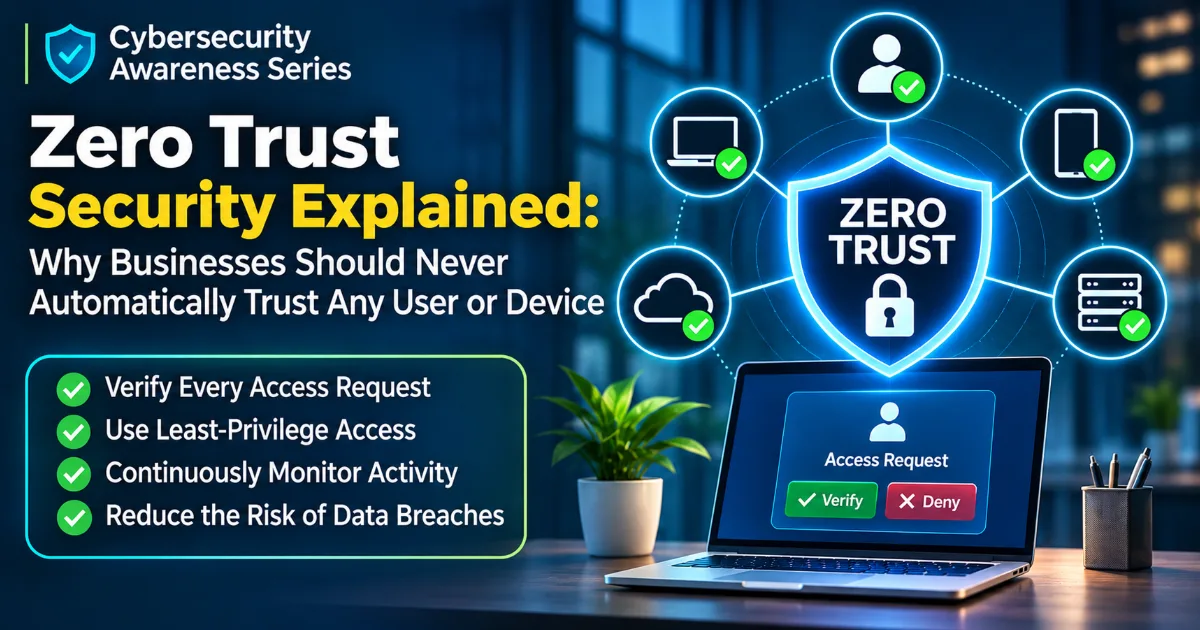
Zero Trust security addresses this challenge through a different philosophy: never automatically trust a user, device, application or network connection simply because it appears to be inside an organisation's environment. Every access request should be evaluated according to identity, device health, permissions, resource sensitivity and relevant security conditions.
Zero Trust does not mean that employees must prove their identity from the beginning every time they open a document. It means that access decisions should be based on evidence and risk rather than assumptions. Verification should take place when appropriate, permissions should remain limited, and access should be monitored throughout a session.
Continue Reading
For businesses of every size, Zero Trust can provide a practical foundation for protecting cloud applications, confidential documents, customer information, internal networks and digital infrastructure. This article explains what Zero Trust security means, how it works, why it matters and how organisations can implement it effectively.
What Is Zero Trust Security?
Zero Trust security is a cybersecurity approach based on the principle that no user, device, application or network connection should receive automatic trust. Access to a resource must be explicitly authorised, and the decision should consider relevant identity and security information.
The approach recognises that threats can originate from outside or inside an organisation. An employee account may be compromised. A company laptop may become infected with malware. A contractor may have more permissions than necessary. A legitimate application may contain a vulnerability. A device connected to the corporate network may no longer meet security requirements.
Instead of assuming that an authenticated user is always safe, Zero Trust continuously evaluates whether access should be allowed under the current circumstances.
For example, consider an employee who normally accesses a company's customer relationship management system from a managed laptop. One morning, the same account attempts to access the system from an unfamiliar device using an unusual location and an unexpected sign-in pattern. A traditional system might accept the correct password and grant access. A Zero Trust approach can evaluate additional signals, require stronger verification, restrict the session or deny access if the risk is too high.
Zero Trust is not a single software product. It is an architecture and operating philosophy supported by identity management, device security, access controls, network segmentation, monitoring, automation and security policies.
The goal is to reduce the possibility that one compromised account or device can provide an attacker with unrestricted access to an organisation's digital environment.
Why Traditional Perimeter-Based Security Is No Longer Enough
Traditional cybersecurity often focused on protecting the boundary between an organisation's internal network and the public internet. Firewalls controlled traffic entering and leaving the network, while VPNs allowed authorised remote users to connect to internal resources.
These controls remain useful, but they do not solve every modern security problem.
The Growth of Remote Work
Employees increasingly access company resources from different locations and networks. They may use home broadband, mobile connections, public Wi-Fi or temporary workspaces.
A network-based trust model cannot reliably determine whether a device or user is safe simply because a connection has been established. A remote employee's laptop may be infected, or their credentials may have been stolen through phishing.
Zero Trust shifts attention from network location to verified identity, device condition and the specific resource being requested.
Cloud Applications Have Changed Network Boundaries
Businesses now use cloud email, file storage, accounting platforms, customer management systems, collaboration tools and hosted applications. These services may operate outside the organisation's traditional network.
Employees often connect to them directly through the internet. Sending every request through a central office network may be inefficient or impractical.
Zero Trust enables organisations to apply consistent access policies across cloud and on-premises resources without depending entirely on a physical network perimeter.
Credential Theft Is a Major Security Risk
Attackers frequently target usernames, passwords, authentication tokens and other identity credentials. Once they obtain a valid credential, they may appear to be a legitimate user.
A traditional access system that relies mainly on passwords may have difficulty distinguishing the real employee from an attacker.
Zero Trust combines identity verification with contextual signals, device checks, access restrictions and monitoring. A correct password alone is not necessarily sufficient to establish trust.
Insider Threats Require Stronger Controls
Employees and contractors often need access to internal systems to perform their responsibilities. However, authorised access can also be misused intentionally or accidentally.
An employee might download confidential files unnecessarily, share sensitive information with an unauthorised person or retain access after changing roles.
Zero Trust reduces these risks by granting limited permissions, evaluating access to individual resources and recording important activities.
The Core Principles of Zero Trust Architecture
Zero Trust is commonly implemented through several interconnected principles. These principles provide a framework for designing access policies and protecting business resources.
Verify Explicitly
Every access request should be evaluated using available information rather than relying on the user's network location or previous authentication alone.
Verification may consider identity, authentication strength, device health, resource sensitivity, requested action, location, session behaviour and other risk signals.
For example, accessing a public company brochure may require less verification than downloading a database containing customer financial information. An administrator changing security settings may require stronger authentication than an employee reading an internal announcement.
Verification should be proportionate to the risk of the requested activity.
Apply Least-Privilege Access
Users and applications should receive only the permissions necessary to perform their responsibilities.
An employee who prepares invoices does not automatically need access to employee payroll records. A website application that reads product information does not necessarily need permission to delete customer records.
Least privilege limits the potential damage if an account, device or application is compromised.
Assume Breach
Zero Trust encourages organisations to operate with the expectation that an attacker may already have gained access somewhere in the environment.
This does not mean assuming that every employee is malicious. It means designing systems so that one compromised account or device cannot easily expose everything.
Organisations should limit lateral movement, segment important resources, monitor activity and maintain recovery capabilities. Security controls should remain effective even when one layer fails.
Continuously Evaluate Access
Trust should not be treated as a permanent status established at the beginning of a session.
A user's circumstances can change. A device may become non-compliant, a session may display unusual behaviour, or an account may be reported as compromised.
Access policies should be capable of responding to changing conditions. Depending on the risk, the organisation may require additional authentication, restrict an activity or terminate a session.
Protect Resources Rather Than Relying Only on Network Location
Zero Trust focuses on protecting specific resources, including applications, databases, documents, services and infrastructure.
An authorised user should receive access only to the resources and actions approved by policy. Being connected to a company network should not automatically provide broad access to unrelated systems.
How Zero Trust Security Works
A Zero Trust environment evaluates access requests through a combination of identity verification, policy decisions and enforcement controls.
The exact implementation differs between organisations and technology platforms, but the basic process follows a consistent pattern.
Step 1: A User or Application Requests Access
An employee may attempt to open a business application, retrieve a document, connect to a database or perform an administrative action.
The request includes information that can help the organisation evaluate it, such as the user's identity, device, requested resource and authentication context.
Step 2: Identity Is Verified
The organisation verifies that the user or service is who it claims to be.
Authentication may involve passwords, authenticator applications, security keys, passkeys, certificates or other approved mechanisms.
Multi-factor authentication provides additional protection when a password has been stolen. Stronger authentication methods can help reduce phishing-related account compromise.
Step 3: Device Security Is Evaluated
The organisation may check whether the device is managed, updated, encrypted and protected by approved security software.
A device that has outdated operating system components, disabled endpoint protection or signs of compromise may be considered higher risk.
Depending on policy, access may be denied or limited until the device meets the required security standards.
Step 4: Context and Risk Are Evaluated
The system considers factors such as the sensitivity of the requested resource, sign-in patterns, network conditions, location signals and unusual behaviour.
A request to access a routine application from a recognised managed device may be treated differently from an attempt to export thousands of customer records from an unfamiliar device.
Risk-based policies help organisations apply stronger controls when the situation requires them.
Step 5: Access Is Granted According to Policy
A policy engine or access management system determines whether the request should be approved, denied or subjected to additional verification.
If access is granted, it should be limited to the authorised resource and actions. A successful login should not automatically provide unrestricted access to the entire business environment.
Step 6: Activity Is Monitored
The organisation records relevant events and looks for unusual activity during the session.
For example, a user who normally views a small number of records may suddenly attempt to download a large volume of information. Such activity may trigger an alert or additional restrictions.
Step 7: Access Is Reassessed When Conditions Change
If the device becomes non-compliant, the account is flagged as compromised or the session exhibits suspicious behaviour, access can be restricted or revoked.
This ability to adapt access decisions is an important part of Zero Trust security.
Identity and Access Management in a Zero Trust Environment
Identity is central to Zero Trust because organisations need to know who or what is requesting access to a resource.
Identity and access management, commonly known as IAM, provides the systems and policies used to manage identities, authentication and permissions.
Multi-Factor Authentication
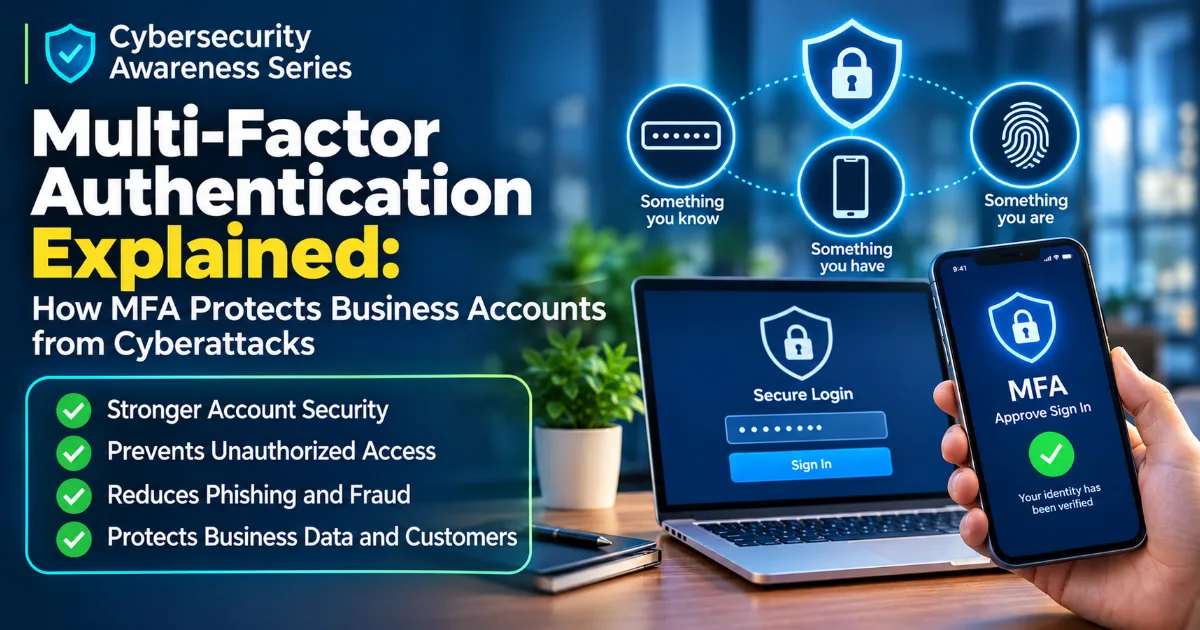
Multi-factor authentication requires users to provide more than one form of identity verification.
A user might enter a password and approve a sign-in using an authenticator application. Another organisation may use hardware security keys or passkeys for stronger protection.
Businesses should prioritise multi-factor authentication for email, cloud services, administrative accounts, remote access and applications containing sensitive information.
Phishing-resistant authentication methods should be considered where practical, particularly for privileged users and high-value systems.
Role-Based Access Control
Role-Based Access Control, or RBAC, assigns permissions according to job responsibilities.
For example, a finance employee may receive access to accounting applications, while a software developer receives access to approved development environments. An administrator may receive elevated permissions only when required.
RBAC helps businesses manage permissions consistently, especially when employees join, leave or change roles.
However, roles should be reviewed regularly. If a role becomes too broad, users may receive unnecessary permissions.
Attribute-Based Access Control
Attribute-Based Access Control, or ABAC, evaluates access using attributes associated with users, devices, resources and environmental conditions.
A policy might allow a finance employee to access a confidential financial report only from a managed device and after strong authentication.
ABAC can provide more detailed decisions than simple role assignments because it evaluates multiple conditions at the same time.
Privileged Access Management
Privileged accounts can change system configurations, manage identities, access sensitive information and control important infrastructure.
Privileged Access Management, or PAM, helps organisations protect these powerful accounts through controlled access, credential management, session monitoring and approval processes.
Administrative privileges should not be permanently assigned to ordinary employee accounts when temporary or just-in-time access is practical.
Device Security and Zero Trust
A legitimate employee account does not guarantee that the device being used is safe. A compromised laptop or mobile phone may provide attackers with access to business resources even when the user has valid credentials.
Zero Trust therefore considers device security as part of access decisions.
Maintain Updated Devices
Operating system and application updates often include security fixes. Devices that remain unpatched may contain vulnerabilities that attackers can exploit.
Businesses should establish update policies for company-managed laptops, desktops, mobile devices and servers.
Critical security updates should be prioritised according to exposure and risk.
Use Endpoint Protection
Endpoint protection tools help detect malicious software, suspicious processes and other threats on devices.
Organisations may use endpoint detection and response capabilities to investigate suspicious activity, isolate compromised devices and support incident response.
Security tools should be configured and monitored rather than installed and ignored.
Enforce Device Encryption
Full-disk encryption helps protect information if a laptop or mobile device is lost or stolen.
Encryption should be combined with secure authentication, device management and appropriate recovery procedures.
Businesses should also consider how sensitive information is stored locally and whether employees need permission to download certain files.
Establish Device Compliance Policies
Organisations can define minimum security requirements for devices accessing business systems.
These requirements may include supported operating system versions, encryption, approved security software, screen locking and device management registration.
Access policies can use device compliance information to determine whether a device should be allowed to access sensitive resources.
Network Segmentation and Limiting Lateral Movement
Network segmentation divides an environment into separate areas with controlled communication between them.
In a traditional flat network, a compromised device may be able to communicate with many other systems. If an attacker gains access to one workstation, they may attempt to reach file servers, databases, administrative interfaces and other endpoints.
Segmentation makes this movement more difficult.
Separate Systems According to Purpose
A business can separate public-facing websites, application servers, databases, development environments and administrative systems.
Each segment should have only the network connections required for legitimate operations.
For example, a public website may communicate with an application server, but it should not have unrestricted access to the company's internal employee database.
Protect Sensitive Resources
Critical databases, financial systems and identity infrastructure should receive stronger protection than ordinary low-risk resources.
Access should be limited to approved users and services. Administrative interfaces should not be exposed unnecessarily to the public internet.
Monitor Communication Between Systems
Unexpected communication between network segments can indicate compromise or misconfiguration.
Businesses should monitor important connections, review network rules and investigate traffic that does not match expected application behaviour.
Network segmentation is most effective when it is based on an understanding of actual business requirements rather than arbitrary network boundaries.
Zero Trust for Cloud Applications and Remote Work
Cloud computing and remote working are major reasons businesses are adopting Zero Trust principles.
Employees may access applications from different locations, while company information is distributed across multiple providers and platforms. Network location alone is no longer a reliable way to determine whether an access request is safe.
Secure Cloud Application Access
Businesses should protect cloud applications through central identity management, strong authentication and resource-specific permissions.
Single sign-on can simplify access management, but the identity provider itself must be strongly protected.
Administrators should review connected applications, remove unused integrations and restrict permissions granted to third-party services.
Control Access to Shared Files
Cloud storage platforms allow employees to collaborate with internal and external users.
Zero Trust principles encourage organisations to grant access to specific people and documents rather than creating broad shared access.
Sensitive files should have appropriate sharing restrictions, and permissions should be removed when business needs end.
Support Remote Employees Safely
Remote employees should be able to access the resources required for their responsibilities without receiving unnecessary access to the internal network.
Organisations can combine identity verification, device compliance checks, secure application access and monitoring to protect remote workflows.
Employees should also be trained to secure home networks, avoid suspicious links and report lost devices or unexpected authentication requests.
Zero Trust and Third-Party Access
Businesses frequently depend on contractors, suppliers, consultants and technology partners. These external parties may need access to applications, project files, support systems or technical infrastructure.
Third-party access creates risk because the organisation may not control the security practices of every external device or account.
A Zero Trust approach limits the access granted to external users and evaluates each request according to the resource and activity involved.
Businesses should create separate accounts for third parties, require strong authentication and assign permissions that match the agreed service responsibilities.
Access should have a defined duration and an accountable internal owner. When a contract ends or a project is completed, the associated access should be revoked.
Organisations should also review third-party integrations and service accounts. An application integration that receives broad permissions can become a significant security risk if its credentials are compromised.
Practical Example: Implementing Zero Trust in a Small Business
Consider a small software company with 30 employees. It uses cloud email, online file storage, a customer relationship management platform, project management software and cloud-hosted development systems.
Employees work from both the office and home. Developers need access to source code, sales employees need customer information, and finance staff handle invoices and payment records.
The company initially relies on passwords and a shared internal network. Most employees can access several applications, and a number of accounts have administrator privileges.
A Zero Trust implementation can begin with an identity and application inventory. The company identifies every employee, contractor, service account and cloud application that requires access.
Next, it enables multi-factor authentication and removes inactive accounts. Employees receive permissions based on their roles, while administrative access is separated from normal daily accounts.
The company then establishes device security requirements. Managed laptops must use supported operating systems, disk encryption and approved endpoint protection. Devices that do not meet the requirements are prevented from accessing sensitive applications.
The development environment is separated from finance and customer management systems. Developers receive access to approved code repositories and testing resources, but they do not automatically receive access to financial records.
External contractors receive individual accounts with limited permissions and defined expiry dates. Their activity is recorded, and access is removed when their work is completed.
Finally, the company configures monitoring for unusual login activity, unexpected data downloads and changes to administrative permissions.
This approach does not require the company to replace every system immediately. It can improve security gradually by strengthening identity, permissions, device controls and monitoring around the resources it already uses.
Common Zero Trust Implementation Mistakes
Zero Trust can improve security, but poorly planned implementations may create unnecessary complexity or disrupt business operations.
Treating Zero Trust as a Single Product
A vendor may offer a product described as a Zero Trust solution, but no single tool can implement the entire architecture.
Identity management, endpoint security, network controls, application permissions, monitoring and governance must work together.
Businesses should evaluate their security objectives before selecting technology.
Trying to Change Everything at Once
Replacing access systems and redesigning networks across an entire organisation can create operational disruption.
A better approach is to prioritise high-value resources, privileged accounts and major security gaps. Organisations can then expand the architecture in stages.
Ignoring Employee Experience
Security controls that make everyday work unnecessarily difficult may encourage employees to find unauthorised alternatives.
Access policies should be proportionate to risk. Routine activities should remain convenient when appropriate security conditions are met, while sensitive operations receive stronger controls.
Overlooking Service Accounts
Applications and automated workflows often use service accounts to communicate with other systems.
These identities may have powerful permissions and may be overlooked during ordinary employee access reviews.
Businesses should inventory service accounts, assign owners, restrict permissions and rotate credentials according to risk.
Failing to Monitor Activity
An organisation may enforce strong authentication but still miss suspicious activity after a session begins.
Monitoring, alerting and incident response are necessary to identify compromised accounts and unusual behaviour.
Neglecting Legacy Systems
Some older applications may not support modern authentication or detailed access policies.
Businesses should identify these systems, assess their risk and introduce compensating controls where immediate replacement is not practical.
Legacy systems should not become permanent exceptions without documented justification and regular review.
How to Implement Zero Trust Security Step by Step
A successful Zero Trust programme should be based on business priorities, existing infrastructure and the organisation's ability to manage change.
Step 1: Identify Critical Business Resources
Start by identifying the systems and information that would cause the greatest damage if compromised.
These may include customer databases, financial records, intellectual property, employee information, identity systems and production infrastructure.
Document where these resources are stored, which applications process them and who needs access.
Step 2: Map Users, Devices and Applications
Create an inventory of human identities, service accounts, managed devices, cloud applications and third-party integrations.
Identify inactive accounts, unnecessary privileges and unknown services.
This inventory provides the foundation for meaningful access policies.
Step 3: Strengthen Identity Verification
Enable multi-factor authentication across important systems, prioritising privileged users and access to sensitive information.
Adopt central identity management where appropriate and establish procedures for account recovery, onboarding and employee offboarding.
Step 4: Apply Least-Privilege Permissions
Review existing permissions and remove unnecessary access.
Create role-based permissions for common job responsibilities. Use more detailed access conditions when resource sensitivity or business requirements justify them.
Privileged access should receive additional protection and monitoring.
Step 5: Establish Device Security Requirements
Define minimum security standards for devices that access business resources.
These standards should cover supported software, updates, encryption, endpoint protection and device management.
Create a process for identifying and responding to non-compliant devices.
Step 6: Protect Networks and Applications
Segment critical systems, restrict unnecessary network communication and secure administrative interfaces.
Review cloud configurations, application authentication, API permissions and external integrations.
Apply security testing to important applications and development workflows.
Step 7: Enable Monitoring and Response
Collect relevant identity, application, device and network logs.
Define alerts for unusual sign-ins, privilege changes, suspicious downloads and unexpected access patterns.
Assign responsibility for investigating alerts and responding to confirmed incidents.
Step 8: Review and Improve Continuously
Zero Trust should evolve as the business changes.
Review access policies, device requirements, application integrations and security incidents regularly. Update controls when new risks or business requirements emerge.
Organisations should measure whether their implementation is reducing unnecessary access and improving their ability to detect and contain threats.
Measuring the Effectiveness of a Zero Trust Programme
Businesses need measurable indicators to understand whether their Zero Trust programme is producing meaningful improvements.
Useful measures include the percentage of important accounts protected by multi-factor authentication, the number of accounts with excessive privileges, the time required to remove access after employee departure and the percentage of managed devices meeting security requirements.
Organisations can also measure the number of sensitive resources protected by least-privilege policies, the frequency of access reviews, the number of unmanaged cloud applications and the time required to detect suspicious activity.
Incident response measurements are particularly useful. Businesses should evaluate how quickly they can identify a compromised account, revoke access, isolate an affected device and restore normal operations.
Metrics should support decisions rather than become targets that encourage superficial compliance. For example, achieving complete MFA coverage is valuable, but it does not prove that an organisation has implemented effective device security, access governance or monitoring.
Regular assessments should combine technical evidence with feedback from employees, system owners and security teams.
Zero Trust and Regulatory Compliance
Zero Trust can support an organisation's broader security and privacy obligations by improving identity verification, access control, logging and protection of sensitive information.
However, adopting Zero Trust does not automatically make a business compliant with every law, regulation or industry standard.
Organisations must understand the requirements that apply to their operations, the types of information they process and the countries in which they operate.
Businesses in India should consider relevant data protection and cybersecurity requirements, including the Digital Personal Data Protection Act, 2023, and applicable rules or directions. Organisations handling international customer information may also need to evaluate other privacy and security frameworks.
Access policies, monitoring and identity records can support accountability, but businesses should also maintain appropriate documentation, incident procedures, retention practices and governance processes.
Legal and compliance requirements should be assessed with qualified professionals when necessary.
Is Zero Trust Suitable for Small Businesses?
Zero Trust is often associated with large enterprises, but its principles are relevant to small organisations as well.
Small businesses may have fewer employees and simpler infrastructure, but they can still hold valuable customer information, financial records, intellectual property and business credentials.
A small company does not need to purchase a large collection of enterprise security products to begin adopting Zero Trust.
It can start with practical measures such as enabling multi-factor authentication, removing shared accounts, limiting administrator privileges, securing employee devices, reviewing cloud permissions and protecting important applications.
The most important step is changing the assumption that a user or device should be trusted automatically. Access should be based on a legitimate business requirement and appropriate security evidence.
Small businesses can prioritise their most sensitive systems and improve gradually as their infrastructure and resources grow.
The Future of Zero Trust Security
Digital environments will continue to become more distributed. Businesses are adopting cloud services, automation, artificial intelligence, connected devices and increasingly complex application integrations.
These changes create new identities and access relationships that must be secured. Traditional approaches based entirely on network boundaries are unlikely to provide sufficient protection for every modern business environment.
Zero Trust principles are likely to remain important as organisations manage access for employees, applications, automated services and machine identities.
Artificial intelligence may also help security teams identify unusual behaviour, prioritise risks and automate selected response actions. However, automated decisions must be governed carefully. Incorrectly configured security automation can interrupt legitimate business operations or fail to respond appropriately to an incident.
Organisations should therefore focus on strong identity governance, reliable asset visibility, secure configurations, appropriate monitoring and clear accountability.
The future of cybersecurity will not depend on trusting a particular network, device or technology vendor. It will depend on continuously evaluating access and protecting individual resources through layered security controls.
Conclusion
Zero Trust security represents an important shift in how businesses protect their digital environments. Instead of automatically trusting users and devices because they are connected to an internal network, organisations evaluate each access request according to identity, device condition, permissions, resource sensitivity and relevant security signals.
The approach is particularly important in an environment where employees work remotely, applications run in the cloud, contractors access business systems and sensitive information moves between multiple platforms.
By applying the principles of explicit verification, least-privilege access, continuous evaluation and assumed breach, businesses can reduce the opportunities available to cybercriminals and limit the damage caused by compromised accounts or devices.
Implementing Zero Trust does not require every organisation to transform its infrastructure overnight. Businesses can begin by securing identities, enabling multi-factor authentication, reviewing permissions, protecting devices and monitoring access to critical resources. They can then expand these controls across applications, networks and third-party integrations.
Zero Trust is not about creating distrust between employees and employers. It is about building a security environment where access is justified, controlled and monitored. When implemented thoughtfully, it can support secure remote work, protect confidential information, improve business resilience and strengthen customer confidence.
In modern cybersecurity, being connected should never be confused with being trusted. Every access decision should have a clear reason, an appropriate level of verification and a defined boundary.