Personal information has become one of the most valuable assets in the digital world. Every time people create an online account, make a purchase, apply for a service, use a mobile application, subscribe to a newsletter or interact with a digital platform, information about them may be collected and stored. This information can include names, email addresses, phone numbers, home addresses, login credentials, payment details, purchase histories, identity documents and other sensitive records.
Most people share information with digital services because they expect it to remain private and secure. They trust businesses, institutions and service providers to protect the information they collect. However, when personal information is accessed, disclosed, altered or stolen without authorisation, a data breach may have occurred. The consequences can range from unwanted spam and phishing attempts to identity theft, financial fraud, account takeover and long-term privacy risks.
Data breaches are not limited to large technology companies. Banks, hospitals, schools, government departments, online marketplaces, small businesses, software providers and even local organisations can become victims. A breach may happen because of a cyberattack, a vulnerable application, a stolen employee password, a misconfigured database, an accidental email disclosure or the loss of an unprotected device.
Understanding data breaches is an important part of cybersecurity awareness because personal information can remain useful to criminals long after the original incident. A leaked email address may lead to targeted phishing. A stolen password may provide access to several accounts if it has been reused. Exposed identity documents may be misused in fraudulent applications. Even information that appears harmless in isolation can become valuable when combined with other leaked records.
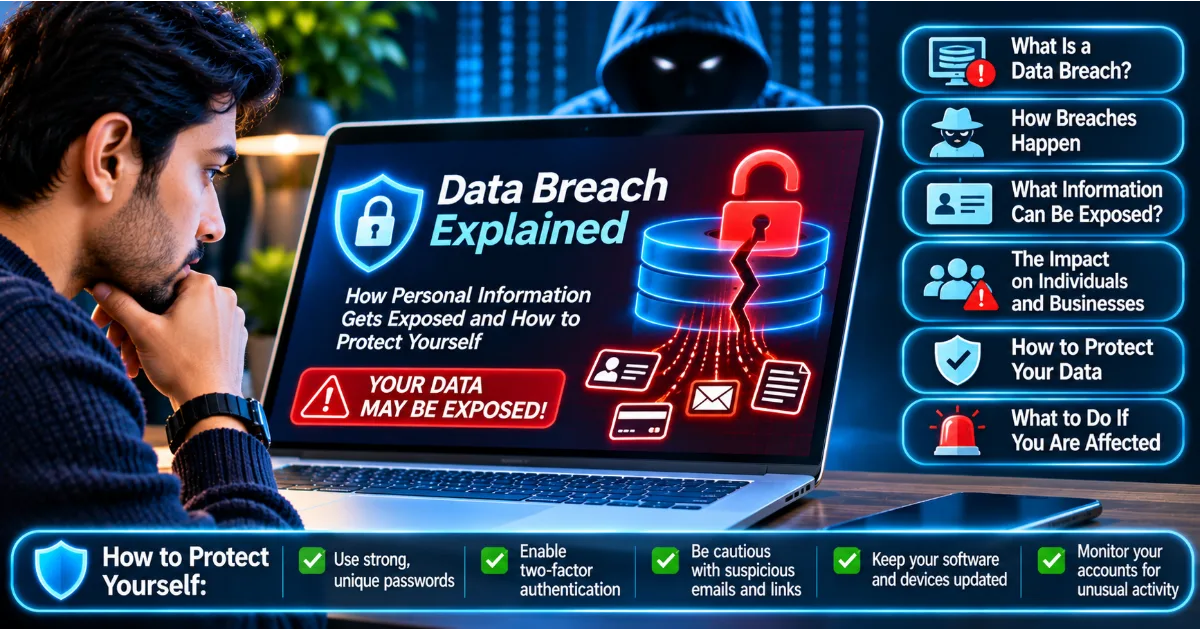
This article explains what data breaches are, how they happen, what information may be exposed, how criminals misuse stolen data, how individuals and businesses can reduce their risks, and what practical steps to take if personal information has been compromised.
Continue Reading
What Is a Data Breach?
A data breach is an incident in which information is accessed, disclosed, altered, lost or exposed without proper authorisation. It may involve personal information, financial records, business documents, confidential communications, intellectual property or government data.
A breach does not always involve a sophisticated hacker breaking into a computer network. It can also result from a simple human error. For example, an employee may accidentally send a spreadsheet containing customer details to the wrong recipient. A business may leave a database publicly accessible because of an incorrect configuration. A laptop containing unencrypted customer records may be lost or stolen.
Cybercriminal attacks are another major cause. Criminals may use phishing, malware, stolen credentials, software vulnerabilities or compromised third-party services to gain access to information. Once inside a system, they may copy data, change records, delete information or threaten to publish confidential material.
It is important to distinguish a data breach from a routine cyberattack. An attempted attack does not automatically mean that information has been exposed. A security incident becomes a data breach when information is actually accessed, disclosed, altered or otherwise compromised without authorisation. Organisations need to investigate incidents carefully to understand what happened and whether personal or confidential data was affected.
What Types of Information Can Be Exposed?
The information involved in a breach depends on the organisation, the systems it operates and the attacker's objectives. Some breaches expose a limited set of contact details, while others involve highly sensitive records.
Personal Identification Information
Personal identification information can include full names, dates of birth, addresses, phone numbers, email addresses and government-issued identification details. Criminals may combine these details to impersonate individuals or create convincing fraudulent messages.
A person's name and email address may not appear highly sensitive by themselves. However, when combined with a phone number, address, date of birth and other records, they can help criminals build a detailed profile of the individual.
Login Credentials
Usernames, passwords, password reset information and authentication tokens are valuable targets. Stolen credentials can allow criminals to access email accounts, social media profiles, cloud storage, shopping accounts and business systems.
The danger becomes greater when people reuse passwords. If one website is breached and its password database is exposed, criminals may attempt the same credentials on other services. This practice is known as credential stuffing.
Financial Information
Financial data may include bank account details, payment card information, transaction records, billing addresses and other payment-related information. Exposure can increase the risk of fraudulent transactions, unauthorised purchases and targeted financial scams.
A data breach does not automatically mean that criminals can withdraw money from a bank account. The actual risk depends on the information exposed, the security controls used by financial institutions and whether additional authentication is required. Nevertheless, affected individuals should treat unexpected financial messages and transaction alerts carefully.
Health and Medical Records
Medical information can include patient histories, prescriptions, test results, treatment details, insurance information and personal identifiers. Such records are particularly sensitive because they reveal private aspects of a person's life.
Exposed medical information may be used for targeted fraud, insurance-related deception or other forms of exploitation. Healthcare organisations therefore need strong access controls, secure record management and carefully designed incident response procedures.
Business and Employment Information
Business breaches may expose employee records, salary information, internal communications, supplier contracts, customer databases, intellectual property and commercial plans.
The consequences may extend beyond the organisation that experienced the breach. Customers, employees, business partners and suppliers may also face risks. Stolen commercial information can create competitive disadvantages and expose organisations to fraud or extortion.
Authentication and Security Information
Some incidents expose password reset answers, recovery details, session tokens, API keys or other authentication material. Such information can help criminals bypass security controls or impersonate legitimate users.
Organisations should treat authentication secrets as highly sensitive data. They should be stored securely, rotated when necessary and never exposed in public repositories or unsecured documents.
How Do Data Breaches Happen?
Data breaches can occur through different technical and human weaknesses. Understanding these causes helps individuals and organisations identify where stronger protection is needed.
Phishing and Social Engineering
Phishing is one of the common ways criminals obtain information that can lead to a breach. Attackers send deceptive emails, messages or links designed to make people reveal passwords, payment information or other confidential details.
A message may appear to come from a bank, delivery company, employer, online marketplace or government service. It may claim that an account is locked, a payment has failed or a document requires urgent approval.
Social engineering goes beyond email. Criminals may use phone calls, text messages, fake support accounts or impersonation to persuade victims to share information or approve an action.
A successful phishing attack can expose one person's account or provide access to an organisation's wider network. Employees should verify unusual requests through a separate trusted channel rather than relying on the contact details included in a suspicious message.
Weak or Reused Passwords
Weak passwords are easier to guess or crack, while reused passwords allow a breach on one service to affect other accounts. Criminals may obtain credentials from previous incidents and test them against popular websites and applications.
For example, if a person uses the same password for an online shopping account and their primary email account, a compromise of the shopping account may create an opportunity to access the email account as well.
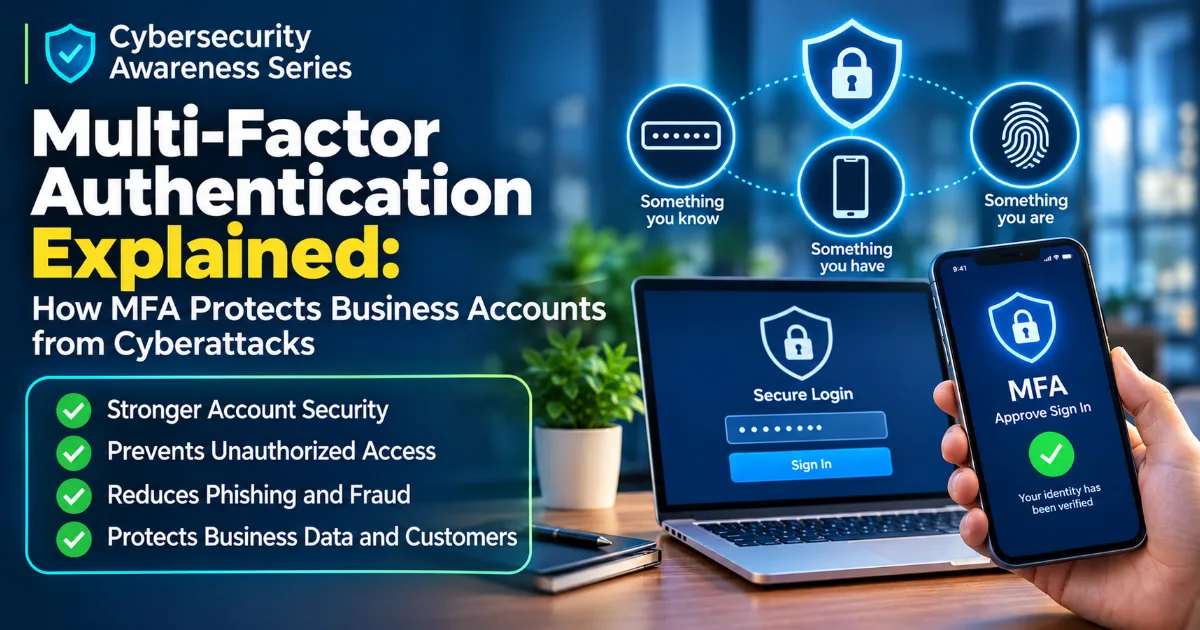
Unique passwords, password managers and multifactor authentication can reduce this risk considerably.
Software Vulnerabilities
Applications, operating systems, websites and network devices may contain security weaknesses. Developers release patches to correct known vulnerabilities, but organisations sometimes delay updates because of operational constraints or poor maintenance processes.
Attackers may scan the internet for systems that have not been updated and exploit known weaknesses to gain access. In some cases, a vulnerable application can expose an entire database or allow unauthorised access to internal systems.
Organisations should maintain an inventory of their technology, monitor security advisories and apply updates according to a risk-based schedule.
Misconfigured Databases and Cloud Storage
Cloud platforms and databases provide flexibility, but incorrect security settings can expose information to the public or to users who should not have access.
For example, a storage location may be configured to allow public access when it should be restricted. A database may have weak authentication or excessive permissions. An application may expose records through an insecure interface.
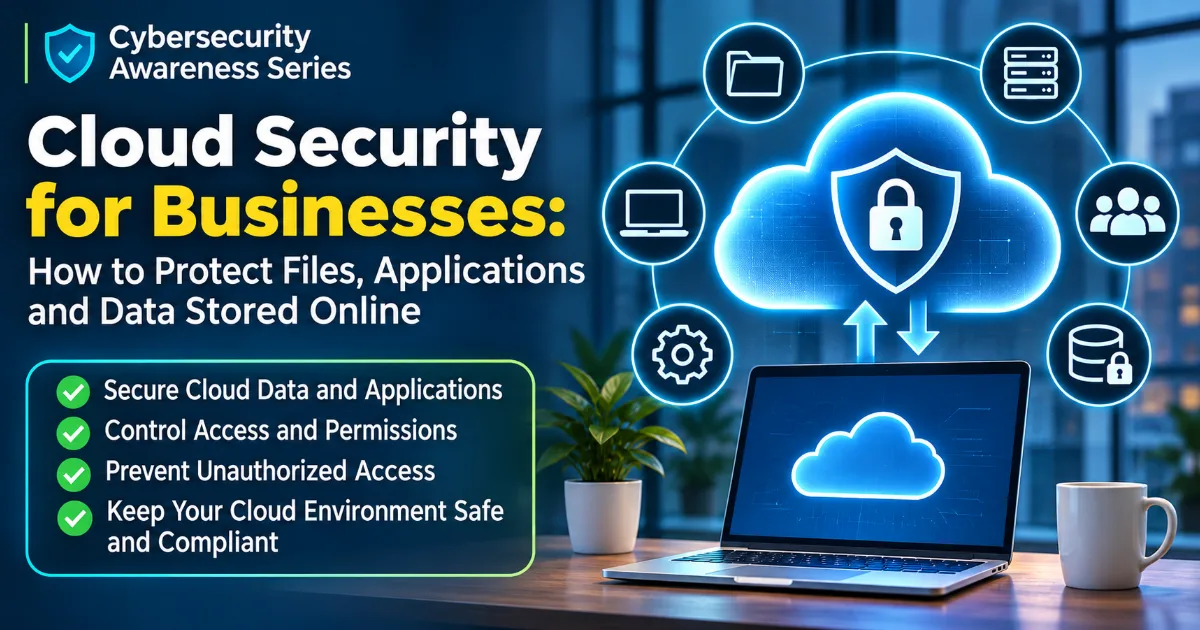
Cloud security is a shared responsibility. Service providers secure the underlying infrastructure, but customers must configure their accounts, applications, permissions and data access correctly.
Insider Threats
An insider threat involves someone with legitimate access to an organisation's systems who misuses that access, intentionally or accidentally.
A malicious employee may copy customer records before leaving a company. An employee may also unintentionally disclose information by sending a document to the wrong person, storing files in an unapproved location or sharing credentials.
Organisations should apply least-privilege access, monitor sensitive activity, provide staff training and establish clear procedures for handling confidential information.
Malware and Ransomware
Malware can steal information, capture keystrokes, access stored credentials or create unauthorised connections to external systems. Ransomware may encrypt files and, in some cases, steal information before demanding payment.
A ransomware incident can therefore become a data breach even if the organisation restores its files from backups. Recovery of data availability does not automatically resolve the confidentiality risk created by possible data theft.
Third-Party and Supply Chain Compromise
Organisations often depend on external software providers, cloud services, payment processors, marketing platforms and other vendors. These relationships can create additional security risks.
If a supplier is compromised, attackers may gain access to information belonging to the supplier's customers. A vulnerable software update or compromised service account can also create a path into multiple organisations.
Businesses should evaluate third-party security practices, limit vendor permissions and review which information is shared with external providers.
Lost or Stolen Devices
Laptops, smartphones, external drives and portable storage devices may contain personal or business information. If a device is lost or stolen without appropriate protection, the stored data may be exposed.
Device encryption, strong screen locks, remote management and the ability to revoke access can reduce the impact. Organisations should avoid storing unnecessary sensitive information on portable devices.
How Criminals Use Stolen Personal Information
The impact of a data breach often continues after the original security incident. Criminals may store, trade, combine or reuse exposed information in different forms of fraud.
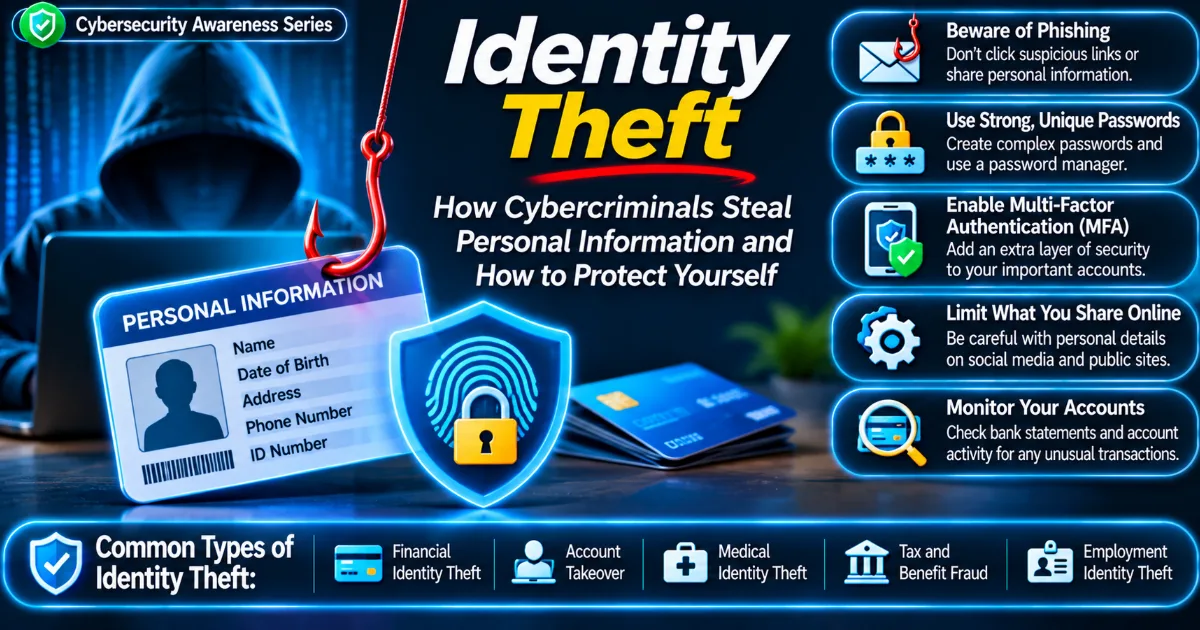
Identity Theft
Identity theft occurs when someone uses another person's personal information without permission, often to impersonate them or commit fraud. Criminals may use stolen identity details to create accounts, submit applications or deceive organisations.
The information required depends on the service being targeted. A single name may not be enough, but a combination of identity details, contact information and compromised credentials can make impersonation easier.
Account Takeover
Account takeover happens when a criminal gains control of an existing online account. Stolen passwords, session tokens or recovery details may allow attackers to access email, social media, shopping, financial or business accounts.
Once an email account is compromised, the attacker may attempt to reset passwords on other services. This makes the primary email account particularly important to protect.
Targeted Phishing
A criminal who knows a person's name, employer, recent purchase or service provider can create a more convincing phishing message. Instead of sending a generic warning, the attacker may refer to a real transaction or organisation.
This is why people should not assume that a message is genuine simply because it contains accurate personal details. Information may have come from a previous breach, public profile or other source.
Financial Fraud
Exposed payment details or personal information may be used in fraudulent purchases, impersonation attempts or deceptive financial requests. Criminals may also contact victims while pretending to be bank employees or fraud investigators.
Never share one-time passwords, PINs, security codes or full login credentials with someone who contacts you unexpectedly. Use official banking applications or verified contact channels to check suspicious activity.
SIM Swap and Mobile Account Fraud
In a SIM swap attack, a criminal attempts to persuade or deceive a mobile service provider into transferring a victim's phone number to a SIM card controlled by the attacker. If successful, the criminal may receive calls and text messages intended for the victim.
A compromised phone number can create risks for accounts that rely on SMS-based verification or phone-based recovery. Protect your mobile account with available security controls and contact your provider immediately if your phone unexpectedly loses network service without an obvious reason.
Business Email Compromise
Criminals may use stolen business email credentials to impersonate employees, executives or suppliers. They may send fraudulent payment instructions, request confidential files or alter bank details in an ongoing business transaction.
Businesses should verify changes to payment instructions through a separate trusted channel. Employees should be cautious of urgent requests that bypass normal approval procedures.
Warning Signs That Your Information May Be Compromised
Not every data breach produces an immediate warning. Sometimes individuals discover a problem only after receiving suspicious messages or noticing unusual account activity.
Unexpected password reset notifications may indicate that someone is attempting to access an account. Login alerts from unfamiliar devices or locations can also be a warning sign. Other indicators include unfamiliar transactions, new accounts that you did not create, changes to account recovery details and messages sent from your account without your knowledge.
You may also receive credible notification from an organisation explaining that your information was involved in a security incident. Such notices should be reviewed carefully, but be alert to fake breach notifications designed to steal passwords or payment details.
If you suspect your information has been exposed, do not follow links in unexpected messages. Visit the organisation's official application or website directly and contact its verified support team.
How to Protect Your Personal Information Online
Individuals can reduce their exposure by developing safer digital habits and limiting the amount of information they share.
Use Strong and Unique Passwords
Create a different password for each important account. A long passphrase made from several unrelated words can be easier to remember and more difficult to guess than a short, predictable password.
Avoid using names, birthdays, phone numbers or common phrases. A password manager can generate and securely store unique passwords. Protect the password manager itself with a strong master password and multifactor authentication where available.
Enable Multifactor Authentication
Multifactor authentication adds an additional verification step when signing in. Depending on the service, it may use an authenticator application, passkey, hardware security key or another method.
Enable it for email, financial services, cloud storage, social media and work accounts. Stronger phishing-resistant methods, such as passkeys or security keys, are preferable when supported.
Protect Your Primary Email Account
Your email account often acts as the recovery channel for other services. If someone gains access to it, they may be able to reset passwords and take over connected accounts.
Use a unique password, enable multifactor authentication, review recovery options and check active sessions. Remove unfamiliar devices and connected applications.
Share Less Personal Information
Avoid publishing sensitive information unnecessarily. Be cautious about sharing your full date of birth, home address, phone number, identity documents and detailed travel plans on public profiles.
Review the information visible on social media and other online accounts. Remove details that are not needed and adjust privacy settings to limit who can view personal information.
Check Website and Application Permissions
Before installing an application or creating an account, review the permissions it requests. A simple utility may not need access to contacts, microphone, location or other sensitive resources.
Remove applications that are no longer used and review which third-party services are connected to your accounts. Revoke access when it is no longer necessary.
Keep Devices and Applications Updated
Security updates fix vulnerabilities that attackers may exploit. Enable automatic updates where appropriate and remove software that is no longer supported.
Use screen locks, device encryption and reputable security tools. Avoid installing applications from unknown sources or using modified software packages.
Be Careful With Public Wi-Fi
Public Wi-Fi networks can create risks, particularly when users connect to fake hotspots or visit unsecured services. Avoid accessing sensitive accounts through networks you do not trust.
Use websites and applications that provide secure connections, disable automatic connection to unknown networks and consider a reputable virtual private network when appropriate. A VPN does not make every activity safe, so normal account security and cautious browsing remain important.
Review Privacy Settings Regularly
Digital platforms may change their privacy controls over time. Review who can see your profile, contact information, posts and activity.
Limit the information shared with third-party applications. Where possible, use privacy-friendly account settings and avoid granting broad permissions without a clear reason.
Avoid Sharing One-Time Passwords
One-time passwords and authentication codes are designed to verify that you control an account or device. A person who asks you to share a code may be attempting to access your account.
Banks, legitimate support teams and trusted service providers should not ask you to disclose sensitive authentication codes in an unexpected call or message. Never share them with strangers, even if the person claims to be helping you prevent fraud.
What to Do If Your Data Is Exposed
If you receive a legitimate breach notification or discover signs that your information has been compromised, take practical steps to reduce the risk.
1. Verify the Breach Notification
Check whether the notification is genuine. Do not click unexpected links or download attachments from messages claiming that your data has been exposed.
Open the organisation's official website or application independently. Look for a security notice or contact its verified support team. Ask what information was affected, when the incident occurred and what protective steps are recommended.
2. Change Affected Passwords
If a password may have been exposed, change it immediately through the official service. If you reused that password elsewhere, change it on those accounts too.
Use unique passwords for each service. If you suspect that your email account has been compromised, secure it as a priority because it may be used to reset other accounts.
3. Enable or Review Multifactor Authentication
Enable multifactor authentication if it is not already active. Review the methods registered to your account and remove unfamiliar devices, phone numbers or authentication applications.
If a service offers passkeys or security keys, consider using them for important accounts.
4. Review Account Activity
Check recent sign-ins, active sessions, connected devices and account recovery settings. Sign out of sessions you do not recognise and revoke access for suspicious third-party applications.
Review recent transactions and messages. Look for password changes, unfamiliar purchases, new contacts or communications you did not initiate.
5. Contact Your Bank if Financial Information Was Exposed
If payment card or banking information may have been compromised, contact your bank using its official application, verified website or the number printed on your card.
Ask whether the card or account needs additional protection. Monitor transactions and report suspicious activity promptly. Do not use phone numbers supplied in an unexpected message.
6. Watch for Follow-Up Scams
Criminals may exploit public knowledge of a breach to target affected individuals. They may pretend to be security experts, bank investigators or representatives of the organisation involved.
Be cautious of anyone asking for remote access to your device, payment for urgent protection or confidential authentication information. A real breach can create opportunities for fake support scams.
7. Keep Records of the Incident
Save legitimate breach notifications, reference numbers, suspicious transaction details and communications with the affected organisation. These records may help when reporting fraud or seeking support.
Avoid sharing sensitive information publicly while discussing the incident. Use official reporting and support channels.
How Businesses Can Prevent Data Breaches
Businesses have a responsibility to protect the information they collect and process. Good security practices should be part of everyday operations rather than an emergency activity performed only after an incident.
Apply the Principle of Least Privilege
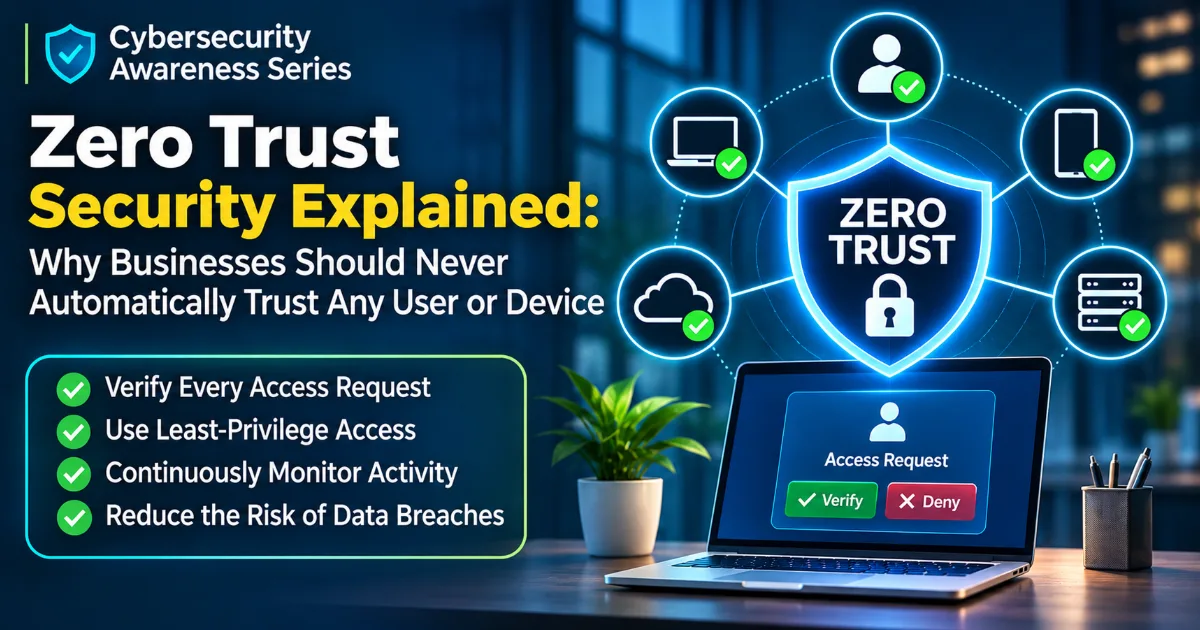
Employees should receive access only to the information and systems necessary for their responsibilities. Administrative permissions should be restricted and reviewed regularly.
When employees change roles or leave the organisation, access should be updated or removed promptly. Shared accounts should be avoided because they make it difficult to identify who performed an action.
Encrypt Sensitive Information
Encryption helps protect information when it is stored and transmitted. Organisations should use appropriate encryption methods for databases, backups, laptops and communications.
Encryption is not a complete solution. If criminals obtain valid access to an application or account, they may still be able to view information through legitimate functions. It should therefore be combined with authentication, authorisation and monitoring.
Secure Databases and Cloud Environments
Review database access, storage permissions, application programming interfaces and cloud configurations. Remove public access unless it is explicitly required and carefully controlled.
Use strong authentication, logging and network restrictions. Test configurations regularly and ensure that sensitive records are not exposed through development systems or public code repositories.
Maintain a Data Inventory
Organisations should understand what information they collect, where it is stored, who can access it and how long it is retained.
A data inventory helps identify unnecessary collection, duplicated records and sensitive information that requires stronger controls. It also supports incident response because teams can determine which systems and people may be affected.
Collect Only Necessary Information
Data minimisation reduces the amount of information that can be exposed in a breach. If a service does not need a particular personal detail, it should not collect it without a valid reason.
Organisations should also establish retention policies. Information that is no longer required should be securely deleted according to applicable legal and operational requirements.
Monitor Systems and Investigate Alerts
Security logs can help identify unusual access, unexpected downloads, privilege changes and suspicious activity. Organisations should collect and review relevant logs and establish a process for investigating alerts.
Monitoring should be proportionate, documented and consistent with applicable privacy and employment requirements.
Train Employees
Employees should understand how to recognise phishing, protect credentials, handle confidential records and report suspicious activity. Training should include practical examples relevant to the organisation's work.
Staff should know that reporting an accidental disclosure quickly is more useful than hiding the mistake. Early reporting gives the organisation a better chance of limiting exposure.
Test Incident Response Plans
A written incident response plan should identify who makes decisions, who investigates technical systems, who communicates with affected people and who handles legal or regulatory matters.
Conduct exercises to test the plan. Confirm that important contact details remain available even if normal communication systems are affected.
Understanding the Difference Between a Data Breach and Identity Theft
These terms are related, but they describe different events. A data breach is the exposure or compromise of information without authorisation. Identity theft occurs when someone uses another person's information to impersonate them or commit fraud.
A data breach can create the conditions for identity theft, but identity theft does not necessarily follow every breach. For example, an incident may expose email addresses without criminals using them to impersonate anyone. In another case, exposed identity documents and financial details may be used in fraudulent applications.
This distinction matters because the response should match the actual risk. A person whose email address was exposed may need to prepare for phishing and spam. Someone whose financial or identity information was compromised may also need to contact financial institutions, review account activity and follow relevant identity protection procedures.
Data Breaches and Privacy in India
People and organisations in India use digital services for banking, shopping, education, healthcare, government services and business operations. As digital activity grows, protecting personal information becomes increasingly important.
India's Digital Personal Data Protection Act, 2023 establishes a framework for processing digital personal data, including obligations for organisations covered by the law. The precise requirements and their application depend on the relevant provisions, rules, notifications and commencement arrangements in force at the time.
Organisations should maintain awareness of applicable data protection obligations, establish appropriate security safeguards and prepare procedures for handling personal data breaches. They should obtain qualified legal advice when determining their specific duties.
Individuals should also understand their rights and use official channels when seeking information about how an organisation processes or protects their personal data. When a cybercrime or financial fraud is suspected, use verified government and institutional reporting channels rather than relying on contacts supplied by unknown callers or messages.
Common Myths About Data Breaches
Myth 1: Only Large Companies Experience Data Breaches
Small businesses, schools, clinics, freelancers and individuals can all experience data exposure. Any organisation that stores personal information may become a target or make a security mistake.
Myth 2: A Strong Password Prevents Every Breach
Strong passwords are important, but they cannot prevent every vulnerability, insider incident or database misconfiguration. Multifactor authentication, software updates, access controls and secure data handling are also necessary.
Myth 3: If No Money Is Missing, There Is No Risk
Exposed personal information can be misused later. Criminals may retain data and use it for targeted phishing, impersonation or account takeover long after the original incident.
Myth 4: Changing One Password Fixes Everything
Changing an affected password is an important step, but other accounts may also be at risk if the password was reused. Victims should review connected accounts, active sessions, recovery methods and financial activity.
Myth 5: A Breach Notification Is Always Genuine
Criminals sometimes send fake breach notifications to trick people into entering passwords or downloading malicious files. Verify the incident through official channels before taking action.
Building a Long-Term Personal Data Protection Routine
Protecting personal information is not a one-time task. It requires regular attention to accounts, devices, applications and the information shared online.
Once every few months, review your most important accounts. Check recovery email addresses, phone numbers, active sessions and connected applications. Remove access that is no longer required and update passwords if there is a reason to believe they may have been exposed.
Keep devices updated and maintain backups of important files. Review the permissions granted to mobile applications and remove services that you no longer use. Be selective about the information you publish publicly.
Pay attention to security notifications, but verify them independently. If an organisation announces a breach, read its guidance and take the recommended steps. If you notice suspicious activity, act quickly rather than waiting for additional signs.
Families can make data protection a shared habit. Discuss safe password practices, phishing awareness and the importance of protecting identity documents. Children should understand that personal information should not be shared casually, while older family members may benefit from examples of impersonation and fake support scams.
Conclusion
Data breaches are a significant cybersecurity and privacy risk because personal information can be exposed through both sophisticated attacks and ordinary mistakes. Criminals may exploit weak passwords, phishing messages, vulnerable software, misconfigured databases, insider access and compromised third-party services to obtain confidential records.
The consequences can include targeted scams, account takeover, identity theft, financial fraud, business disruption and long-term privacy concerns. The risk depends on what information was exposed, how it can be used and whether additional security controls are in place.
Individuals can reduce their exposure by using unique passwords, enabling multifactor authentication, securing their primary email accounts, limiting unnecessary information sharing, updating devices and reviewing account activity. Businesses should collect only necessary data, apply least-privilege access, secure databases, monitor systems, train employees and maintain tested incident response plans.
If a breach affects you, verify the notification, secure affected accounts, contact financial institutions when necessary and watch for follow-up scams. Do not assume that the absence of immediate fraud means the information is harmless.
Digital privacy depends on informed decisions and consistent security practices. Every individual and organisation has a role in protecting personal information. The more carefully data is collected, stored, shared and managed, the less opportunity criminals have to misuse it.
#DataBreachAwareness #CybersecurityAwareness #DataPrivacy #OnlineSafety #IdentityProtection