Smartphones and tablets have become essential parts of everyday life. People use them to communicate, access banking services, make digital payments, attend online meetings, store personal photographs, manage professional activities, shop online, navigate unfamiliar locations, and access important documents. For many individuals, a smartphone contains more personal information than a traditional computer. It may hold private conversations, financial applications, email accounts, identity documents, saved passwords, photographs, contact lists, and access to numerous online services.
This convenience also makes mobile devices attractive targets for cybercriminals. A compromised smartphone can expose personal information, enable financial fraud, provide access to business accounts, and create opportunities for identity theft. Attackers may exploit outdated software, malicious applications, insecure Wi-Fi connections, deceptive messages, weak screen locks, excessive application permissions, or stolen devices to gain unauthorized access.
Mobile device security is therefore no longer an optional technical concern. It is an essential part of personal cybersecurity. Whether someone uses an Android smartphone, an iPhone, an iPad, or another tablet, understanding common mobile threats and adopting practical protection measures can significantly reduce security risks.
This article explains how mobile cyberattacks happen, why smartphones and tablets are vulnerable, and what individuals can do to protect their devices. It also explores application security, operating system updates, authentication, data backups, privacy settings, mobile payment protection, and the steps to take when a device is lost or compromised.
Continue Reading
Why Mobile Device Security Matters
A smartphone is more than a communication device. It is often the central point of access to a person's digital identity. Email accounts connected to the device may be used to reset passwords for other services. Banking applications may provide direct access to financial transactions. Social media applications may contain private conversations and personal information. Authentication applications may generate verification codes that protect other accounts.
If a criminal gains access to one device, the consequences can extend beyond that device itself. For example, an attacker who unlocks a stolen smartphone may attempt to access an email account, reset passwords, read private messages, or use saved payment information. If the device is also connected to workplace accounts, the incident could expose business information or create a route into an organization's systems.
Mobile devices are also frequently carried into public places. They connect to different wireless networks, interact with Bluetooth accessories, use location services, and receive messages from unknown contacts. Each of these activities introduces potential security considerations.
The objective of mobile security is not to stop people from using their devices freely. It is to make sure that the information stored on those devices remains protected, applications behave as expected, and unauthorized individuals cannot easily access sensitive accounts.
Understanding Common Mobile Security Threats
Malicious Mobile Applications
Malicious applications are among the important threats facing smartphone users. Cybercriminals may create applications that appear legitimate but contain harmful code designed to steal information, display intrusive advertisements, monitor activity, or perform unauthorized actions.
Some malicious applications imitate popular services, utility tools, games, financial applications, or productivity software. They may use familiar names, copied logos, and convincing descriptions to appear trustworthy. Once installed, they may request access to contacts, photographs, messages, microphones, cameras, location information, or accessibility features.
Not every application requesting permissions is malicious. However, permissions should be appropriate for the application's purpose. A calculator generally does not need access to a microphone or contact list. A photo editing application may reasonably need access to selected photographs, but it should not automatically require unrestricted access to unrelated personal information.
Users should install applications from official stores, verify the developer's identity, examine reviews carefully, and review permissions before granting access. Official app stores provide security checks, but they cannot guarantee that every application is completely safe.
Mobile Phishing Attacks
Phishing is a deceptive technique in which attackers attempt to persuade people to reveal sensitive information, click harmful links, install malicious applications, or authorize fraudulent transactions.
Mobile phishing can arrive through SMS messages, messaging applications, email, social media, or fraudulent advertisements. Attackers may pretend to represent banks, delivery companies, government departments, online marketplaces, employers, or popular technology services.
A message might claim that a bank account will be blocked unless the recipient verifies personal information. Another may state that a parcel cannot be delivered until a small fee is paid. Some messages create urgency by warning about suspicious account activity or promising a reward that must be claimed immediately.
Mobile screens are smaller than computer displays, which can make suspicious website addresses more difficult to examine. People may also interact with messages quickly while travelling or multitasking.
The safest approach is to avoid opening unexpected links. If a message claims to come from a financial institution or service provider, open the official application or manually enter the known website address instead. Never share passwords, PINs, or one-time verification codes in response to unsolicited requests.
Spyware and Stalkerware
Spyware is software designed to collect information about a user without appropriate knowledge or authorization. Depending on its capabilities, it may monitor browsing activity, collect personal information, track location, or access communications.
Stalkerware is a particularly concerning category of surveillance software because it may be used to monitor another person's activities without consent. Such software can create serious privacy and personal safety risks.
Some forms of spyware exploit vulnerabilities in operating systems or applications. Others rely on someone gaining physical access to a device and installing monitoring software. In certain situations, users may unknowingly grant extensive permissions to an application that misuses them.
People should protect their devices with strong authentication, avoid installing applications from unknown sources, review unfamiliar applications and permissions, and keep operating systems updated. If someone suspects targeted surveillance, they should consider their personal safety before changing settings or removing software, because those actions may alert the person monitoring the device.
Ransomware and Mobile Malware
Ransomware is malicious software that attempts to prevent access to files or devices and demands payment in exchange for restoring access. Although ransomware is commonly associated with computers, mobile devices can also be affected by malicious applications and other attack techniques.
Mobile malware may steal credentials, display fraudulent screens, redirect users to harmful websites, abuse permissions, or attempt unauthorized transactions. Some threats use deceptive notifications to persuade users to install additional software or provide sensitive information.
The best protection includes installing applications from trusted sources, keeping software current, avoiding suspicious attachments, and maintaining secure backups of important information.
Device Theft and Unauthorized Physical Access
Physical theft is a major mobile security risk. A smartphone may contain financial information, personal photographs, private messages, saved credentials, and access to cloud services.
A stolen device that has no screen lock or uses an easily guessed PIN can provide an attacker with immediate access to sensitive information. Even when a device is locked, criminals may attempt to exploit notification previews, weak account recovery settings, or vulnerabilities in outdated software.
A strong screen lock, device encryption where supported, remote location and locking features, and secure account recovery settings can reduce the consequences of device theft.
Use a Strong Screen Lock
A screen lock is one of the first and most important security controls for a smartphone or tablet. It creates a barrier between the device's information and anyone who obtains physical access to it.
Users should choose a strong PIN or password that cannot easily be guessed. Simple combinations such as 1234, 0000, birth years, or repeated digits are poor choices. A longer PIN or an alphanumeric password can provide stronger protection, depending on the device and configuration.
Biometric authentication, including fingerprint recognition and facial recognition, can make unlocking convenient. However, biometric protection should be supported by a strong backup PIN or password. Users should understand how their device handles biometric authentication and when it may require the primary passcode.
Automatic screen locking should be enabled after a short period of inactivity. This is particularly important when using a device in offices, educational institutions, public transport, restaurants, or shared environments.
Users should also avoid sharing their device passcodes casually. A screen lock is useful only when the credentials protecting it remain private.
Keep Your Operating System Updated
Operating system updates are a fundamental part of mobile security. Manufacturers and software developers regularly release updates to fix vulnerabilities, improve device stability, strengthen privacy controls, and address newly discovered threats.
An outdated smartphone may contain security weaknesses that attackers already understand and know how to exploit. Even when users avoid suspicious websites and applications, an unpatched vulnerability can create risks.
Android and iOS devices provide mechanisms for installing operating system updates. Users should check for available updates regularly and enable automatic updates when appropriate.
Application updates are equally important. Messaging applications, browsers, banking applications, and productivity tools may receive security fixes independently of the operating system.
Before installing major updates, users should ensure that important data is backed up and that the device has sufficient battery power or is connected to a reliable power source.
Older devices that no longer receive security updates require special attention. If a manufacturer has ended security support, users should evaluate whether continuing to use that device for sensitive activities is appropriate.
Download Applications Only From Trusted Sources
Application installation is an important security decision. Users should prefer official application stores and verify the publisher before downloading software.
An application's name and logo are not sufficient proof of authenticity. Cybercriminals can copy the appearance of legitimate applications and create convincing imitations. Checking the developer name, application description, update history, and reviews can help identify suspicious software.
Users should be particularly careful with applications promoted through unsolicited messages, unfamiliar websites, pop-up advertisements, and social media posts. A website offering a supposedly free premium application may actually distribute modified software containing malware.
Sideloading, which means installing applications from sources outside the normal app store process, should be approached cautiously. It can be useful in certain legitimate technical situations, but it also bypasses some of the protections provided by official distribution channels.
If an application is no longer needed, uninstall it. Removing unused applications reduces the number of programs that can access personal information and simplifies security management.
Review Application Permissions and Privacy Settings
Applications may request access to sensitive device features and personal information. These permissions should be reviewed rather than automatically approved.
For example, a navigation application may require location access while in use. A video calling application may need access to the camera and microphone during calls. A photo editing application may need access to images selected by the user.
However, permissions that do not match an application's purpose deserve attention. A simple wallpaper application should not need access to contacts, SMS messages, or call history.
Modern mobile operating systems provide privacy dashboards or permission management screens that help users understand which applications have access to sensitive features.
Review the following permissions regularly:
Location: Decide whether an application needs continuous location access or only access while it is being used. Disable unnecessary background location access.
Camera and microphone: Grant access only to applications that genuinely need these features. Review unfamiliar applications that request either permission.
Contacts: Avoid granting contact access to applications that do not require it for their main function.
Photos and files: Where supported, grant access only to selected photographs or documents instead of allowing unrestricted access.
Notifications: Review whether sensitive information appears on the lock screen. Message previews can expose private conversations to people nearby.
Accessibility permissions: Treat requests for extensive accessibility access with caution. These capabilities can be powerful and may be abused by malicious applications.
Privacy settings should be reviewed periodically because application updates, new installations, and changes in user behaviour can introduce new permissions.
Enable Multi-Factor Authentication
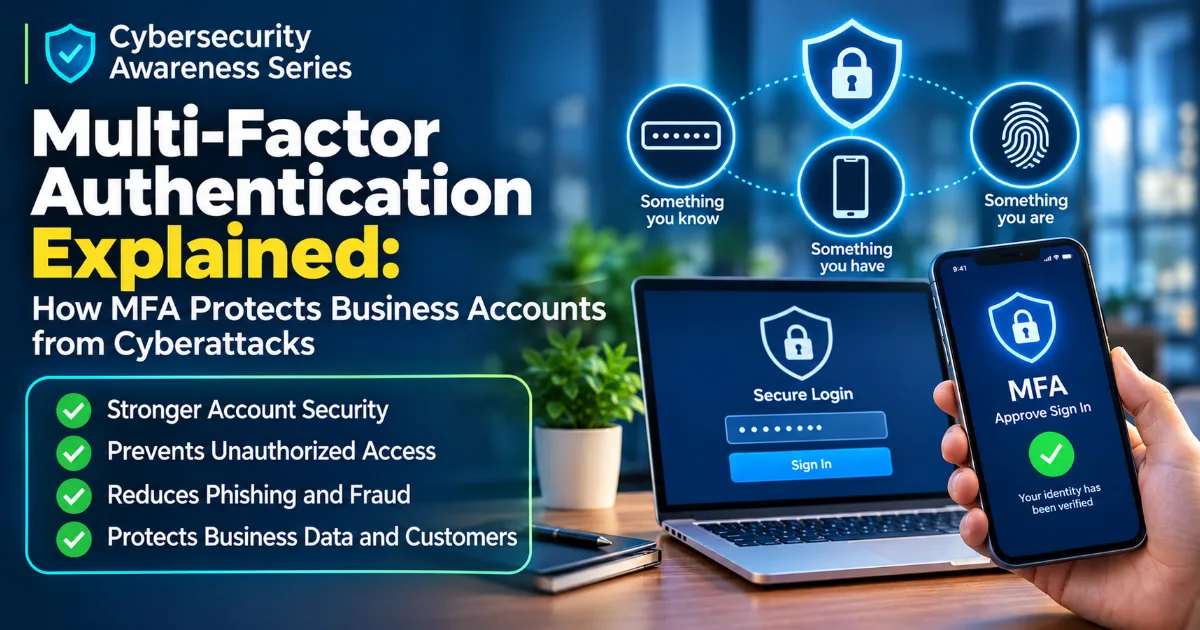
A password alone may not be sufficient to protect important accounts. Multi-factor authentication adds another verification step, making unauthorized access more difficult.
For example, a service may require a password and a separate approval from an authentication application. Some services support hardware security keys or passkeys that provide stronger protection against phishing.
Users should enable multi-factor authentication on important accounts, especially email, banking, cloud storage, social media, and work-related services.
Email deserves particular attention because it is often used for password recovery. If an attacker controls an email account, they may be able to reset passwords for several other services.
Authentication codes and approval requests must be treated as sensitive. Never approve a login request that you did not initiate. If an unexpected authentication notification appears, change the account password through the official service and review recent account activity.
Where available, passkeys and phishing-resistant authentication methods can provide stronger protection than traditional passwords and one-time codes.
Protect Your Device When Using Public Wi-Fi
Public Wi-Fi networks are available in airports, hotels, cafes, shopping centres, libraries, and other shared spaces. They are convenient, but users should not automatically assume that every network is trustworthy.
Some attackers create deceptive wireless networks with names similar to legitimate public networks. A person may connect to a fraudulent network without realizing that the connection is controlled by an attacker.
Users should verify the network name with the venue before connecting. Avoid accessing highly sensitive services over unfamiliar networks when safer alternatives are available.
HTTPS encryption protects information exchanged between a browser and a properly configured website, but it does not make every online activity risk-free. Users should still avoid suspicious links, install updates, and pay attention to browser security warnings.
A reputable VPN may provide additional protection on untrusted networks by encrypting traffic between the device and the VPN provider. However, a VPN does not make malicious applications, phishing websites, or fraudulent transactions safe. Choosing a trustworthy provider is important.
When public Wi-Fi is unnecessary, disconnect from it. Disable automatic connection to unknown networks and remove old networks that are no longer used.
Secure Bluetooth, NFC and Nearby Connections
Bluetooth and near-field communication technologies make it easy to connect headphones, smartwatches, payment terminals, and other devices. These features are useful, but they should be managed carefully.
Users should avoid accepting unexpected Bluetooth pairing requests. Pairing should be initiated only when the device and accessory are known and trusted.
When Bluetooth is not needed, turning it off can reduce unnecessary wireless exposure. The same principle applies to nearby sharing features and other wireless discovery options.
NFC is commonly used for contactless payments and quick device interactions. Users should keep their devices locked, enable payment authentication where supported, and review which payment cards are connected to their mobile wallet.
People should also be careful when scanning QR codes in public places. A QR code can lead to a fraudulent payment page, malicious website, or deceptive login form. Check the destination before entering credentials or authorizing a payment.
Protect Mobile Banking and Digital Payments
Mobile banking and digital payment applications provide convenience, but they also require careful security practices.
Download financial applications only through official sources and verify the institution's identity. Avoid accessing banking services through links received in unexpected messages.
Use strong authentication and enable transaction notifications where available. These notifications can help users identify suspicious activity quickly.
Never share banking PINs, card security codes, passwords, or one-time passwords with anyone who contacts you unexpectedly. Legitimate institutions should not require customers to disclose authentication codes to complete routine support requests.
Users should also be cautious about screen-sharing requests. A fraudster may claim to be a bank representative or technical support agent and ask the victim to install a remote-access application. Once access is granted, the criminal may observe activity or manipulate the device.
If a financial transaction appears suspicious, contact the bank through its official application, verified phone number, or known website. Do not rely on contact details supplied by the suspicious message.
Back Up Important Mobile Data Regularly
A secure backup is essential because devices can be lost, stolen, damaged, infected, or reset unexpectedly.
Important information may include photographs, contacts, documents, notes, and other personal files. Users should understand which information is backed up automatically and which items require separate action.
Cloud backups can make data recovery easier, but the cloud account itself must be protected with strong authentication. If an attacker gains access to the backup account, the stored information may also be exposed.
Where practical, maintain an additional backup of especially important files in a separate secure location. A backup should not be considered reliable until the user has confirmed that the data can actually be restored.
Backups should also be protected against unauthorized access. Use encryption and account security features where available, and avoid storing sensitive files in publicly accessible folders.
Regular backups reduce the impact of device failure and help users recover without paying criminals or relying on uncertain recovery methods.
Manage Location Sharing and Tracking
Location information can reveal where someone lives, works, studies, shops, and spends personal time. Continuous location sharing can therefore create privacy and safety risks.
Users should review which applications can access location data and whether that access is necessary. Some applications need location only while being used, while others may have legitimate background requirements.
Review location sharing settings in mapping applications, social media platforms, family safety services, and cloud accounts. Check whether location is being shared with individuals who no longer need access.
Before publishing photographs or social media updates, consider whether the content reveals a current location or predictable routine. Avoid publicly sharing travel plans in real time when doing so could expose an unattended home or personal movements.
Location services can be useful for navigation and emergency features. The goal is not to disable every location feature, but to ensure that access is intentional and appropriate.
Protect Notifications and Lock Screen Information
Notifications can reveal sensitive information even when a smartphone is locked. Messages, email previews, authentication codes, and financial alerts may appear on the display.
Someone sitting nearby could read these notifications without unlocking the device. In some circumstances, exposed verification codes could help an attacker attempt account access.
Users should review lock screen notification settings and hide sensitive previews where appropriate. Some devices allow notification content to appear only after biometric authentication or device unlocking.
Authentication codes should never be treated as ordinary notification text. Avoid leaving a device unattended in public places, and do not share screenshots containing sensitive account information.
Understand the Risks of Rooting and Jailbreaking
Rooting and jailbreaking refer to methods of removing certain operating system restrictions to obtain greater control over a mobile device.
These techniques may provide customization options or enable specialized applications, but they can also weaken security protections. Some security features depend on the device operating system maintaining its normal integrity.
A modified device may become more vulnerable to malicious applications, unauthorized system changes, or compatibility problems with banking and security software.
Users who do not have a specific technical requirement should generally avoid modifying the operating system's security controls. If a device has been rooted or jailbroken, its security implications should be understood before using it for sensitive financial or professional activities.
Mobile Security for Children and Families
Children increasingly use smartphones and tablets for education, communication, games, and entertainment. They may not recognize phishing attempts, fraudulent advertisements, deceptive downloads, or requests for personal information.
Parents and guardians can improve safety by discussing responsible device use, enabling suitable parental controls, reviewing application permissions, and teaching children not to share passwords or verification codes.
Children should understand that online contacts are not always who they claim to be. They should know how to report suspicious messages, harmful content, or requests for private photographs and information.
Family security practices should focus on education and age-appropriate protection rather than relying entirely on restrictions. As children become more independent, they need to develop the ability to recognize risks and make safer decisions.
Mobile Device Security for Businesses and Remote Workers
Smartphones and tablets are also important business tools. Employees may use them to access company email, customer records, project management platforms, cloud storage, internal communication systems, and confidential documents.
If a business device is compromised, the incident may affect more than one employee. It could expose customer information, disrupt operations, or create unauthorized access to company resources.
Organizations should establish clear mobile device security policies. These policies may include mandatory screen locks, operating system updates, approved application sources, multi-factor authentication, encrypted storage, and procedures for reporting lost devices.
Businesses may use mobile device management solutions to apply security configurations, manage access, and remove company data from devices when necessary. Bring Your Own Device policies should clearly explain how personal and professional information are handled.
Remote workers should avoid connecting to untrusted networks without appropriate safeguards and should never install workplace applications from unverified sources.
Employees should report suspicious activity promptly. Delayed reporting can give attackers additional time to misuse compromised accounts or devices.
What to Do If Your Smartphone Is Lost or Stolen
Losing a smartphone can be stressful, particularly when it contains financial information and access to important accounts. Acting quickly can reduce the risk of misuse.
First, use the official device-finding service associated with the operating system, if it was enabled before the device went missing. Depending on the platform and settings, this service may help locate the device, play a sound, lock it remotely, display a message, or erase its data.
Second, contact your mobile network provider if the device or SIM card may be misused. Ask about blocking the SIM or taking other appropriate protective measures.
Third, secure important accounts. Change passwords for accounts that may be exposed, beginning with the primary email account and financial services. Review active sessions and sign out of devices that you do not recognize.
Fourth, contact your bank if payment applications, banking credentials, or financial information may be at risk. Monitor transactions and report suspicious activity through official channels.
Finally, report the theft to the appropriate authorities when necessary and preserve relevant information, such as the device serial number or IMEI, if available.
Remote erasure may protect information, but it can also affect the ability to locate the device or recover data. Consider the available options carefully and use official guidance for the specific device.
What to Do If You Suspect Your Device Has Been Compromised
Signs of possible compromise may include unfamiliar applications, unexpected permission changes, unusual account login notifications, suspicious financial transactions, or security warnings.
However, unusual battery usage, device heating, or slow performance alone do not prove that a device has been hacked. These symptoms can have ordinary technical causes.
If you suspect compromise, begin by avoiding suspicious links and applications. Use a trusted device to secure important online accounts if the affected phone may not be safe.
Review installed applications, permissions, account sessions, and recent security notifications. Remove unfamiliar software only when doing so is safe and appropriate. If targeted surveillance or personal safety concerns are involved, seek trusted specialist assistance before making changes that could alert an attacker.
Install available security updates and contact the relevant service provider if an account appears compromised. For serious incidents, a qualified mobile security professional may be able to investigate the device.
A factory reset can remove many forms of unwanted software, but it is not a universal solution for every compromise. Before resetting, preserve necessary evidence and secure important accounts. Restore data only from backups that are believed to be safe.
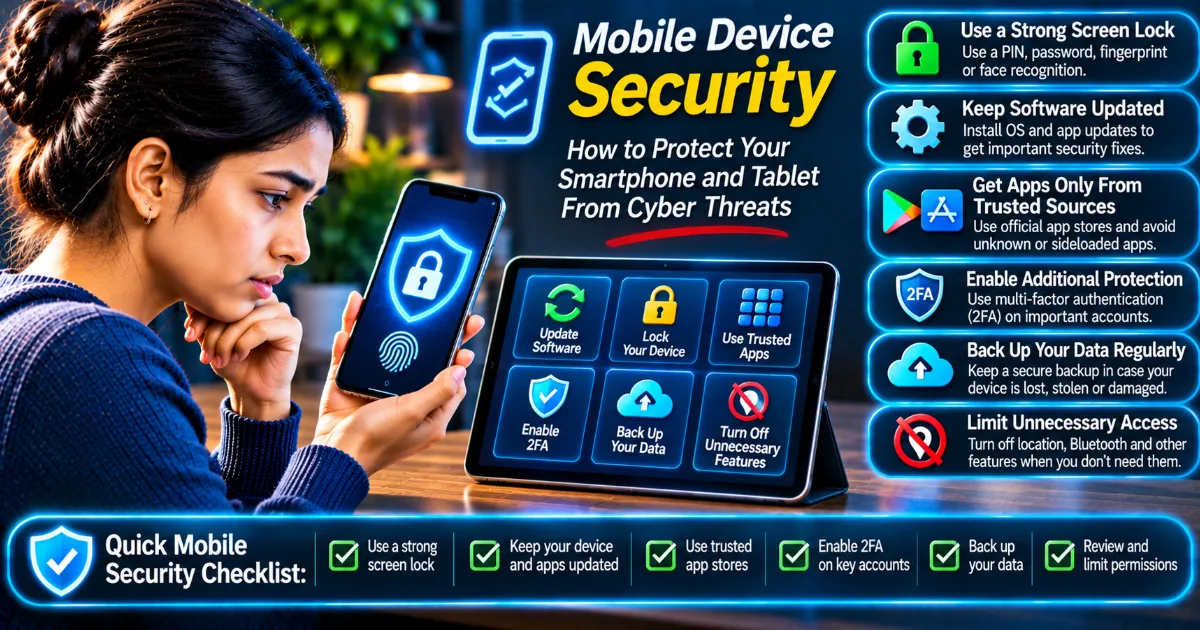
A Practical Mobile Device Security Checklist
Strong mobile security comes from combining several simple habits rather than relying on one application or setting.
Use a strong PIN or password and enable biometric authentication where appropriate. Set the screen to lock automatically after a short period of inactivity. Keep the operating system and applications updated, and install software only from trusted sources.
Review application permissions regularly. Remove applications that are no longer needed and avoid granting unnecessary access to contacts, location, camera, microphone, and files.
Enable multi-factor authentication on important accounts, especially email, financial services, and cloud storage. Never approve unexpected login requests or share verification codes.
Back up important information regularly and verify that recovery works. Use public Wi-Fi carefully, disable automatic connections to unknown networks, and review Bluetooth and nearby sharing settings.
Protect financial applications with strong authentication. Hide sensitive notification previews, monitor account activity, and use official channels when contacting service providers.
Finally, know how to locate, lock, or erase your device remotely. Being prepared before a device is lost or stolen is much more effective than trying to configure protection after an incident.
Conclusion
Smartphones and tablets have become central to personal and professional life, making mobile device security an essential part of modern cybersecurity. These devices contain sensitive information and provide access to accounts, financial services, private conversations, and business systems. A single security failure can therefore have consequences far beyond the loss of a physical device.
Cybercriminals exploit human behaviour, weak authentication, outdated software, malicious applications, insecure connections, and excessive permissions. Although these threats continue to evolve, users can reduce their exposure through consistent security practices.
A strong screen lock, regular software updates, trusted application sources, carefully managed permissions, multi-factor authentication, secure backups, and responsible wireless connectivity form the foundation of mobile protection.
No device can be made completely risk-free, and security tools cannot replace informed decisions. The most effective approach combines reliable technology with awareness and responsible habits.
Every smartphone and tablet user should treat mobile security as an ongoing responsibility. Protecting a device means protecting personal information, financial resources, professional access, and digital identity.
#MobileSecurity #CybersecurityAwareness #SmartphoneSecurity #OnlineSafety #DigitalPrivacy