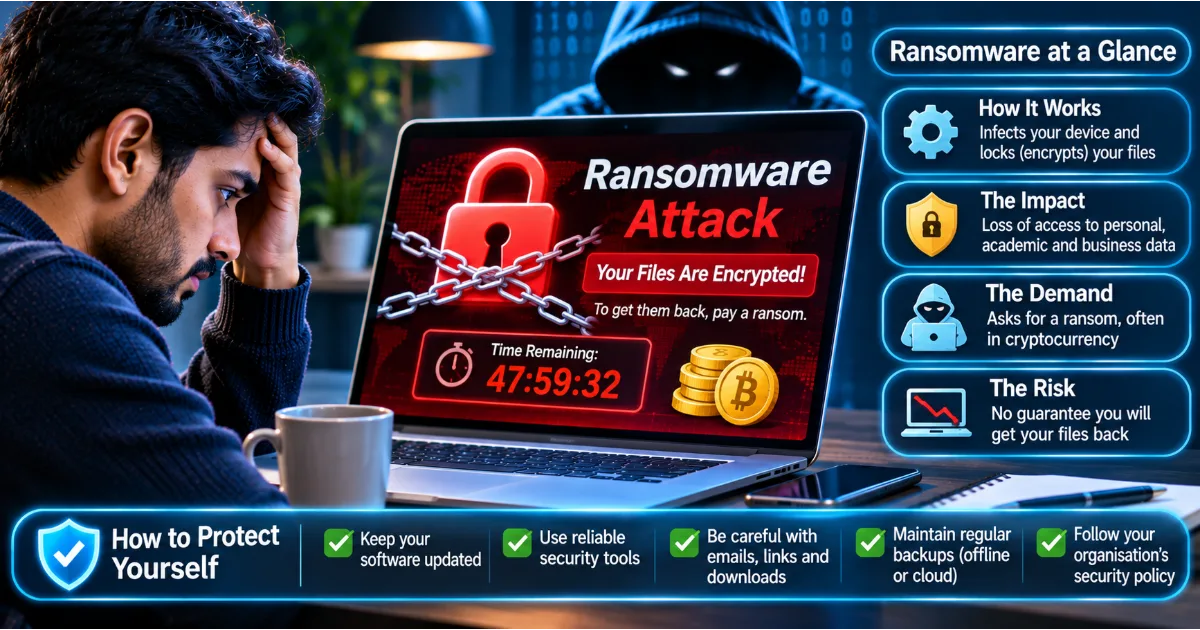
Ransomware is one of the most disruptive forms of cybercrime affecting individuals, businesses, educational institutions, hospitals, government organisations and other digital services. It is a type of malicious software designed to prevent people from accessing their own files, devices or systems until a ransom is demanded. In many cases, attackers encrypt important documents, photographs, databases and business records. They then display a message demanding payment in exchange for a supposed recovery key.
The consequences can extend far beyond losing access to a few files. A ransomware incident can interrupt business operations, delay medical services, expose confidential information, damage customer trust, create financial losses and disrupt essential public services. For individuals, it can mean losing years of photographs, personal documents, educational work or other important digital records. For organisations, the impact can involve operational shutdowns, legal responsibilities, regulatory investigations and long-term reputational damage.
Ransomware attacks have also become more sophisticated. Some criminals use phishing emails and malicious downloads to enter a system. Others exploit unpatched software, weak remote access controls, stolen passwords or compromised service providers. Modern ransomware operations may steal sensitive information before encrypting systems. Attackers can then threaten to publish the stolen data if the victim refuses to pay. This approach is often called double extortion.
Understanding ransomware is therefore an essential part of cybersecurity awareness. People need to know how these attacks begin, how malicious software spreads, what warning signs to recognise and what practical steps can reduce the risk. They also need a clear response plan in case a device or organisation is affected.
Continue Reading
What Is Ransomware?
Ransomware is malicious software that blocks access to data or computer systems and demands payment to restore access or prevent the release of stolen information. The name combines the words ransom and software. The criminal objective is to create pressure by making valuable digital resources unavailable.
The most familiar form of ransomware encrypts files. Encryption is a legitimate security process used to protect information by converting readable data into a format that cannot be understood without the appropriate key. Ransomware misuses this technology. It encrypts the victim's files and withholds the key required to restore them.
For example, imagine a person has stored years of family photographs, financial documents, work files and personal records on a laptop. After opening a malicious attachment, the person may discover that the files have unfamiliar extensions and can no longer be opened. A message appears on the screen claiming that the documents have been encrypted and demanding payment for a decryption key.
A business may experience a much larger incident. Its employees may lose access to shared folders, customer databases, accounting systems, internal applications and operational records. If the organisation depends on those systems to serve customers, even a short disruption can have serious consequences.
Not every ransomware attack works in exactly the same way. Some attacks lock the screen or restrict access to the operating system. Others encrypt selected files, shared drives or entire networks. Some focus on stealing information and threatening to expose it. The method may differ, but the central purpose is financial extortion.
How Does a Ransomware Attack Work?
Ransomware incidents generally involve several stages. Understanding these stages helps individuals and organisations identify opportunities to prevent an attack before it causes major damage.
1. Initial Access
The attacker first needs a way into the victim's device, account or network. Phishing emails are a common route. A criminal may send a message that appears to come from a bank, delivery company, employer, colleague or trusted service provider. The message may contain a malicious attachment or a link leading to a fraudulent website.
Other entry points include compromised passwords, exposed remote access services, vulnerable software, malicious advertisements, infected downloads and compromised third-party suppliers. In some cases, attackers purchase access to systems that another criminal has already compromised.
2. Execution of Malicious Software
Once access has been obtained, the attacker attempts to execute malicious code. This may happen when a victim opens an infected document, runs an untrusted program, installs a fake software update or enables a harmful script.
Some attacks require direct user interaction. Others exploit software vulnerabilities or abuse existing administrative tools. The malware may attempt to remain unnoticed while preparing the system for the main attack.
3. Establishing Persistence and Expanding Access
More advanced attackers may try to maintain access even after the original entry point is closed. They may also attempt to obtain higher privileges, discover other devices and identify important systems.
In an organisation, criminals may move from one compromised computer to shared servers, backup infrastructure or administrative systems. This is one reason why ransomware can affect multiple departments rather than remaining limited to the first infected device.
4. Discovering and Targeting Valuable Data
Attackers often search for information that would create pressure on the victim. This may include financial records, customer information, intellectual property, employee files, operational databases and backups.
The criminals may attempt to identify which systems are most important and which files would be most difficult to replace. Their objective is to maximise disruption and increase the likelihood that the victim will consider paying.
5. Data Theft and Encryption
Some ransomware groups copy sensitive information before encrypting it. This creates an additional threat because the organisation may face data exposure even if it restores its systems from backups.
The ransomware may then encrypt accessible files, shared folders or network resources. The victim discovers that important information can no longer be opened.
6. Ransom Demand
The attacker displays instructions demanding payment. The message may specify a deadline, provide a method of communication and threaten permanent data loss or publication of stolen information.
Criminals frequently request cryptocurrency because it can make payment flows harder to trace, although cryptocurrency transactions are not automatically anonymous or untraceable.
7. Extortion and Possible Further Attacks
Even after the initial demand, criminals may continue pressuring the victim. They may threaten to release stolen information, contact customers, publish internal documents or launch another attack.
Payment does not guarantee that the attacker will provide a working decryption key, delete stolen information or stop targeting the victim. A victim may pay and still lose access to files or face further extortion.
Common Types of Ransomware
Ransomware is not a single tool or one fixed attack method. Different forms are designed to create different kinds of disruption.
Crypto Ransomware
Crypto ransomware encrypts files and makes them inaccessible without the appropriate decryption key. It may target documents, spreadsheets, databases, photographs, videos and other file types.
This type is especially damaging when the victim has no reliable backup. Even if the computer continues to operate, the encrypted files may be unusable.
Locker Ransomware
Locker ransomware attempts to prevent users from accessing their devices or operating systems. Instead of focusing only on individual files, it may display a lock screen that blocks normal activity.
The victim may be unable to use the device until the malicious program is removed or the system is restored.
Double-Extortion Ransomware
Double extortion combines file encryption with data theft. Attackers first copy sensitive information and then encrypt the victim's systems. They demand payment to restore access and may separately threaten to publish or sell the stolen information.
This means that restoring from a backup may solve the availability problem but not the confidentiality problem. Organisations must investigate whether information was accessed or copied.
Ransomware-as-a-Service
Ransomware-as-a-Service, commonly known as RaaS, is a criminal business model in which ransomware developers provide tools or infrastructure to other criminals. Affiliates use these tools to conduct attacks, and the parties may share the proceeds.
This model allows people with limited technical expertise to participate in ransomware operations. It also makes the cybercrime ecosystem more organised and scalable.
Scareware
Scareware uses alarming messages to convince people that their devices are infected or that urgent action is required. It may imitate security warnings and demand payment for fake protection or repairs.
Although scareware does not always encrypt files, it uses fear and urgency in a way that resembles ransomware extortion. Users should never trust unexpected security warnings that demand immediate payment or direct them to unfamiliar support numbers.
How Ransomware Reaches Your Device
Knowing the common delivery methods is important because prevention often begins before malware reaches a computer.
Phishing Emails and Malicious Attachments
A phishing email may claim that an invoice is overdue, a package could not be delivered, an account requires verification or an important document is waiting for review. The message may include a Word document, spreadsheet, PDF or compressed archive.
The attachment may contain malicious content or direct the user to download harmful software. Attackers often create messages that appear professional and imitate familiar brands.
Before opening an unexpected attachment, verify the sender and consider whether the message makes sense. If it claims to come from a colleague or supplier, confirm through a separate trusted communication channel.
Malicious Websites and Downloads
Untrusted websites may offer pirated software, cracked applications, fake updates, unofficial installers or files advertised as free premium tools. These downloads may contain malware.
Downloading software from unknown sources is risky even when the website looks professional. Use official developer websites and trusted application stores. Avoid installers that bundle unfamiliar programs or ask for unnecessary permissions.
Weak or Reused Passwords
Criminals may use stolen passwords from previous data breaches to access other accounts. If the same password is used for email, cloud storage, work applications and remote access, one compromised account can create a chain of security problems.
Use a unique password for every important account. A reputable password manager can help create and store strong passwords without requiring people to remember every one.
Unpatched Software
Software vulnerabilities can provide attackers with a route into devices and networks. Developers release security updates to fix known weaknesses. Delaying these updates leaves systems exposed for longer.
Operating systems, browsers, office applications, routers, plugins and other connected software should be updated regularly. Where possible, enable automatic security updates.
Remote Access Exposure
Businesses often use remote access tools so employees can work from different locations. These tools can become targets when they are exposed to the internet without strong authentication or appropriate security controls.
Organisations should restrict remote access, use multifactor authentication, monitor login activity and remove access that is no longer required.
Compromised Third-Party Providers
A company may be affected through a supplier, software provider or service partner. If a trusted third party is compromised, attackers may use that relationship to reach other systems.
Businesses should evaluate the security practices of important vendors, limit third-party access and monitor connections that can reach sensitive systems.
Warning Signs of a Ransomware Infection
Ransomware does not always announce itself immediately. Some attacks remain unnoticed while attackers explore a network or steal information. However, certain symptoms may indicate a serious security incident.
Files that previously opened normally may suddenly become inaccessible. Their names or extensions may change, or unfamiliar ransom notes may appear in folders. A device may display unexpected lock screens or warnings demanding payment.
Other possible signs include unusual system activity, unexpected security alerts, unknown applications, disabled security tools, suspicious account logins and unexplained changes to shared folders. In a business environment, multiple employees may report simultaneous access problems.
These symptoms do not prove that ransomware is responsible. Hardware failures, software corruption and other malware can cause similar problems. However, when ransomware is suspected, users should avoid experimenting with the affected device and should report the incident to the appropriate technical or security team.
How to Prevent Ransomware Attacks
There is no single product or action that guarantees complete protection. Effective ransomware prevention depends on several layers of security working together.
Keep Operating Systems and Applications Updated
Install security updates promptly for operating systems, browsers, productivity applications and other software. Updates often correct vulnerabilities that attackers actively exploit.
Do not ignore update notifications for long periods. Organisations should maintain an inventory of their systems and apply security patches according to a documented process.
Use Reputable Security Software
A reputable endpoint security solution can help detect suspicious activity, block known malware and alert users to potential threats. Keep security tools updated and ensure that real-time protection is enabled.
Security software should be one layer of defence rather than the only layer. It cannot reliably prevent every new or carefully targeted attack.
Use Strong, Unique Passwords
Create different passwords for important accounts, especially email, cloud storage, banking, administration and remote access services. Avoid passwords based on easily guessed personal information.
A password manager can generate and store strong passwords. If a service supports multifactor authentication, enable it.
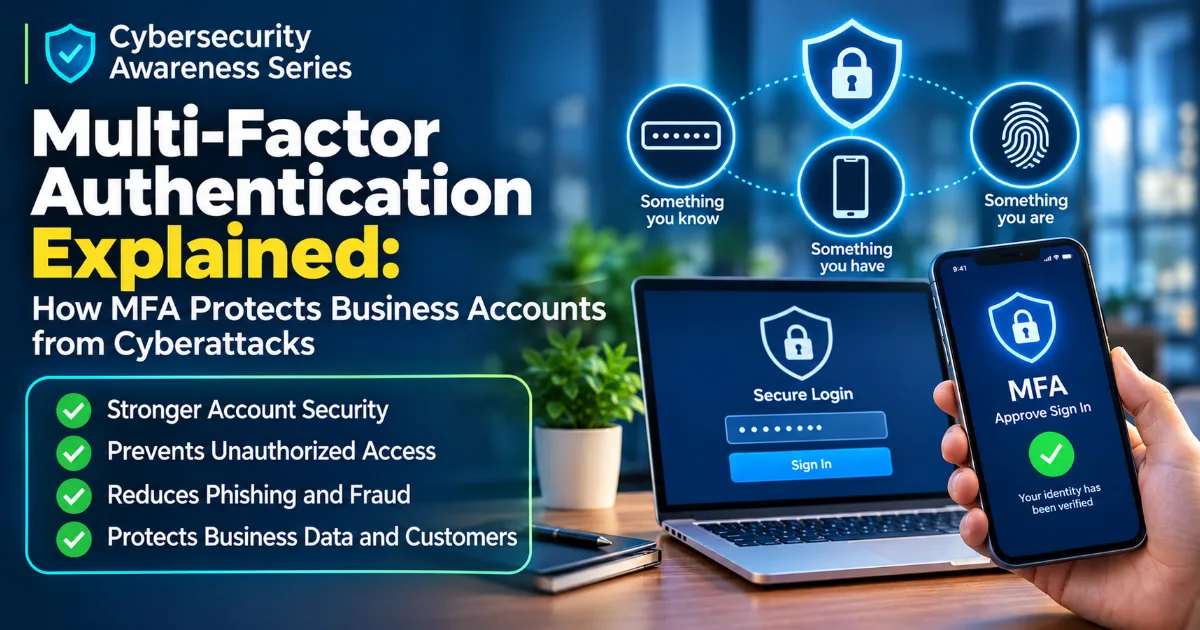
Enable Multifactor Authentication
Multifactor authentication adds a second verification step beyond the password. Depending on the service, this may involve an authenticator application, security key, passkey or another supported method.
Prioritise email accounts, administrator accounts, remote access services and cloud platforms. These accounts can provide access to many other systems.
Be Careful With Links and Attachments
Do not open unexpected attachments simply because an email appears to come from a familiar organisation. Check the sender's full address, inspect the context and verify unusual requests independently.
Be especially cautious when a message creates urgency, threatens account closure, requests confidential information or asks you to enable macros or install software.
Download Software From Trusted Sources
Use official websites and reputable application stores. Avoid pirated software, cracked programs, unknown browser extensions and unofficial update packages.
If an application requests permissions that do not match its purpose, stop and investigate before continuing.
Maintain Reliable Backups
Backups are among the most important protections against ransomware. Keep copies of important data in a separate location so that an attack on the primary device cannot automatically destroy every copy.
A practical approach is to follow the 3-2-1 backup principle: maintain at least three copies of important data, store them on two different types of media and keep one copy off-site. For ransomware resilience, ensure that at least one backup is offline, immutable or otherwise protected from modification by compromised accounts.
Backups should be tested regularly. A backup that cannot be restored when needed provides little practical protection.
Limit User and Administrator Permissions
Everyday accounts should not have unnecessary administrative privileges. If malware runs under a standard user account, its ability to make system-wide changes may be reduced.
Organisations should separate administrator accounts from ordinary work accounts, restrict privileged access and review permissions regularly.
Secure Remote Access
Use multifactor authentication for remote access, restrict connections to authorised users and devices, and disable services that are not required. Monitor unusual login activity and apply security updates to remote access systems.
Where appropriate, organisations can use virtual private networks, device compliance checks and network access controls to reduce exposure.
Segment Networks
Network segmentation separates systems into different areas so that a compromise in one part of the network does not automatically provide access to everything else.
For example, guest Wi-Fi, employee devices, servers, backup infrastructure and sensitive operational systems should not all have unrestricted access to one another. Proper segmentation can limit the spread of ransomware.
Train Employees and Family Members
Technology alone cannot prevent every attack. People need to recognise suspicious messages, understand safe download practices and know how to report potential incidents.
Organisations should conduct regular awareness training and realistic phishing exercises. Families can also discuss online safety, particularly with children and older relatives who may be targeted through deceptive messages.
Why Backups Are Critical During a Ransomware Attack
A well-designed backup strategy can make the difference between a recoverable incident and a prolonged crisis. When attackers encrypt files, clean and usable backups may allow the victim to restore information without relying on the criminals.
However, not all backups provide the same level of protection. If a backup drive remains permanently connected to an infected computer, ransomware may encrypt the backup files as well. If cloud storage is accessible through a compromised account with unrestricted permissions, attackers may be able to delete or modify stored copies.
A stronger approach combines multiple protections. Keep separate backup copies, restrict who can modify them, use version history or immutable storage where available, and maintain an offline copy for critical information.
Test the restoration process before an emergency. Confirm that important files can be recovered, that the backup is recent enough and that the organisation knows how long restoration will take.
Businesses should also identify which systems must be restored first. A recovery plan may prioritise identity services, essential databases, customer operations and communication systems. The correct order depends on the organisation's activities and operational dependencies.
What to Do If Your Files Are Locked by Ransomware
Discovering a ransom note can be frightening. The most important thing is to respond carefully rather than rushing to pay or attempting random fixes.
1. Disconnect the Affected Device
If you suspect a ransomware infection, disconnect the device from wired and wireless networks. Turn off Wi-Fi and Bluetooth where appropriate, and disconnect network cables.
The purpose is to reduce the possibility of malware spreading to shared folders, other computers or connected storage. If you are part of an organisation, follow its incident response instructions and contact the security team immediately.
Do not connect backup drives or other storage devices to the affected computer.
2. Do Not Delete Files or Reinstall Everything Immediately
Avoid deleting suspicious files, formatting drives or reinstalling the operating system before the incident has been assessed. These actions may destroy evidence that security professionals need to understand how the attack happened.
If the device belongs to an organisation, do not attempt independent recovery unless the incident response team instructs you to do so. Preserve ransom notes, suspicious messages and relevant details.
3. Report the Incident
Individuals should contact a trusted technical professional or the relevant support provider. Employees should report the incident through their organisation's security or IT reporting process.
Businesses may need to activate their incident response plan, involve cybersecurity specialists, notify leadership and assess legal or regulatory reporting obligations.
In India, affected individuals and organisations can also consider reporting cybercrime through the official National Cyber Crime Reporting Portal and following applicable CERT-In directions and reporting requirements. The appropriate reporting route depends on the incident and the organisation's legal obligations.
4. Preserve Evidence
Record what happened, when it was noticed, which devices are affected and what messages appeared. Preserve ransom notes, suspicious email headers, relevant logs and screenshots where it is safe to do so.
Do not forward malicious attachments casually or upload sensitive company data to unknown services. Evidence should be handled through trusted incident response channels.
5. Identify the Ransomware Variant
Security professionals may examine the ransom note, file extensions and other indicators to identify the ransomware family. This can help determine whether a legitimate decryption tool exists.
Some security organisations maintain resources that help victims identify ransomware and find available recovery options. Only use tools from reputable, verified sources. A fake decryptor can introduce additional malware or steal information.
6. Check Backup Integrity
Before restoring files, determine whether backups are clean and unaffected. Security teams should verify that the systems used to create and store backups were not compromised.
Restoring data while the original infection remains active may lead to another encryption event. The environment should be investigated and secured before normal operations resume.
7. Rebuild and Restore Systems Safely
Depending on the severity of the incident, affected systems may need to be rebuilt from trusted installation media or known-good images. Security patches should be applied, credentials reset where necessary and access permissions reviewed.
Restore data from verified backups only after the recovery environment is considered safe. Monitor systems carefully after restoration for signs of reinfection or continuing unauthorised access.
8. Investigate Possible Data Theft
If attackers may have copied information, the response must address more than file restoration. Organisations should determine what data was accessed, whether personal or confidential information was exposed and whether customers, employees, regulators or other parties need to be informed.
Legal and compliance teams should be involved where appropriate. Notification requirements vary by jurisdiction, sector and the type of information affected.
Should You Pay the Ransom?
Paying a ransom is a difficult decision, but it should never be treated as a guaranteed way to recover files. Criminals may fail to provide a working decryption key, demand additional payments or retain stolen information even after receiving money.
Payment can also encourage further criminal activity and may create legal or sanctions-related concerns depending on the parties involved and the applicable laws.
Organisations facing a serious incident should consult experienced incident response specialists, legal advisers, insurers where relevant and appropriate authorities before making decisions. They should evaluate the available recovery options, operational consequences and legal risks.
Individuals should avoid making hurried payments based only on a message displayed on the screen. A ransom note is written by criminals and should not be treated as trustworthy technical guidance.
Ransomware Risks for Businesses
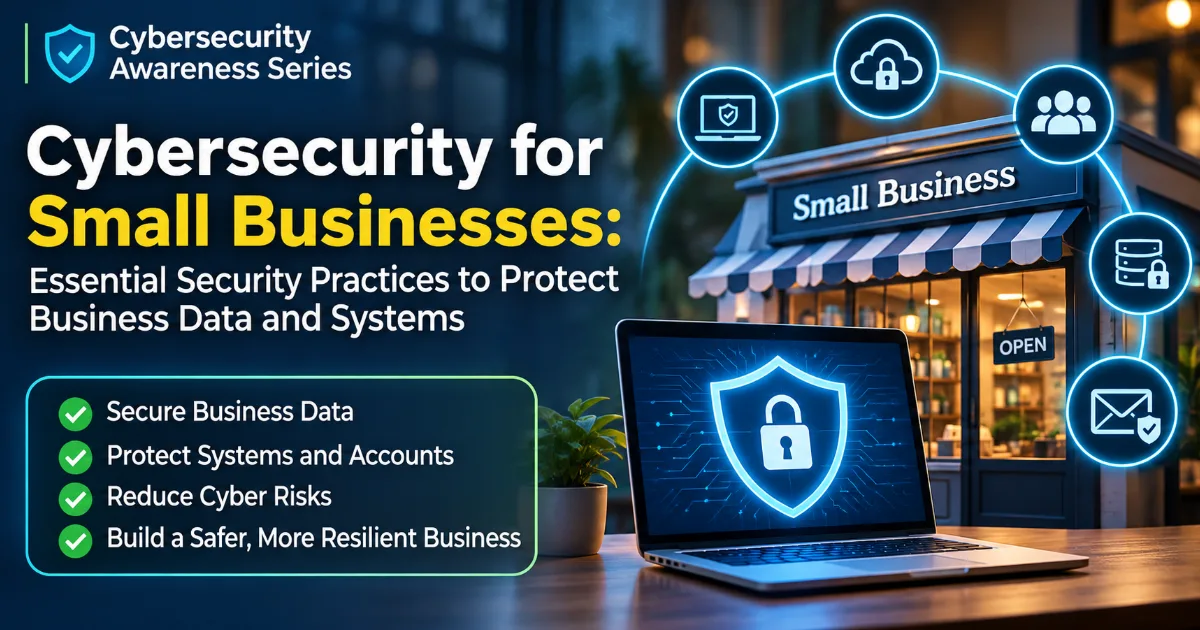
Businesses are attractive ransomware targets because their data and systems may be essential to daily operations. A small company may depend on a single accounting system, customer database or shared file server. A larger organisation may rely on hundreds of interconnected services.
The direct financial impact can include incident response costs, system restoration, lost revenue, legal advice and business interruption. Additional costs may arise from customer support, regulatory investigations, forensic analysis and improvements to security controls.
Operational disruption can be equally serious. Employees may be unable to access schedules, orders, customer records or production systems. Suppliers may be affected, and customers may experience delays.
Small and medium-sized businesses should not assume they are too small to be targeted. Automated attacks often search for exposed systems and vulnerable services without considering the size of the organisation.
Every business should maintain a basic security programme that includes asset management, patching, multifactor authentication, backups, access controls, employee awareness and an incident response plan.
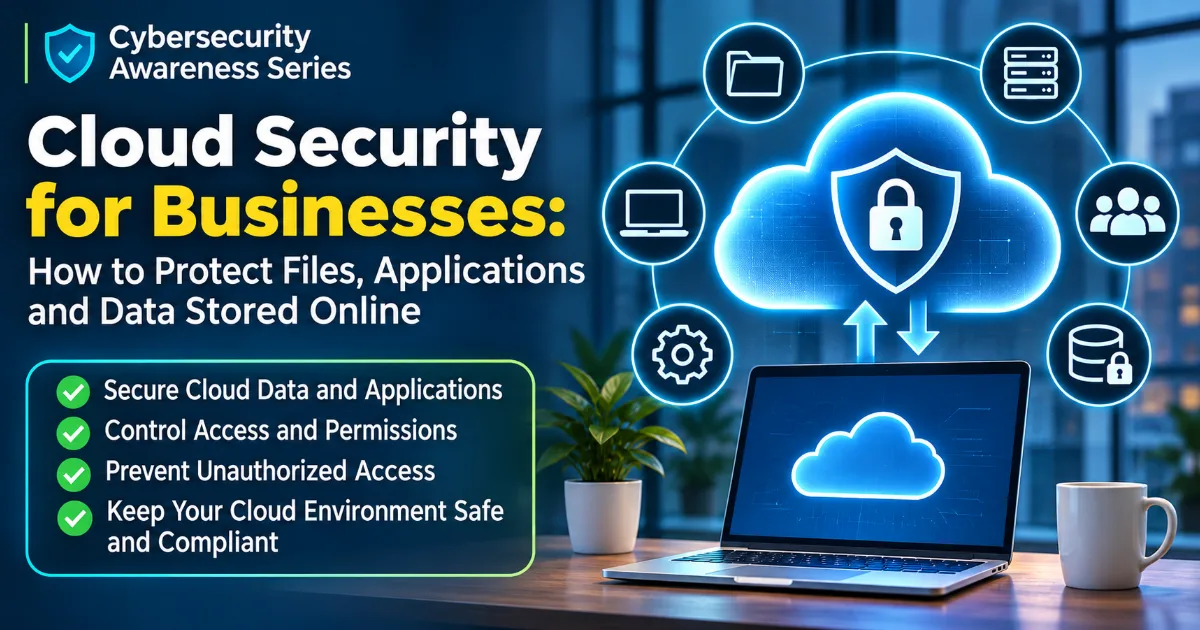
Ransomware and Cloud Storage
Cloud storage can improve availability and make collaboration easier, but it does not automatically protect files from ransomware. If an attacker gains access to a cloud account, they may be able to encrypt, delete or modify files depending on the account's permissions.
Cloud services may provide version history, recovery features and protection against certain types of data loss. However, these features must be configured correctly and tested.
Use multifactor authentication, restrict account permissions and review connected applications. Protect administrative accounts carefully and maintain independent backups of critical information where appropriate.
Users should also be alert to suspicious synchronisation activity. If ransomware encrypts local files and the changes synchronise to cloud storage, the encrypted versions may appear in the cloud as well. Version history or recovery features may help, but they should not replace a separate backup strategy.
Ransomware on Mobile Devices
Mobile devices are also exposed to cyber threats. Malicious applications, deceptive links, fake security alerts and compromised accounts can put personal information at risk.
Traditional file-encrypting ransomware is more commonly associated with computers and organisational networks, but mobile users should not assume their devices are immune to extortion or malware.
Install applications only from trusted stores, review permissions, keep the operating system updated and avoid installing unknown application packages. Protect cloud accounts with strong authentication and maintain backups of important photographs and documents.
If a phone displays an unexpected warning demanding payment, do not follow the instructions automatically. Verify the alert through the device manufacturer's official support channels or a trusted technical professional.
Creating a Personal Ransomware Protection Plan
Individuals do not need an enterprise security department to reduce their risk. A simple, consistent routine can provide meaningful protection.
Keep your computer and phone updated. Use reputable security software where appropriate. Create unique passwords and enable multifactor authentication for important accounts. Avoid suspicious attachments and downloads. Back up valuable photographs, documents and personal records to a separate protected location.
Review your backup process periodically. Check that files can actually be restored, rather than assuming that a successful upload means the backup is usable.
If you share devices with family members, explain how phishing messages and fake software downloads work. Make sure everyone knows whom to contact if a suspicious message or unexpected warning appears.
Building an Organisational Ransomware Response Plan
A business should prepare for ransomware before an incident occurs. An effective response plan identifies responsibilities, communication channels, technical procedures and recovery priorities.
The organisation should know who has authority to declare an incident, who contacts external specialists and how employees should report suspicious activity. Contact information should remain accessible even if email and internal systems are unavailable.
The plan should define how affected devices are isolated, how evidence is preserved, how backups are verified and how systems are restored. It should also address communication with customers, suppliers, regulators and other stakeholders where required.
Regular exercises help identify weaknesses. A tabletop exercise can simulate a ransomware incident and allow decision-makers to practise their response without disrupting live systems.
The organisation should review the plan after exercises, security incidents, major technology changes and changes in legal or regulatory requirements.
Common Myths About Ransomware
Myth 1: Only Large Companies Are Targeted
Small businesses, freelancers, schools, healthcare providers and individuals can all become victims. Criminals may target systems based on vulnerability and opportunity rather than company size.
Myth 2: Antivirus Software Guarantees Protection
Security software can detect and block many threats, but no single tool can prevent every attack. Safe behaviour, updates, access controls, backups and monitoring are also necessary.
Myth 3: Paying the Ransom Guarantees File Recovery
There is no guarantee that criminals will provide a working decryption key or delete stolen information. Payment may lead to further demands.
Myth 4: Cloud Storage Means You Do Not Need Backups
Cloud services can provide useful recovery features, but compromised accounts and synchronised file changes can affect stored data. Independent, protected backups remain important.
Myth 5: Disconnecting the Computer Solves the Entire Problem
Disconnecting an infected device can help limit spread, but it does not remove the malware or undo data theft. A proper investigation and recovery process is still required.
The Role of Cybersecurity Awareness in Ransomware Prevention
Ransomware prevention is not only a technical responsibility. It is a shared responsibility involving employees, managers, service providers, families and individual users.
A person who verifies an unexpected invoice before opening its attachment may prevent an infection. An employee who reports an unusual login alert may help security teams identify an intrusion early. An administrator who applies a critical update may close a vulnerability before criminals exploit it. A business that tests its backups may recover more quickly after an incident.
Organisations should encourage people to report mistakes and suspicious activity without unnecessary fear of punishment. Early reporting can make a significant difference. If someone clicks a suspicious link, admitting it quickly gives the security team an opportunity to investigate before the incident spreads.
Cybersecurity awareness should be continuous rather than limited to an annual presentation. Short, practical reminders and realistic examples can help people develop safer habits.
Conclusion
Ransomware is a serious cybersecurity threat because it combines technical disruption with financial and psychological pressure. Attackers may encrypt important files, interrupt business operations, steal confidential information and threaten to expose data. The consequences can affect individuals, companies and essential services.
The most effective response begins with prevention. Keep software updated, use strong and unique passwords, enable multifactor authentication, avoid suspicious links and downloads, restrict unnecessary permissions and maintain reliable backups. Organisations should add network segmentation, monitoring, access reviews, employee training and a tested incident response plan.
If ransomware affects a device, do not panic or rush to pay. Isolate the affected system, report the incident, preserve evidence, seek qualified assistance and verify backups before attempting recovery. Remember that restoring encrypted files and addressing possible data theft are two different problems.
No security measure can eliminate every risk, but preparation can reduce the likelihood of an attack and limit its impact. In a connected world, responsible digital habits and reliable recovery planning are essential parts of protecting personal information, business operations and digital trust.
#RansomwareAwareness #CybersecurityAwareness #RansomwarePrevention #OnlineSafety #DigitalSecurity