Social media has transformed the way people communicate, share information, build professional relationships, discover opportunities, and interact with businesses. Platforms such as Instagram, Facebook, LinkedIn, X, YouTube, and other social networking services have become part of everyday personal and professional life. People use them to share photographs, publish opinions, promote products, connect with colleagues, follow news, participate in discussions, and develop their digital identities.
However, the same features that make social media useful can also create opportunities for cybercriminals. Personal information shared publicly, weak passwords, fake profiles, malicious links, fraudulent advertisements, impersonation attempts, and compromised third-party applications can expose users to serious security and privacy risks.
A social media account is more than a collection of posts and photographs. It may contain private conversations, professional contacts, business information, personal relationships, and access to other connected services. If an attacker takes control of an account, they may impersonate its owner, deceive their contacts, publish harmful content, access private messages, or use the account to distribute scams.
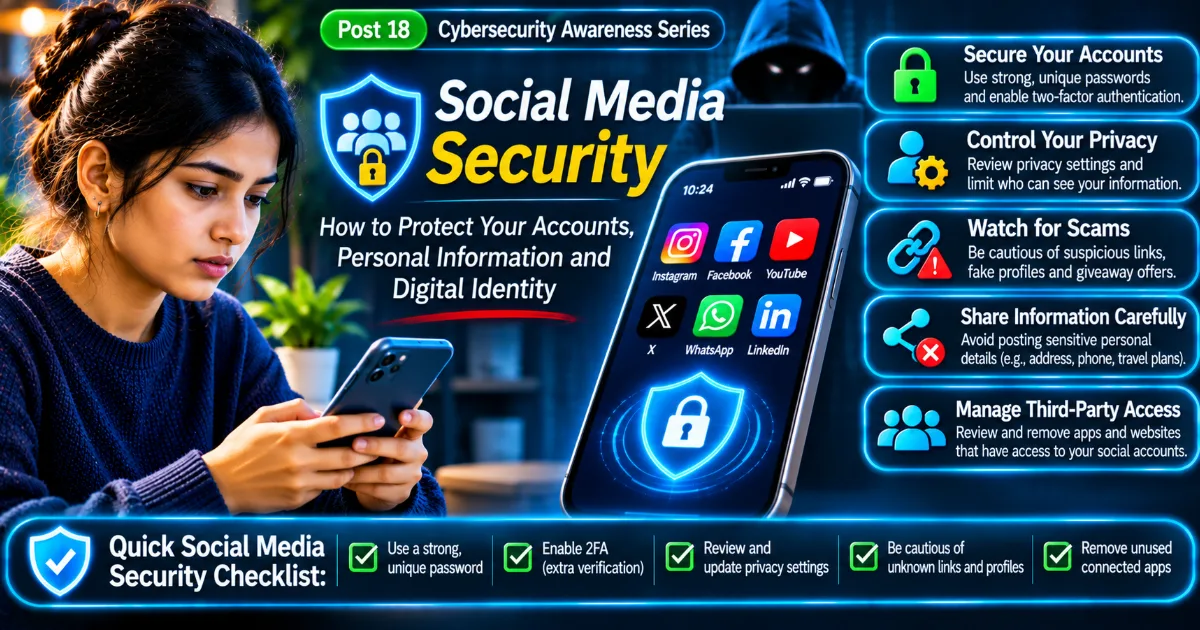
Social media security is therefore an essential part of cybersecurity awareness. Protecting an account requires more than choosing a password. Users must understand privacy settings, recognize suspicious profiles, manage connected applications, secure recovery methods, and think carefully before sharing personal information.
This article explains the most common social media security threats and provides practical steps for protecting accounts, personal information, and digital identity across different social networking platforms.
Continue Reading
Why Social Media Security Matters
People often share information on social media without considering how it might be used by someone with malicious intentions. A photograph may reveal a location. A birthday post may disclose information that could help someone guess a password or answer an account recovery question. A public discussion may reveal a person's employer, workplace, daily routine, or professional responsibilities.
Cybercriminals can collect information from public profiles and combine it with information obtained from other sources. This technique is commonly associated with open-source intelligence gathering. Information that appears harmless individually may become useful when combined with other details.
For example, a public profile might reveal someone's name, workplace, city, professional role, and recent holiday photographs. An attacker could use these details to create a convincing message pretending to be a colleague, employer, travel company, or financial service provider.
Social media accounts are also valuable because people trust messages received from familiar profiles. If a criminal takes control of one account, they can contact its followers and friends using an identity that appears genuine. This can make fraudulent requests more convincing.
Protecting social media accounts is therefore not only about protecting personal privacy. It also helps protect friends, family members, customers, colleagues, and professional networks from scams and impersonation.
Understanding Common Social Media Security Threats
Account Hacking and Unauthorized Access
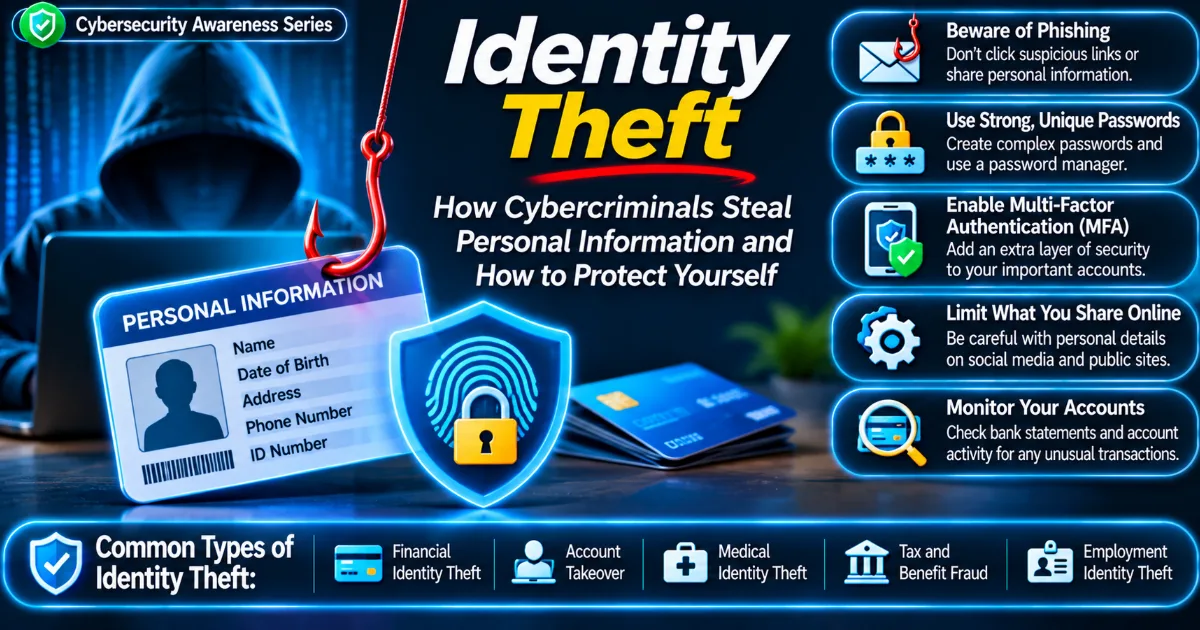
Account hacking occurs when someone gains access to a social media account without the owner's permission. Attackers may obtain passwords through phishing, data breaches, malware, password reuse, or social engineering.
Once an account is compromised, the attacker may change its password, modify recovery information, access private messages, publish unauthorized posts, or send deceptive messages to followers.
In some cases, attackers attempt to lock the legitimate owner out of the account by changing the associated email address or phone number. Recovering control can become difficult if the user has not configured secure recovery methods.
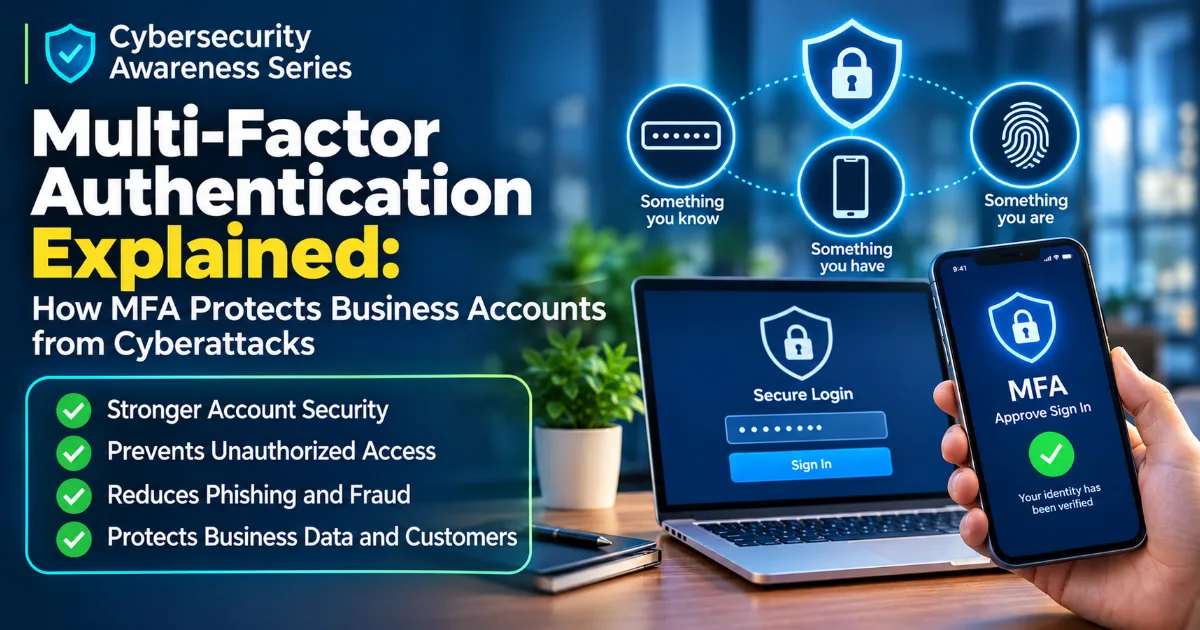
A strong, unique password and multi-factor authentication provide important protection. Users should also review active login sessions and sign out of devices they do not recognize.
Phishing Through Social Media Messages
Phishing is a technique in which criminals use deceptive messages or websites to trick people into revealing sensitive information or performing unsafe actions.
Social media phishing may appear in direct messages, comments, advertisements, sponsored posts, or messages from compromised accounts. Attackers may pretend to be platform support teams, popular creators, brands, employers, or people the recipient knows.
A fraudulent message might claim that an account has violated platform rules and will be permanently suspended unless the user verifies their identity. Another may offer a prize, partnership opportunity, or exclusive promotion that requires the recipient to open a link and enter login credentials.
These messages often create urgency. They encourage people to act quickly rather than verify the sender.
Users should never enter account credentials through links received in unexpected messages. If a notification claims that an account has a security problem, open the official application or website independently and check the account's notifications or security centre.
Fake Profiles and Impersonation
Fake profiles are accounts created to misrepresent a person's identity, organization, or purpose. Some imitate public figures, business owners, professionals, brands, customer support representatives, or ordinary users.
Impersonation accounts may copy profile photographs, biographies, usernames, and publicly available posts. Their objective may be to deceive followers, request money, distribute malicious links, promote fraudulent investments, or damage someone's reputation.
A fake account may contact a person's followers and claim that the original account has changed its username or that a new account should be followed. Other impersonators may approach customers and request payments through unofficial channels.
Users should verify profiles before trusting requests involving money, personal information, or account access. Look carefully at usernames, account history, official verification indicators where available, and links to established websites.
A familiar profile photograph does not prove that an account is genuine.
Social Engineering and Manipulation
Social engineering involves manipulating people into revealing information or taking actions that compromise their security. Social media provides attackers with a large amount of information that can be used to make these interactions more convincing.
A criminal might pretend to be a recruiter offering a job opportunity, a colleague requesting an urgent document, a customer asking for account assistance, or a friend facing an emergency.
Attackers may use emotional pressure, authority, urgency, curiosity, or financial incentives to influence their targets. They may also build relationships over time before making a suspicious request.
Users should be cautious when someone asks for passwords, verification codes, financial information, remote access, or unusual payments. Even if the request comes from a familiar account, verify it through another trusted communication channel when something feels unusual.
Malicious Links and Fraudulent Advertisements
Social media platforms contain links to websites, online stores, videos, applications, and external services. Some links lead to legitimate resources, while others may direct users to phishing pages, fraudulent stores, malware downloads, or misleading subscription services.
Cybercriminals may use shortened links, misspelled domain names, copied brand designs, or fake advertisements to hide their intentions.
An advertisement promoting an unusually large discount may lead to a fraudulent shopping website. A message offering free software may redirect users to a harmful download. A post claiming that a popular account is giving away prizes may lead to a page designed to collect login credentials.
Users should examine links before opening them and avoid downloading files from unfamiliar sources. When a promotion appears to come from a known brand, verify it through the brand's official website or established account.
Social Media Scams and Fraudulent Offers
Social media scams often exploit financial interests, career ambitions, emotional relationships, and the desire for quick rewards.
Common examples include fake investment opportunities, cryptocurrency schemes, work-from-home offers, lottery messages, fraudulent giveaways, fake charity appeals, and requests for emergency financial assistance.
Some scammers create convincing testimonials or use compromised accounts to make their offers appear trustworthy. Others display fabricated earnings, edited payment screenshots, or false endorsements.
Users should be especially careful when someone promises guaranteed profits, requests an advance payment to release a reward, or pressures them to transfer money quickly.
Legitimate opportunities should be independently verified. Do not rely solely on testimonials, follower counts, profile photographs, or comments as proof that an offer is genuine.
Data Scraping and Personal Information Collection
Data scraping involves collecting information from websites or online platforms, sometimes automatically. Public social media information may be gathered and reused for advertising, profiling, research, or malicious purposes.
The risks increase when users publish personal details such as phone numbers, home addresses, workplace information, travel schedules, family photographs, and other sensitive information.
Even when a platform offers privacy controls, some information may remain visible through public posts, comments, shared content, or other users' accounts.
Users should regularly review what information is publicly available and remove unnecessary personal details from profiles.
Create Strong and Unique Social Media Passwords
Passwords are a fundamental part of account security. A weak password can make unauthorized access easier, particularly when attackers use automated tools to test common passwords or credentials exposed in previous data breaches.
Avoid passwords based on names, birthdays, phone numbers, familiar words, or predictable sequences. Do not reuse the same password across several social media accounts.
If one service experiences a data breach, criminals may attempt to use the exposed credentials on other platforms. This technique is known as credential stuffing.
A password manager can help users create and store strong, unique passwords for different accounts. Instead of remembering every password, users protect their password manager with a strong primary password and appropriate authentication.
Where supported, passkeys provide an alternative authentication method that can reduce dependence on traditional passwords and offer stronger resistance to phishing.
Users should also change passwords promptly if they suspect that credentials have been exposed. Changing passwords unnecessarily and frequently is not a substitute for using strong, unique credentials and multi-factor authentication.
Enable Two-Factor Authentication
Two-factor authentication adds another verification step when someone attempts to sign in. It helps protect an account even if a password is exposed.
Depending on the platform, users may be able to choose authentication applications, security keys, passkeys, or text-message verification. Phishing-resistant methods, such as security keys and suitable passkey implementations, generally offer stronger protection than methods that can be intercepted or socially engineered.
Enable two-factor authentication on every important social media account that supports it. Prioritize accounts connected to business activities, professional networks, advertising services, and personal communications.
Store recovery codes in a secure location. These codes may be needed if a phone is lost or an authentication application becomes unavailable.
Never approve unexpected login requests. If a verification prompt appears when you are not attempting to sign in, someone else may be trying to access your account.
Review and Strengthen Privacy Settings
Privacy settings determine how much information other people can see and how they can interact with an account. Social media platforms often provide controls for profile visibility, posts, comments, messages, tagging, mentions, and search discovery.
Users should review these settings periodically rather than assuming that the default configuration offers the level of privacy they want.
Consider limiting who can view personal posts, photographs, contact information, and activity. Review whether unknown users can send direct messages, tag the account, mention the user, or comment on public content.
Some platforms allow users to restrict profile discovery through phone numbers or email addresses. Where available, review these options and decide whether they are necessary.
Privacy settings should reflect the purpose of the account. A public professional profile may need to remain discoverable, while personal photographs and family updates may be more appropriate for a restricted audience.
Remember that privacy settings cannot fully control what other people do with information they can already see. A follower may still take a screenshot, copy text, or share content elsewhere.
Think Carefully Before Sharing Personal Information
Oversharing is one of the most common ways people unintentionally expose themselves to privacy and security risks.
A public post announcing a holiday may reveal that a home is unattended. A photograph of an identity document may expose sensitive numbers. A workplace update may disclose internal information. A birthday celebration may reveal personal details that could be used in account recovery attempts or targeted scams.
Before publishing content, consider whether the information needs to be public and whether it could be misused.
Avoid posting home addresses, personal identification documents, financial information, private travel details, account recovery information, and confidential workplace material.
Be careful with photographs that reveal documents, computer screens, vehicle registration details, school information, or other identifiable information in the background.
Users should also review older posts. Information shared several years ago may no longer be appropriate to keep publicly available.
Be Careful With Location Sharing and Check-Ins
Location sharing can be useful for discovering places, meeting friends, and documenting travel. However, publicly revealing a current location can create personal safety and privacy risks.
A public check-in may reveal where someone is at a particular moment. Repeated location updates can also reveal patterns involving home, work, school, or regular activities.
Consider sharing travel photographs after leaving a location rather than publishing every movement in real time. Review location permissions for social media applications and disable unnecessary access.
Be cautious when sharing photographs that reveal the location of children, family members, or private residences.
Location information should be shared intentionally with trusted people rather than automatically exposed to a broad audience.
Protect Your Direct Messages
Direct messages often contain personal conversations, photographs, business discussions, contact information, and links to external services. They can become a target for criminals who compromise accounts or send deceptive messages.
Users should avoid opening unexpected attachments and links, even when they appear to come from familiar contacts. A friend's account may have been compromised and could be distributing harmful messages without their knowledge.
Be cautious when someone asks for a verification code, password reset link, identity document, payment, or unusual personal information through direct messages.
Do not assume that a conversation is private simply because it takes place in a messaging interface. Review the platform's privacy and security documentation to understand how messages are stored, protected, and handled.
If a message contains an unusual request, contact the person through another known channel to verify it.
Review Connected Apps and Third-Party Access
Many social media platforms allow users to connect external applications and websites. These integrations may support account login, content scheduling, analytics, advertising, games, or productivity features.
However, connected applications may receive permission to access profile information, publish content, view account data, or perform other actions.
Over time, users may forget which services they authorized. Some applications may no longer be needed, while others may have changed ownership or security practices.
Visit the platform's connected applications, authorized services, or account access settings. Review the list and remove access for services that are unfamiliar, unused, or unnecessary.
Before connecting a new service, examine the permissions it requests. A tool that only needs basic profile information should not require extensive control over an account.
If a third-party application behaves unexpectedly, revoke its access and review recent account activity.
Recognize and Report Fake Accounts
Fake accounts can be difficult to identify because criminals may copy genuine profile information. However, certain warning signs can help users recognize suspicious activity.
An account may have recently been created, contain very little original content, use an unusual username, or display inconsistent profile information. It may send unsolicited messages, promote unrealistic offers, or repeatedly ask for money.
Some impersonation accounts copy photographs and posts from legitimate profiles. Others use names that differ from the original account by only a small spelling change.
When you discover an account impersonating you or someone you know, report it through the platform's official reporting process. Preserve relevant evidence, such as screenshots, usernames, and message details, when appropriate.
Avoid publicly confronting suspected criminals or clicking links they provide. Inform affected contacts through a trusted channel if an impersonation account is targeting them.
Protect Business and Professional Social Media Accounts
Social media accounts are important assets for businesses, creators, entrepreneurs, and professionals. They may represent a company's public identity, customer relationships, marketing activities, and advertising infrastructure.
A compromised business account can damage reputation, mislead customers, publish unauthorized promotions, and expose private business conversations.
Business accounts should use strong unique passwords, multi-factor authentication, and secure recovery information. Access should be limited to people who genuinely need it.
Where a platform supports role-based access, assign appropriate permissions rather than sharing one administrator password among several employees.
Remove access when employees, contractors, or agencies no longer work with the business. Review connected advertising accounts, payment methods, scheduling tools, and third-party integrations.
Organizations should also establish procedures for responding to suspicious login notifications, fake brand accounts, unauthorized posts, and account recovery incidents.
For businesses, protecting social media access is part of protecting the brand itself.
Secure Your Email Account and Recovery Methods
A social media account is often connected to an email address or phone number used for login alerts, password resets, and identity verification.
If an attacker controls the associated email account, they may be able to reset the social media password and take over the profile.
Protect the email account with a strong unique password and multi-factor authentication. Review recovery addresses, phone numbers, and active login sessions. Remove old recovery methods that are no longer controlled by you.
Keep your registered phone number current and secure. If you change phone numbers, update account recovery information through the official platform before losing access to the old number whenever possible.
Be cautious of unexpected password reset messages. A password reset email does not necessarily mean the account has been compromised, but it may indicate that someone is attempting to access it.
Never share password reset links or verification codes with another person.
Understand the Risks of Public Wi-Fi and Shared Devices
Social media users frequently access accounts from cafes, airports, hotels, educational institutions, and other public locations.
Public Wi-Fi networks may be poorly secured or deliberately imitated by attackers. Users should verify network names before connecting and avoid entering sensitive information through suspicious websites.
Use secure HTTPS connections and consider a reputable VPN when accessing services over untrusted networks. A VPN can protect traffic between the device and the VPN provider, but it cannot prevent phishing, malicious applications, or account takeover caused by stolen credentials.
Avoid signing in to personal social media accounts on shared or public computers whenever possible. If you must use a shared device, do not save passwords, sign out completely, and close the browser session.
For additional protection, use your own trusted device and mobile connection for sensitive account activity.
What to Do If Your Social Media Account Is Hacked
Discovering that an account has been compromised can be stressful. Acting quickly can help limit the damage.
First, use the platform's official account recovery process. Avoid recovery links sent by strangers or unofficial support accounts.
If you can still access the account, change the password immediately and enable or review multi-factor authentication. Check the registered email address, phone number, connected applications, and active sessions.
Sign out of unfamiliar devices and remove unauthorized integrations. Review recent messages, posts, comments, advertisements, and account settings for changes you did not make.
If the attacker has changed the password or recovery information, follow the platform's compromised-account procedure. Secure the associated email account as well, because it may be part of the attack.
Inform friends, followers, colleagues, or customers if the compromised account has sent suspicious messages or published fraudulent content. This helps prevent others from becoming victims.
Preserve evidence of unauthorized activity when appropriate. If the incident involves financial fraud, threats, identity theft, or other serious harm, report it to the relevant authorities and affected service providers.
Do not pay someone who promises guaranteed account recovery through unofficial channels. Such offers may be additional scams.
Develop Safe Social Media Habits
Good security practices are most effective when they become part of everyday social media use.
Pause before clicking links, accepting requests, sharing personal information, or responding to urgent messages. Verify unexpected claims through official sources. Review privacy settings and account permissions regularly.
Avoid using social media as the only place to store important photographs or documents. Maintain separate secure backups.
Be thoughtful when accepting connection requests. A large number of followers or mutual connections does not prove that a profile is trustworthy.
Keep personal and professional information appropriately separated. Avoid publishing confidential business information through personal accounts or sharing private personal details through public professional profiles.
Teach family members and colleagues to recognize phishing messages, fake profiles, fraudulent offers, and impersonation attempts. Security awareness is stronger when everyone understands the risks.
Conclusion
Social media provides powerful opportunities for communication, learning, professional networking, entertainment, and business growth. However, every public post, connected application, login session, and direct message can introduce privacy and security considerations.
Cybercriminals exploit weak passwords, phishing messages, fake profiles, social engineering, malicious links, and excessive personal information to compromise accounts and deceive users. The consequences may include identity theft, financial loss, reputational damage, privacy violations, and unauthorized access to other digital services.
Protecting social media accounts requires a combination of strong authentication, careful sharing, privacy management, account monitoring, and responsible online behaviour. Use unique passwords, enable multi-factor authentication, review connected applications, protect recovery methods, and verify suspicious requests before responding.
Most importantly, remember that information shared online can travel beyond its intended audience. Think carefully before publishing personal details, photographs, location updates, or sensitive professional information.
A secure social media presence is not created by one setting or one application. It develops through consistent awareness and responsible decisions. By adopting these practices, individuals and businesses can enjoy the benefits of social networking while reducing the risks to their accounts, personal information, and digital identity.
#SocialMediaSecurity #CybersecurityAwareness #OnlinePrivacy #AccountProtection #DigitalIdentity