Passwords are among the most frequently used security tools in our digital lives. We use them to access email accounts, banking applications, social media platforms, shopping websites, cloud storage, workplace systems, educational portals, and countless other online services. A password often acts as the first barrier between our personal information and someone attempting to access it without permission.
Despite their importance, passwords are frequently treated as a minor inconvenience. People choose familiar words, reuse the same password across several websites, share credentials with colleagues, or save passwords in unsecured notes. Some users continue using passwords that were created many years ago, even though their online activities and security risks have changed significantly.
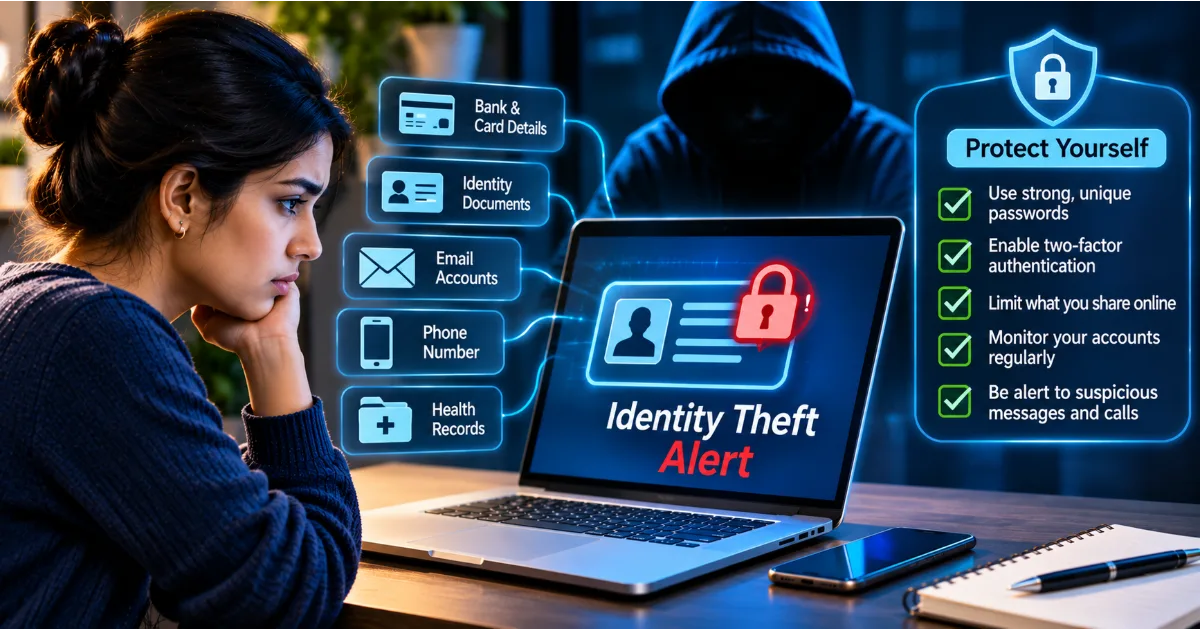
Cybercriminals understand these habits. They use automated tools, leaked credentials, phishing websites, malicious software, and social engineering to obtain passwords or bypass account protections. A weak password can expose an account, while a reused password can allow one security incident to affect several unrelated services.
Password security is therefore not simply about creating a complicated combination of letters and numbers. It involves creating unique credentials, storing them safely, using modern authentication methods, recognising password-related scams, and responding quickly when an account may have been compromised.
This article explains how password attacks work, what makes a password strong, how password managers improve security, and which practical habits can help individuals and organisations prevent account hacking.
Continue Reading
Why Password Security Matters
A password protects access to information and services that may contain highly sensitive data. An email account can hold private conversations, financial notifications, password-reset messages, personal documents, and business communication. A social media account may contain photographs, private messages, contact lists, and personal information. A banking account may provide access to financial transactions and payment details.
If an attacker gains access to one of these accounts, the consequences can extend beyond the compromised service. For example, a criminal who controls an email account may attempt to reset passwords on other platforms. Someone who accesses a social media account may impersonate the owner and request money from friends. A compromised workplace account may expose confidential company documents or provide access to internal systems.
Password reuse makes this problem more serious. If the same password is used on ten websites and one website experiences a data breach, attackers may attempt to use the exposed password on the other nine services. This technique is known as credential stuffing.
A unique password limits the damage that one compromised service can cause. Even if an attacker obtains credentials from one website, those credentials should not work on unrelated accounts.
Strong password practices also protect against accidental exposure. A password that is difficult to guess and stored securely is less likely to be compromised through casual observation, unsafe sharing, or predictable guessing.
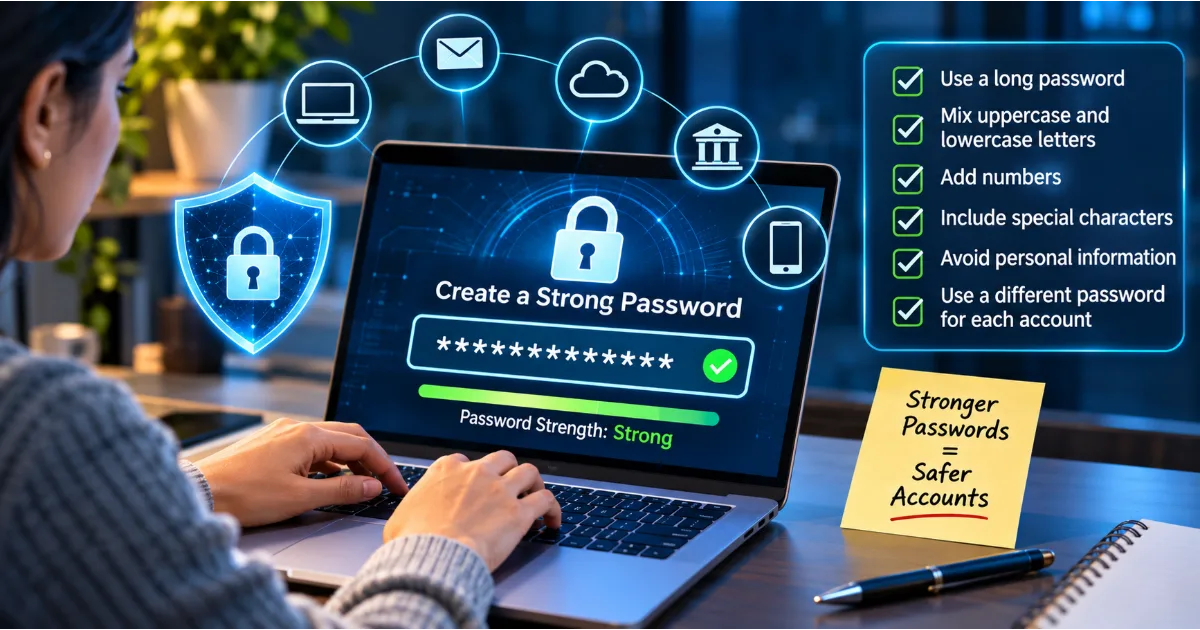
What Makes a Password Strong?
A strong password should be difficult for another person or automated system to guess. It should not be based on easily available personal information, common phrases, predictable sequences, or passwords that have already appeared in known data breaches.
Password strength depends on several factors, including length, unpredictability, uniqueness, and resistance to common guessing techniques.
Password Length
Length is one of the most important characteristics of a password. A longer password generally provides more possible combinations than a short one, making exhaustive guessing more difficult.
For example, a password containing only six predictable characters may be much easier to guess than a longer passphrase made from unrelated words. Adding length can improve security without requiring a person to memorise an extremely complicated sequence.
For accounts that use passwords, prefer long, unique credentials. Follow the service's recommendations and minimum requirements, and use a password manager to generate passwords that are difficult to guess.
Unpredictability
A password should not follow a pattern that someone could easily anticipate. Common passwords, keyboard sequences, names, birthdays, and familiar phrases are poor choices.
Criminals often use lists of frequently used passwords and variations of known words. They may also combine information from public profiles with common password patterns.
A password such as a person's name followed by a birth year may appear personal, but it is often predictable. A long randomly generated password is generally a better option.
Uniqueness
Every important online account should have its own password. Reusing a password creates a connection between services that should remain independent.
Imagine using one password for email, shopping, social media, and online banking. If a shopping website suffers a breach, criminals may test the exposed password against the other services. If it works, the original breach can become the starting point for multiple account compromises.
Unique passwords prevent this simple form of attack from succeeding across different services.
Avoiding Personal Information
Do not use information that can be discovered through social media, public records, professional profiles, or conversations. Names, birthdays, anniversaries, phone numbers, favourite teams, and pet names are often easy to obtain.
A password should not become predictable simply because someone knows you personally or can find information about you online.
Common Password Mistakes That Put Accounts at Risk
1. Reusing the Same Password
Password reuse is one of the most damaging security habits. It allows a criminal to use credentials obtained from one service to attempt access to other services.
Even if a password is strong, reusing it reduces its overall security. A unique password is necessary because no online service can guarantee that its systems will never experience a security incident.
2. Choosing Simple Passwords
Passwords such as common number sequences, familiar words, keyboard patterns, and predictable combinations are easy targets.
Attackers do not need to guess every possible password randomly. They can begin with commonly used credentials and known variations. This makes simple passwords particularly risky.
3. Using Personal Details
A password based on a birthday, name, address, or favourite activity may be easier to remember, but it can also be easier to predict.
Publicly available information can help attackers make educated guesses. Avoid building passwords from details that appear on social media or public profiles.
4. Writing Passwords in Unsecured Places
Some people write passwords on sticky notes, save them in plain-text files, or store them in unprotected phone notes. These methods can expose credentials if someone accesses the device, workspace, or document.
If you need help managing many passwords, use a reputable password manager rather than maintaining an unsecured list.
5. Sharing Passwords Through Messages
Sending passwords through email, messaging applications, or workplace chat can create unnecessary exposure. Messages may be forwarded, stored, accessed from compromised devices, or viewed by unintended recipients.
Avoid sharing personal credentials. If an organisation needs to provide access to a system, use approved account management and permission-sharing features instead of distributing a common password.
6. Ignoring Security Alerts
Login notifications, password-reset messages, and alerts about suspicious account activity can indicate an attempted or successful attack.
Do not dismiss unexpected security alerts. Open the official application or website independently, review the account activity, and change the password if there is evidence of unauthorised access.
How Cybercriminals Steal Passwords
Phishing Attacks
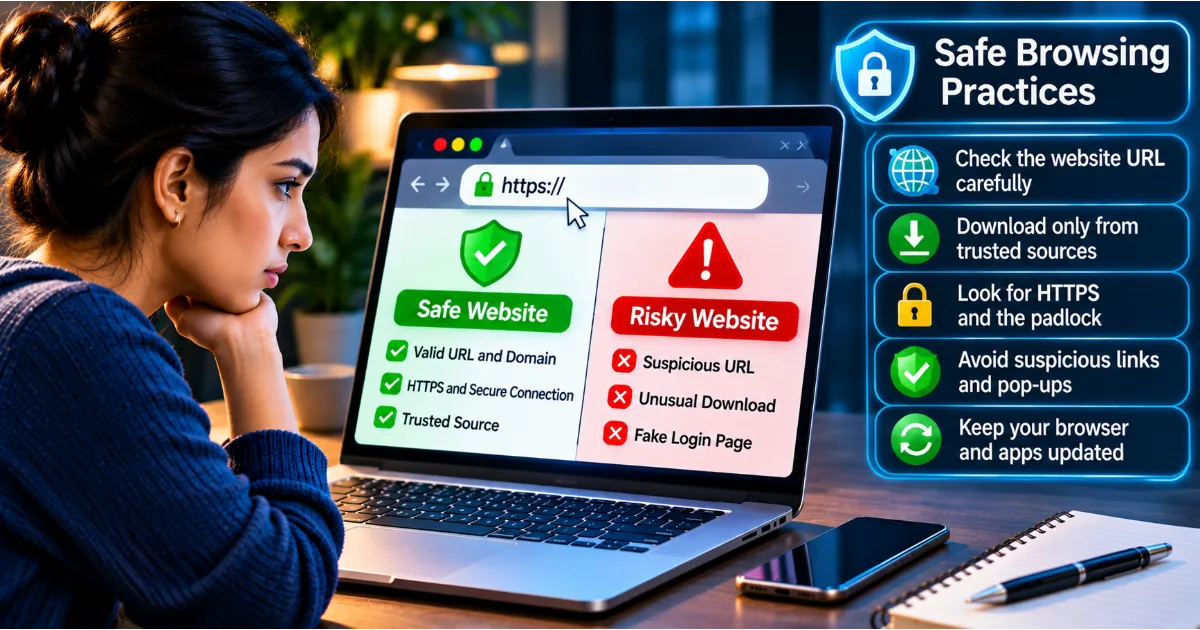
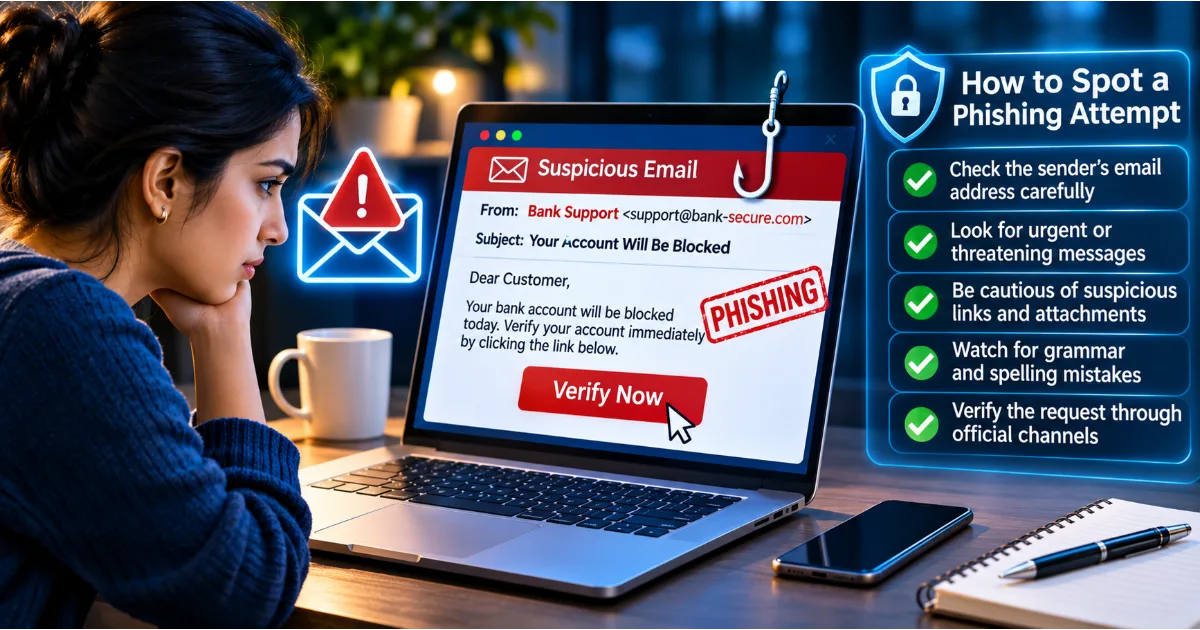
Phishing is a common way to steal passwords. An attacker sends a message that appears to come from a trusted organisation and asks the recipient to sign in through a link.
The link leads to a fraudulent website designed to resemble a legitimate login page. When the victim enters their username and password, the attacker captures the information.
Some phishing campaigns also attempt to obtain multi-factor authentication codes or manipulate users into approving login requests. Be cautious when an unexpected message asks you to sign in, verify your account, or resolve an urgent problem.
Credential Stuffing
Credential stuffing uses usernames and passwords exposed in previous data breaches. Attackers automatically test these credentials against other websites and applications.
This technique works because many people reuse passwords. A password stolen from a small website may also unlock a much more important account if the same credentials were used elsewhere.
Unique passwords are the most direct defence against credential stuffing.
Brute-Force Attacks
A brute-force attack involves trying many possible password combinations until the correct one is found. Automated tools can perform repeated attempts far faster than a person.
Long, unpredictable passwords make this process more difficult. Services can also reduce risk through login rate limits, account protections, suspicious-activity detection, and additional authentication requirements.
Dictionary Attacks
Dictionary attacks use lists of common words, phrases, and password variations. Instead of testing every possible combination, attackers begin with combinations that people frequently choose.
A password based on a common word with a predictable number at the end may be vulnerable to this approach. Randomly generated passwords and unpredictable passphrases offer stronger protection.
Keylogging Malware
Keyloggers are malicious programs that record what a person types. If a device is infected, a keylogger may capture passwords entered into websites, applications, or login forms.
Malware may arrive through unsafe downloads, malicious attachments, compromised websites, or fake software updates. Keep devices updated, install software from trusted sources, and avoid opening unexpected files.
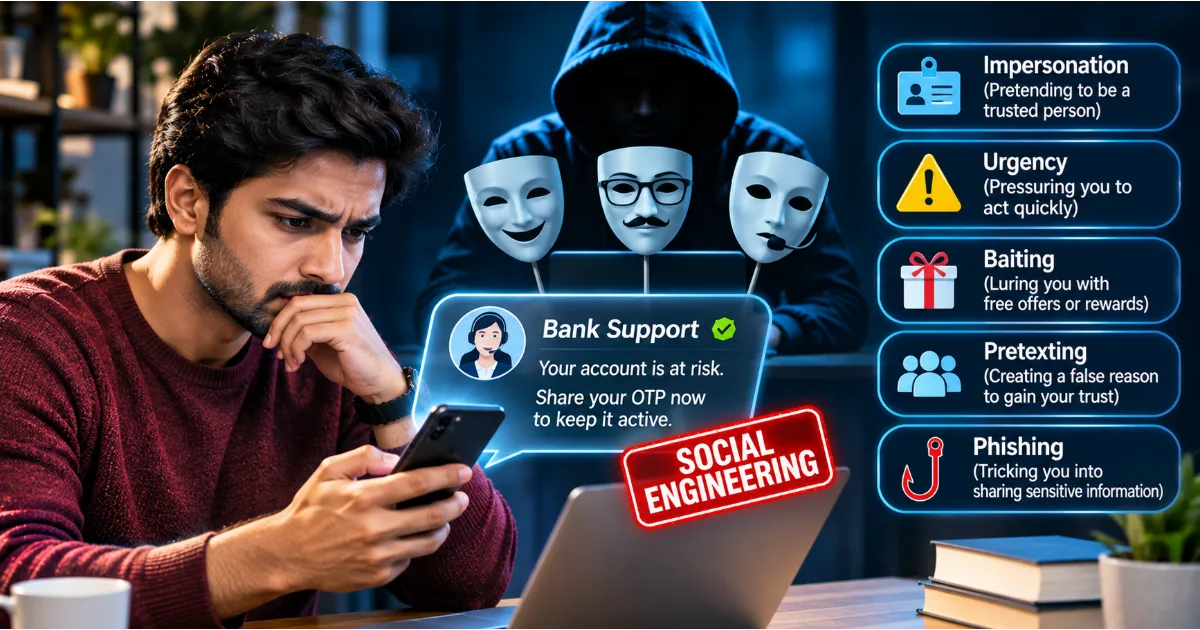
Social Engineering
Some attackers do not attempt to break password technology. Instead, they manipulate people into revealing their credentials.
A criminal might pretend to be a technical support employee, manager, bank representative, or colleague. They may claim that an account needs urgent verification or that a password must be shared to resolve a problem.
Legitimate support teams should not ask users to reveal their passwords. Verify unusual requests through an independent and trusted channel.
How to Create Strong Passwords
Use a Password Generator
A password generator creates random credentials using combinations of characters. This reduces dependence on personal choices and predictable patterns.
A good password manager usually includes a built-in generator. You can select an appropriate length and character configuration based on the requirements of the service.
Generated passwords are especially useful for accounts that you do not need to memorise because the password manager can store and retrieve them securely.
Use Long Passphrases When Appropriate
A passphrase consists of several words combined into a longer credential. When the words are selected unpredictably, a long passphrase can be easier to remember than a complicated string of random characters.
Avoid using famous quotations, song lyrics, popular phrases, or sentences connected to your personal life. These may be easier to predict than they appear.
For important accounts, a password manager can generate and store a random password, removing the need to memorise every credential.
Make Every Password Different
Create a separate password for each service. Your email password should not match your shopping password, and your banking password should not match your social media password.
This separation prevents one compromised credential from automatically exposing unrelated accounts.
Prioritise Your Most Important Accounts
Start with your primary email account, financial services, cloud storage, workplace accounts, and mobile account recovery settings.
These accounts may provide access to other services or sensitive information. Securing them first can significantly reduce the potential impact of account compromise.
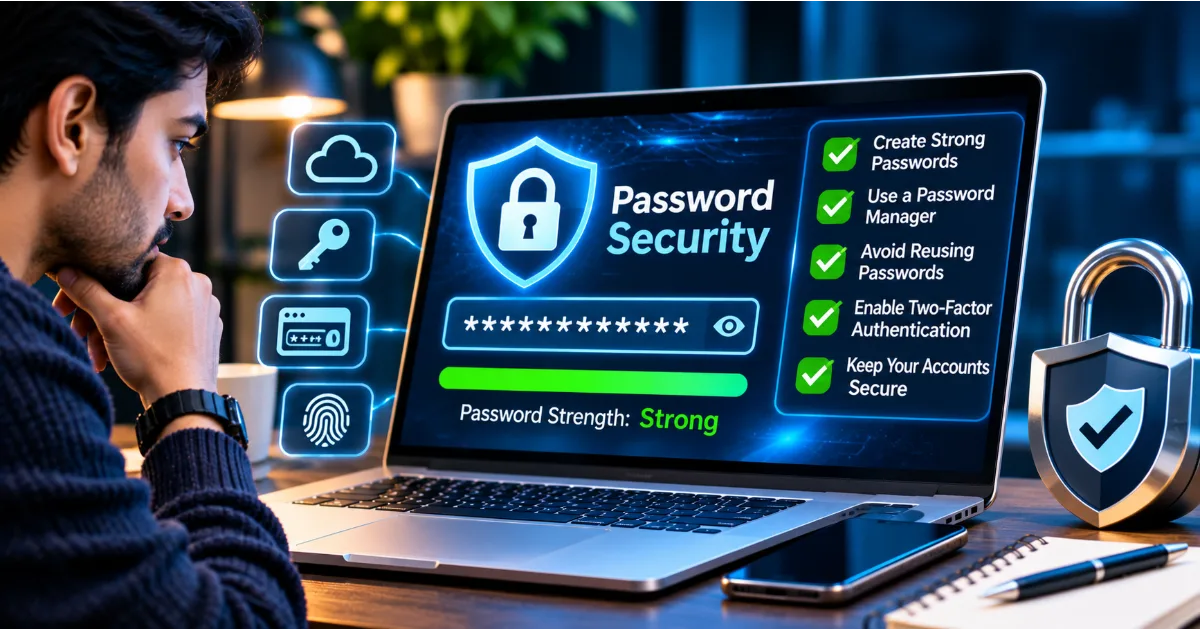
What Is a Password Manager?
A password manager is a tool designed to generate, store, and organise passwords securely. Instead of memorising dozens of different credentials, users protect their password vault with a master authentication method and retrieve individual passwords when needed.
A password manager can create long, random passwords for different websites and applications. It can also help identify weak or reused passwords and make it easier to update credentials.
Many password managers support autofill, secure notes, multi-device synchronisation, and alerts about potentially exposed passwords. Some also support passkeys and other modern authentication methods.
The main advantage is that users no longer need to choose between remembering a small number of passwords and reusing the same password everywhere. They can maintain unique credentials without memorising each one.
How Password Managers Work
A password manager stores account credentials in an encrypted vault. The user authenticates to the manager before accessing stored information.
Depending on the product, the vault may be stored locally, synchronised through a cloud service, or managed through a combination of these approaches.
A master password or another supported authentication method protects access to the vault. Many services use encryption so that stored information cannot be read without the required cryptographic keys.
Password managers differ in design, security features, recovery options, and storage models. Choose a reputable product, review its security documentation, and enable the strongest available authentication protections.
Benefits of Using a Password Manager
The first benefit is password uniqueness. A password manager makes it practical to use a different password for every account.
The second benefit is stronger password generation. Randomly generated credentials are less dependent on familiar words and personal information.
The third benefit is convenience. Autofill can reduce the effort involved in signing in, while secure storage makes it easier to manage accounts across devices.
Another benefit is visibility. Some password managers identify reused, weak, or potentially exposed passwords and help users prioritise changes.
A password manager can also reduce the temptation to store credentials in unprotected notes or documents.
How to Choose a Password Manager
Choose a product with a clear security model, strong encryption, a trustworthy development history, and transparent privacy practices.
Review how the service handles vault encryption, account recovery, device synchronisation, security updates, and authentication. Check whether it supports multi-factor authentication, passkeys, secure sharing, and alerts for compromised credentials.
Consider whether the application works across your devices and operating systems. Ease of use matters because a security tool must be practical enough for everyday use.
Avoid selecting a password manager solely because it is free or popular. Understand what data the provider can access, what happens if you lose access to your account, and how the service protects stored credentials.
How to Protect Your Password Manager
A password manager improves security, but the vault itself becomes an important target. Protecting it requires careful configuration.
Use a strong and unique master password or passphrase. Never reuse it on other websites. Enable multi-factor authentication or a passkey if supported.
Keep recovery information secure and store backup codes in a protected location. Review trusted devices and remove those that you no longer use. Avoid accessing your vault from public or shared computers unless absolutely necessary.
Be cautious of fake password-manager login pages and unexpected messages asking you to unlock your vault. Criminals may imitate legitimate providers to steal master credentials.
Remember that a password manager cannot protect you if you willingly enter your credentials into a fraudulent website or approve a malicious login request.
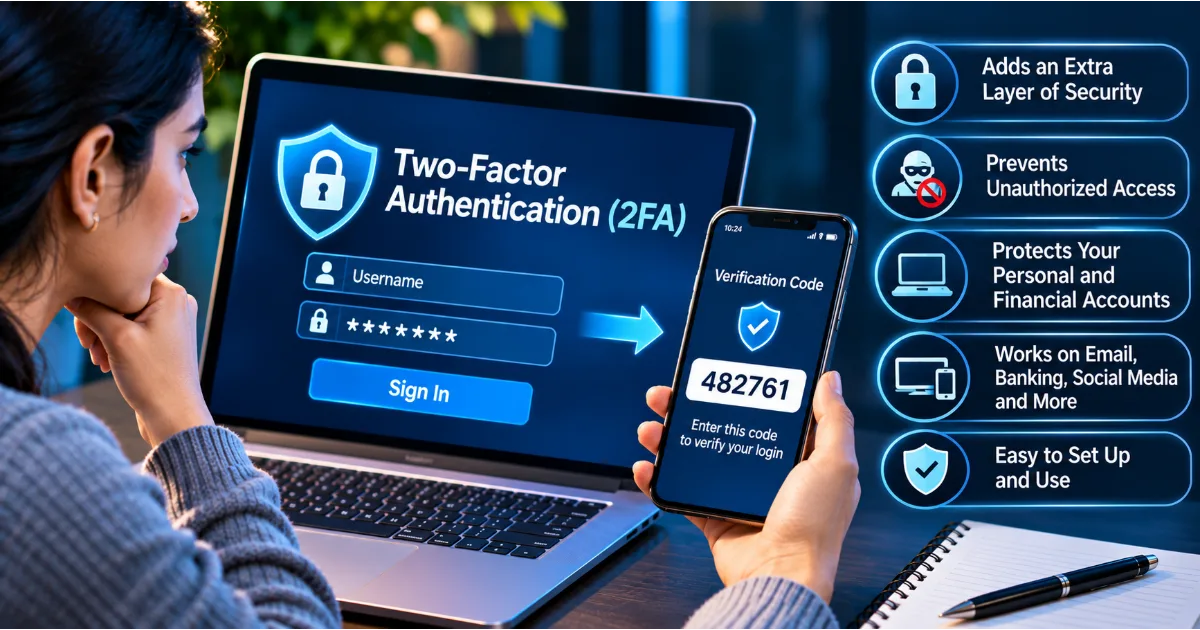
What Is Multi-Factor Authentication?
Multi-factor authentication, often called MFA, adds another verification requirement beyond a password. It is designed to make account access more difficult when a password is stolen or guessed.
Authentication factors generally fall into three categories: something you know, such as a password; something you have, such as a registered security key or device; and something you are, such as a biometric characteristic.
A service may require a password and a time-based code from an authenticator application. Another service may support a passkey that uses the device's security features.
MFA is particularly important for email, financial, cloud storage, workplace, and administrator accounts.
Authenticator Applications
Authenticator applications generate time-based verification codes or support approval-based authentication. These codes are usually linked to an account during a setup process.
They are generally preferable to relying exclusively on SMS codes, although the security of an implementation depends on the service and how the user protects the device.
Never share authentication codes with someone who contacts you unexpectedly.
Security Keys
A hardware security key is a physical device used to authenticate to supported services. It can provide strong protection against phishing when used with compatible authentication standards.
A security key generally requires physical possession and an interaction from the user. Some people keep a backup key in a secure location to reduce the risk of being locked out if the primary key is lost.
Passkeys
Passkeys are a modern authentication method designed to replace traditional passwords in supported services. They use cryptographic credentials associated with a website or application and are commonly unlocked through a device PIN, biometric check, or another local authentication method.
Because passkeys are bound to the legitimate service's domain, they can provide strong resistance to traditional phishing pages.
Where available, passkeys are worth considering for important accounts. Users should still protect their devices, account recovery methods, and synchronisation services.
How to Recognise Password-Related Scams
Password-related scams often use urgency, fear, authority, or curiosity to manipulate users.
An unexpected email may claim that your password has expired. A caller may say that your account is under attack and request a verification code. A text message may warn that your bank account will be blocked unless you sign in immediately.
Some criminals send fake security alerts that include a link to a fraudulent login page. Others impersonate technical support employees and ask victims to install remote-access software.
Be suspicious when a message asks you to disclose a password, PIN, recovery code, or one-time authentication code. Do not approve login requests that you did not initiate.
If a message claims that your account has a problem, open the official service independently and check its notifications. Contact support using a verified channel rather than relying on the contact details supplied in an unexpected message.
What to Do If Your Password Is Stolen
If you suspect that a password has been exposed, respond quickly and focus on preventing further access.
First, use a trusted device to change the affected password. If the password was reused, change it on every other service where it was used. Start with your primary email account and financial services.
Second, sign out of unfamiliar active sessions. Many platforms allow users to review connected devices and terminate sessions they do not recognise.
Third, enable multi-factor authentication or a passkey if supported. Review recovery email addresses, phone numbers, trusted devices, and connected applications.
Fourth, check account activity for unfamiliar transactions, messages, profile changes, or security settings. Contact the relevant service provider if you find suspicious activity.
If financial information may have been exposed, contact your bank or payment provider through an official channel. If a workplace account is involved, inform the organisation's IT or security team immediately.
Finally, preserve relevant security alerts and suspicious messages. These records may help the service provider investigate the incident.
Password Security for Businesses and Organisations
Businesses often manage many accounts across employees, departments, applications, and external services. Weak password practices can expose customer records, financial systems, intellectual property, and internal communication.
Organisations should establish clear password and authentication policies that prioritise unique credentials, secure storage, and multi-factor authentication.
Employees should use approved password managers rather than sharing passwords through spreadsheets, email, or messaging applications. Shared access should be managed through role-based permissions and secure credential-sharing features.
Administrative accounts deserve additional protection because they may provide broad access to business systems. Limit administrator privileges to people who genuinely need them, use separate administrative accounts where appropriate, and monitor privileged activity.
Businesses should also remove access promptly when employees leave or change roles. Former employees should not retain access to systems, shared accounts, or confidential documents.
Security awareness training should explain phishing, credential stuffing, fake login pages, and social engineering. Employees need to understand that passwords and verification codes must never be disclosed to unexpected callers or messages.
Organisations should also maintain an incident-response plan for compromised accounts. The plan should explain how to disable access, reset credentials, investigate activity, notify relevant stakeholders, and restore secure operations.
Special Password Safety Advice for Students and Young Internet Users
Students increasingly use digital platforms for learning, communication, entertainment, examinations, and online collaboration. These accounts may contain academic records, personal information, photographs, and private conversations.
Young users should avoid sharing passwords with friends, even when they trust them. They should not use the same password for gaming accounts, school platforms, and email services.
Parents and educators can encourage safe password habits without creating unnecessary fear. Explain why passwords should remain private, how fake login pages work, and why unexpected requests for verification codes should be ignored.
Students should also be careful when using shared computers in schools, libraries, or internet cafés. They should avoid saving passwords on shared devices, sign out after using accounts, and never leave a device unattended while logged in.
Creating a Practical Password Security Routine
Password security becomes easier when it is part of a regular routine rather than an occasional emergency task.
Begin by identifying your most important accounts. Secure your primary email, financial accounts, cloud storage, workplace services, and mobile account.
Replace reused passwords with unique credentials. Use a password manager to generate and store them. Enable multi-factor authentication or passkeys wherever supported.
Review your account recovery settings and remove old phone numbers, email addresses, or devices that you no longer control. Check for unfamiliar login sessions and connected applications.
When a service reports a data breach, follow its official guidance. Change the affected password and any reused credentials. Be alert for phishing attempts that may follow a breach, because criminals sometimes use exposed information to make fraudulent messages more convincing.
A practical review every few months can help identify outdated settings and accounts that no longer need to remain active. However, do not wait for a scheduled review if you receive a suspicious login alert or discover that a password has been exposed.
Conclusion
Password security remains a fundamental part of cybersecurity because passwords protect access to personal, financial, professional, and organisational information. Weak passwords, reused credentials, unsecured storage, and careless sharing can make it easier for criminals to compromise accounts.
A strong approach combines long and unique passwords, a reputable password manager, multi-factor authentication, secure recovery settings, and careful handling of unexpected login requests. Passkeys and hardware security keys can provide additional protection where supported.
Remember that no single security measure is perfect. A strong password can still be stolen through phishing, malware, or a data breach. That is why account monitoring, device updates, and awareness of social engineering remain important.
Treat every important account as a separate security responsibility. Create unique credentials, protect your password vault, verify unexpected requests, and respond promptly to suspicious activity.
Good password habits do more than protect individual accounts. They help safeguard personal identities, financial resources, private communication, and the wider digital environment in which we work, learn, and connect.
#PasswordSecurity #CybersecurityAwareness #OnlineSafety #PasswordManager #AccountSecurity