Almost everyone who uses the internet has multiple online accounts. From email and social media to online banking, shopping platforms, cloud storage, educational portals, and professional applications, passwords remain an important part of digital security. Every time you sign in to an account, you use some form of authentication to demonstrate that you are authorized to access the information or service.
However, despite their importance, passwords are often one of the weakest parts of online security. Many people use simple combinations that are easy to remember, reuse the same password across several websites, or choose personal information such as birthdays, names, and phone numbers. These habits may make signing in convenient, but they can also make accounts easier for cybercriminals to compromise.
Imagine using the same password for your email, shopping account, social media profile, and an online service that you rarely visit. One day, that less familiar service experiences a data breach, and your login credentials become available to criminals. An attacker may attempt to use the same email address and password on other popular platforms. If the credentials work, multiple accounts could be exposed without the attacker needing to discover a new password.
This is one reason password security deserves serious attention. A password is not merely a combination of characters used to access a website. It is a protective barrier around personal information, financial records, private conversations, professional documents, and digital identity.
Creating a strong password does not require advanced technical knowledge. It requires understanding how passwords are attacked, choosing better combinations, avoiding common mistakes, and using modern security tools.
Continue Reading
This guide explains how to create strong passwords, what makes a password difficult to crack, how cybercriminals attempt to steal login credentials, why password reuse is dangerous, and how individuals and businesses can develop better password security practices.
What Is a Strong Password?
A strong password is a password that is difficult for an unauthorized person or automated system to guess, predict, or discover through commonly used attack techniques.
Password strength depends on several factors, including length, unpredictability, uniqueness, and how securely the password is stored and used.
A password such as password123 is weak because it follows a predictable pattern. Similarly, using your name followed by your birth year is not a reliable security measure because personal details may be publicly available through social media profiles, professional websites, or previously exposed databases.
A longer password made from randomly selected characters or an unpredictable passphrase is generally more difficult to guess.
For example, a password built from several unrelated words can be easier to remember than a short combination of complicated characters. However, the words should not form a familiar phrase, quotation, popular expression, or personal detail that someone could easily predict.
A strong password should also be unique to the account where it is used. Even an extremely complicated password becomes a significant security risk if it is reused across several websites.
The objective is not simply to create a password that looks complicated. The objective is to create one that is difficult to predict, use it only where intended, and prevent unauthorized individuals from obtaining it.
Why Weak Passwords Are a Major Cybersecurity Risk
Weak passwords remain a common security problem because people frequently prioritize convenience over protection. Remembering dozens of complicated passwords can be difficult, so users often create simple combinations or reuse existing credentials.
Cybercriminals understand these habits and use them to their advantage.
Easy Password Guessing
Attackers often begin by testing common passwords and predictable combinations. These may include simple number sequences, common words, keyboard patterns, names, and frequently used phrases.
Passwords such as 123456, qwerty, admin123, and welcome123 are poor choices because they are widely predictable.
Automated tools can test large numbers of possible combinations much faster than a person could manually attempt them. A weak password may therefore provide very little protection against automated guessing.
Personal Information Can Make Passwords Predictable
Many users create passwords using information they already know well. This might include their name, partner's name, children's names, date of birth, favourite sports team, or hometown.
Although these details may seem private, some of them can be discovered through public profiles, online directories, photographs, or social media posts.
An attacker who knows your name and birthday may use those details to construct likely password combinations.
Avoid using information that can be associated with your identity. Passwords should be unpredictable even to people who know you personally.
Password Reuse Can Expose Multiple Accounts
Password reuse is one of the most dangerous password habits.
Consider a situation in which someone creates an account on an unfamiliar shopping website and uses the same password as their primary email account. If the shopping website experiences a breach, attackers may obtain the user's email address and password.
They can then attempt to sign in to other services using those same credentials.
This technique is known as credential stuffing. It relies on the fact that people frequently reuse passwords across different platforms.
A single compromised service can therefore create risks for multiple unrelated accounts.
Shared Passwords Increase Exposure
Some people share passwords with friends, relatives, colleagues, or employees to make account access easier.
However, every additional person who knows a password increases the number of places where it may be exposed.
Passwords can be copied into messages, stored in unsecured documents, written on paper, or accidentally shared with unauthorized individuals.
Where multiple people need access to a service, use individual accounts and appropriate permission settings instead of sharing one password.
How Cybercriminals Attempt to Crack or Steal Passwords
Understanding how password attacks work helps users make better security decisions. Cybercriminals use different techniques depending on the information they possess, the security controls protecting the account, and the value of the target.
1. Brute Force Attacks
A brute force attack involves systematically attempting possible password combinations until the correct one is discovered.
The attacker may use automated software to test combinations of letters, numbers, and symbols.
Short passwords with limited variation are generally easier to search through than long, unpredictable passwords.
For example, a four-digit numeric password has only 10,000 possible combinations. A longer password with a much larger character set creates a substantially greater search space.
However, the actual risk also depends on the system's login protections, such as rate limiting, account lockouts, multi-factor authentication, and secure password verification.
Creating a sufficiently long and unpredictable password makes brute force attacks considerably more difficult.
2. Dictionary Attacks
A dictionary attack uses lists of commonly used words, passwords, and predictable combinations to guess login credentials.
Attackers may include popular passwords, names, sports teams, common expressions, and variations that replace letters with numbers.
For example, replacing the letter A with the number 4 or adding the number 123 to the end of a common word does not necessarily create a strong password.
Dictionary attacks are particularly effective against passwords based on familiar language or predictable patterns.
A randomly generated password or an unpredictable passphrase is a better choice.
3. Credential Stuffing
Credential stuffing involves using previously stolen username and password combinations to attempt access to other online services.
It is especially dangerous when users reuse passwords.
For example, if your credentials are exposed through a compromised website, criminals may attempt to use them on email services, social media platforms, banking portals, and other websites.
The best protection is to use a different password for every account. Multi-factor authentication provides another important layer of defence.
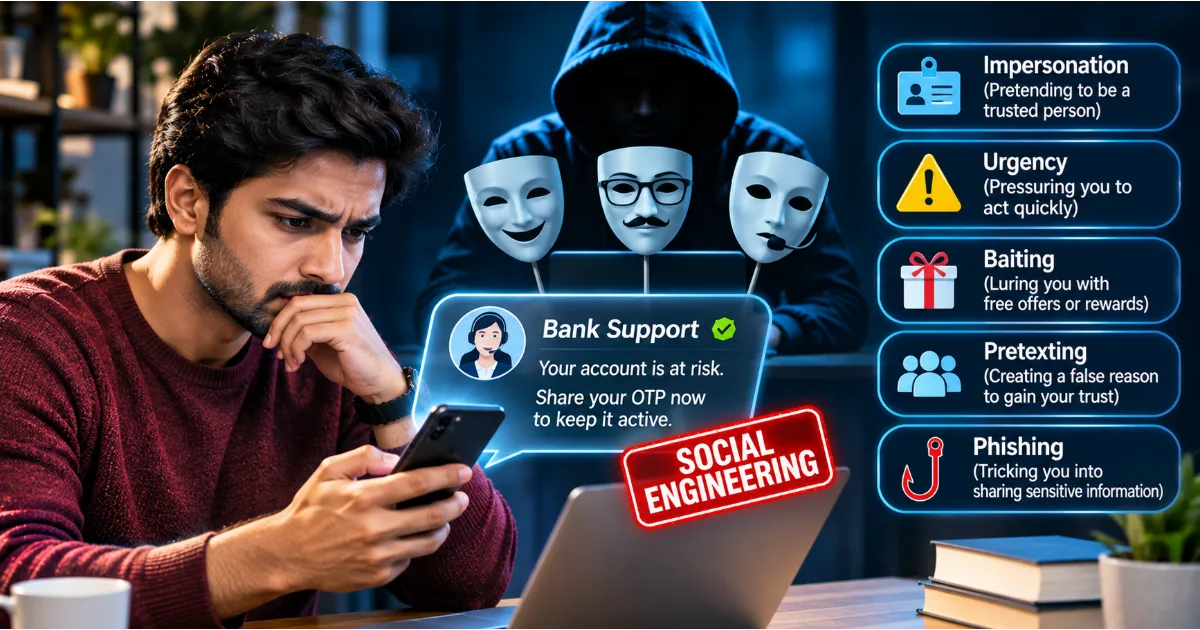
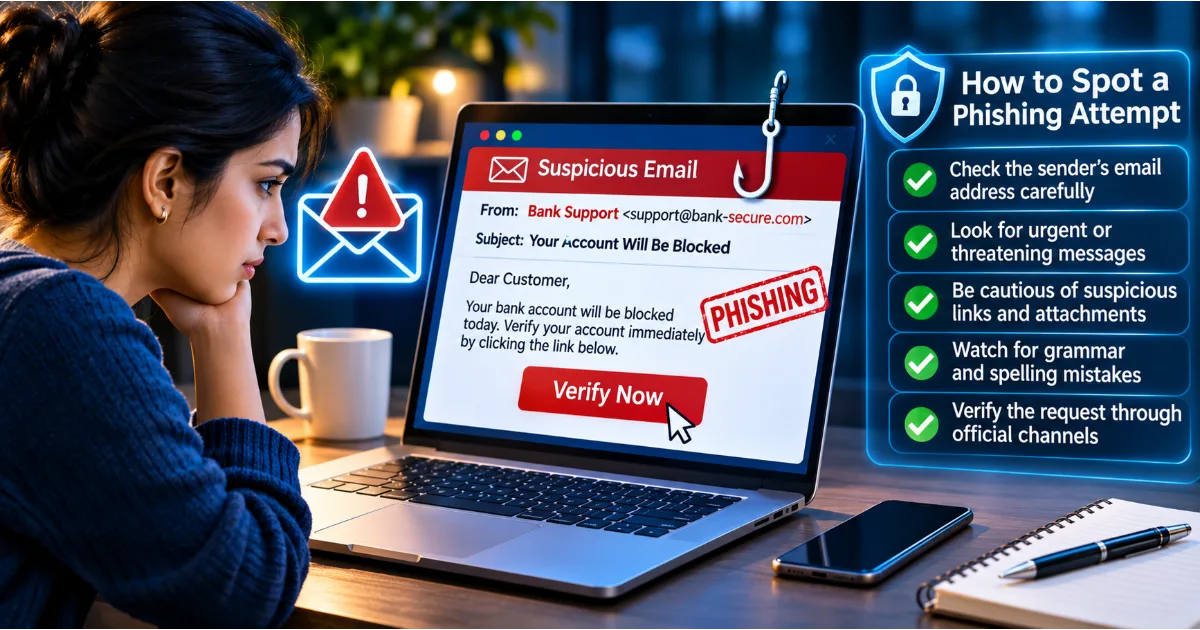
4. Phishing Attacks
Phishing is a method of stealing passwords by tricking users into entering their credentials on fraudulent websites or sharing them through deceptive messages.
A phishing message may appear to come from a bank, employer, delivery service, government department, or popular online platform.
It may claim that your account needs verification, your payment has failed, or your access will be suspended unless you act immediately.
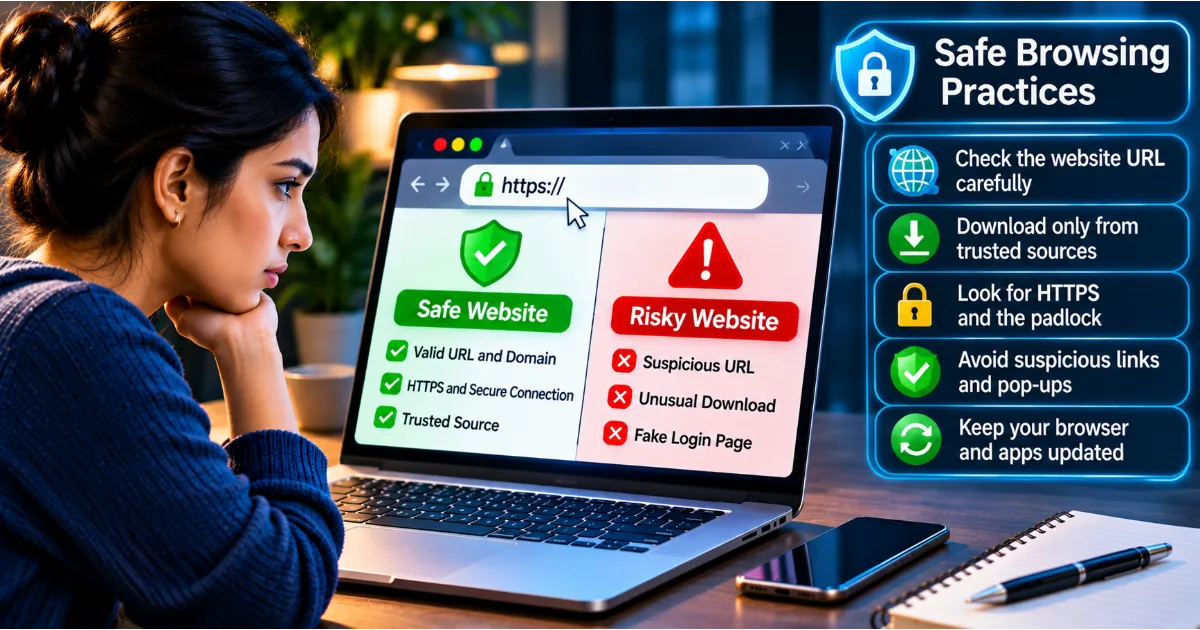
The attacker directs you to a fake login page that looks similar to the legitimate service.
When you enter your credentials, the information may be collected by the attacker.
To reduce this risk, avoid signing in through unexpected links. Navigate to the service using its official application or a trusted address you have already verified.
5. Keylogging
Keylogging involves recording keyboard activity to capture information entered by a user.
Some malicious programs can record keystrokes and send the collected information to an attacker.
If a device is infected, passwords, messages, and other sensitive information may be exposed.
Keep your operating system and applications updated, use reputable security software, avoid suspicious downloads, and investigate unexpected device behaviour.
6. Password Theft Through Data Breaches
A data breach occurs when information is exposed, accessed, or disclosed without authorization.
If an online service stores user credentials insecurely or suffers a security incident, attackers may obtain information that can be misused.
Responsible services should store passwords using appropriate password hashing techniques rather than storing readable passwords directly.
However, users should not assume every service has implemented security correctly.
Using unique passwords reduces the impact when one service is compromised. Monitoring security notifications and changing affected credentials promptly are also important practices.
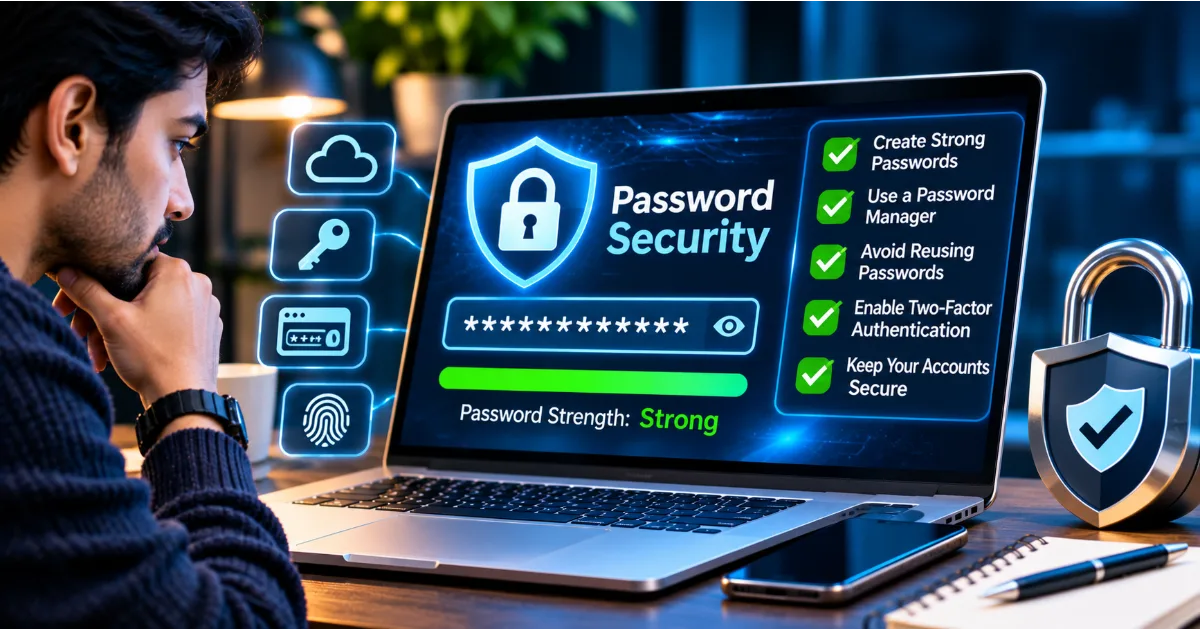
How to Create Strong Passwords: Practical Rules Everyone Should Follow
Creating strong passwords becomes easier when you follow a consistent method.
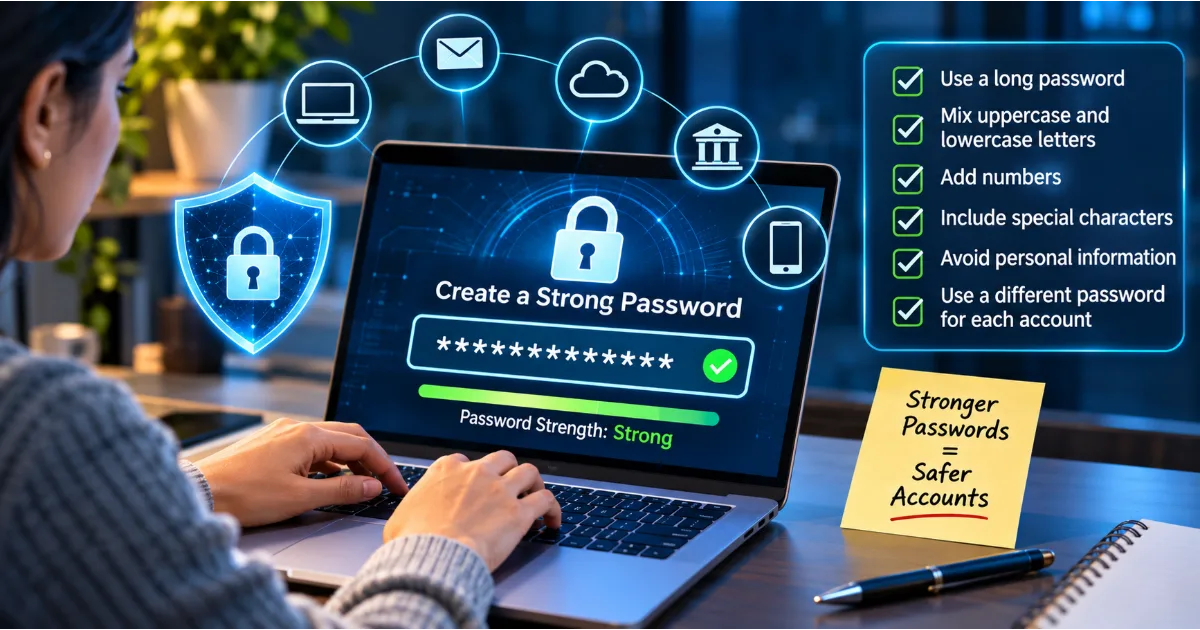
Rule 1: Prioritize Password Length
Length is one of the most important characteristics of password strength.
A longer password generally provides a larger search space for attackers, especially when its characters or words are selected unpredictably.
For important online accounts, aim for at least 16 characters when the service permits it. Longer passwords or passphrases can provide additional protection.
Do not assume that a short password becomes secure simply because it includes uppercase letters, numbers, and symbols.
For example, a short predictable password such as Summer2026! may be easier to guess than a longer, randomly generated passphrase.
The goal should be sufficient length combined with unpredictability.
Rule 2: Use Unpredictable Combinations
Avoid passwords based on common words, predictable sequences, familiar phrases, or personal information.
A password generator can create random combinations that are difficult to anticipate.
If you prefer a memorable passphrase, select several unrelated words using a genuinely random method rather than choosing a familiar sentence.
For example, a passphrase constructed from unrelated words is preferable to a popular quotation or a phrase associated with your personal life.
Do not use examples published in cybersecurity articles as your actual passwords. They are publicly visible and should be treated only as illustrations.
Rule 3: Make Every Password Unique
Each online account should have its own password.
Your email password should not be the same as your banking password. Your social media password should not be reused for cloud storage, shopping platforms, or professional applications.
This approach prevents a breach on one website from automatically exposing accounts on other services.
If remembering unique passwords becomes difficult, use a reputable password manager.
Rule 4: Avoid Personal Information
Do not use your name, birth date, phone number, residential address, family names, or other easily discoverable information.
Even information that appears harmless can help an attacker make more accurate guesses.
For example, a person who frequently posts about their pet may unintentionally reveal the name they use in passwords or security questions.
Treat password creation as a process that should remain independent of publicly visible personal details.
Rule 5: Avoid Predictable Patterns
Many users believe that adding a symbol or number to the end of a familiar password makes it secure.
However, attackers often test common modifications.
Examples include adding 123, using the current year, replacing letters with similar-looking numbers, or placing an exclamation mark at the end.
Avoid relying on these predictable patterns.
A longer, randomly generated password is generally a better approach than repeatedly modifying a familiar word.
Rule 6: Use a Password Manager
A password manager is a tool designed to generate, store, and organize passwords securely.
Instead of remembering dozens of separate passwords, users generally need to remember one strong master password or use an available passkey or other supported authentication method to access the password manager.
A reputable password manager can generate unique credentials for different websites, identify reused passwords, and simplify secure account management.
Choose a trusted provider, enable multi-factor authentication where available, and understand its account recovery process.
Your password manager becomes an important security tool, so protecting access to it is essential.
Rule 7: Never Share Passwords Through Unsecured Channels
Avoid sending passwords through ordinary text messages, email, social media chats, or shared documents.
These channels may expose credentials through compromised accounts, forwarded messages, screenshots, or unauthorized access.
If an organization needs to provide access to a system, use its approved identity and access management process.
Where possible, create separate accounts with individual permissions instead of distributing a shared password.
Understanding Passphrases: A Better Way to Create Memorable Passwords
A passphrase is a password composed of multiple words.
It can be useful for people who find random character combinations difficult to remember.
A properly generated passphrase may combine several unrelated words to create a longer credential.
For example, imagine selecting four or more unrelated words through a random process. The resulting combination may be easier to remember than a string of random characters while remaining difficult to predict.
However, not every phrase is strong.
A popular quotation, familiar song lyric, common expression, or sentence containing personal information may be easier to guess than expected.
The important characteristics are length and unpredictability.
When selecting a passphrase, avoid words that have an obvious relationship to your identity or interests. Do not use the same passphrase on multiple accounts.
Passphrases are particularly useful for accounts where memorability matters, provided that the service supports sufficient length and does not impose restrictive character limits.
Password Complexity Versus Password Length: What Matters More?
For many years, users were encouraged to create passwords containing uppercase letters, lowercase letters, numbers, and special characters.
Although character variety can increase the number of possible combinations, password complexity alone does not guarantee security.
A short password containing several character types may still be predictable if it follows a familiar pattern.
For example, a word followed by a predictable number and symbol may be easier to guess than a much longer, randomly selected passphrase.
Modern password security guidance places substantial emphasis on length, uniqueness, and resistance to guessing.
This does not mean that special characters and numbers are useless. They can contribute to unpredictability, especially when generated randomly.
The best practical approach is to use a long, unique, randomly generated password whenever possible, or a sufficiently long and unpredictable passphrase when memorability is important.
Follow the specific service's password requirements, but do not confuse satisfying a complexity checklist with having a genuinely secure credential.
Why You Should Never Reuse Passwords Across Different Websites
Password reuse deserves special attention because it can turn an isolated security incident into a much larger problem.
Imagine that you have ten online accounts and use the same password for all of them.
One of the smaller services experiences a data breach. Attackers obtain your email address and password.
They may then attempt to access your other accounts using the same combination.
If your primary email account is compromised, the situation can become even more serious. Attackers may attempt to reset passwords for other services, access private communications, and impersonate you.
This is why every account should have a unique password.
A password manager makes this approach practical because you do not need to memorize every credential individually.
If you discover that you have reused passwords, prioritize changing credentials for your primary email, financial accounts, cloud storage, work accounts, and other important services.
How to Protect Your Email Password
Your primary email account is often one of the most important accounts you own.
It may contain private conversations, personal documents, purchase receipts, account notifications, and password reset messages.
If someone gains access to your email, they may use it to attempt recovery of other online accounts.
For this reason, your email account deserves particularly strong protection.
Use a long, unique password that is not used anywhere else. Enable multi-factor authentication or a passkey where supported.
Review recovery phone numbers and email addresses to ensure that they belong to you.
Check the list of active sessions and connected applications. Remove unfamiliar devices and revoke access for services you no longer use.
Pay attention to security notifications and unexpected password reset requests.
Never share your email password with anyone claiming to provide technical support. Legitimate support representatives should not require your confidential login credentials.
What Is Multi-Factor Authentication and Why Does It Matter?
A strong password is important, but it should not be the only protection around an important account.
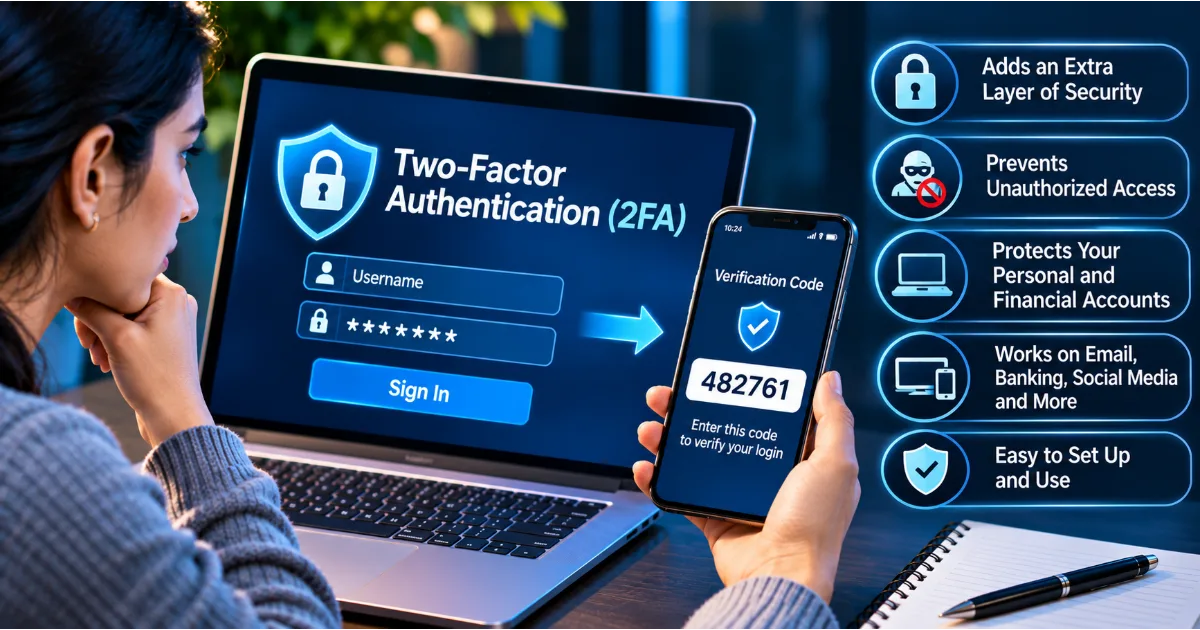
Multi-factor authentication, commonly called MFA, requires additional verification beyond the password.
Depending on the service, this may involve something you know, something you possess, or a characteristic associated with your identity.
For example, after entering a password, a user may be asked to approve a sign-in request through an authenticator application or security key.
This makes unauthorized access more difficult because an attacker who knows the password may still lack the additional authentication factor.
Common authentication methods include authenticator applications, hardware security keys, passkeys, and one-time verification codes.
Where available, phishing-resistant methods such as passkeys and hardware security keys provide particularly valuable protection against credential phishing.
SMS-based verification can still provide an additional security layer compared with password-only access, but it may be vulnerable to SIM-swapping and interception risks.
Enable MFA on your primary email, banking, cloud storage, social media, and professional accounts whenever supported.
What Are Password Managers and How Do They Work?
A password manager is a security application that helps users create, store, and retrieve passwords.
It can generate strong random passwords, remember account credentials, identify reused passwords, and help users fill in login information on supported websites and applications.
Most reputable password managers protect stored credentials through encryption.
The user typically unlocks the password vault using a master password, biometric authentication, or another supported method.
A password manager reduces the pressure to remember many different passwords and makes it easier to maintain unique credentials across online accounts.
However, choosing a password manager requires care.
Select a reputable provider, understand its security and recovery features, enable additional authentication, and keep the application updated.
Protect the master password carefully. If the provider offers emergency recovery or trusted contact features, review how they work before enabling them.
Avoid storing passwords in ordinary spreadsheets, unprotected text files, browser notes, or documents that can be accessed by other people.
Common Password Mistakes You Should Avoid
Even people who understand password security can make mistakes that increase their exposure.
One common mistake is using the same password for multiple accounts. This creates opportunities for credential stuffing and increases the consequences of a data breach.
Another mistake is choosing passwords based on personal information. Names, birthdays, anniversaries, and favourite teams may be easier to discover than expected.
Some users write passwords on sticky notes attached to their computers or keep them in notebooks that are accessible to others. Physical notes can also become lost or photographed.
Sharing passwords through messaging applications creates additional exposure because messages may be forwarded, copied, or accessed through compromised devices.
Another mistake is ignoring security alerts. If a service reports suspicious login activity or a potential credential breach, investigate the notification using the official application or website.
Finally, avoid changing passwords unnecessarily according to an arbitrary calendar if there is no indication of compromise. Frequent forced changes can encourage predictable variations. Instead, change passwords when they may have been exposed, when unauthorized access is suspected, or when required by a legitimate security policy.
What Should You Do If Your Password Has Been Compromised?
Discovering that a password has been exposed can be stressful, but taking the correct steps quickly can reduce the damage.
First, use a trusted device and navigate directly to the official website or application of the affected service.
Change the compromised password immediately. Replace it with a new, unique credential that has not been used elsewhere.
If the same password was used on other accounts, change those passwords as well. Start with your email, financial services, cloud storage, and work accounts.
Next, review active sessions and sign out unfamiliar devices. Remove suspicious connected applications and revoke unauthorized access.
Enable multi-factor authentication if it is not already active.
Check recovery email addresses, phone numbers, account settings, and recent activity. Attackers sometimes change recovery information to maintain access after a password has been reset.
If financial accounts may be involved, contact the relevant financial institution through its official channels and monitor transactions.
If the incident affects a workplace account, inform the organization's IT or security team immediately. Do not attempt to hide a suspected security incident.
Preserve relevant security notifications and other evidence. If personal information or financial details were exposed, follow the relevant reporting and recovery procedures.
Password Security for Businesses and Organizations
Password security is not only an individual responsibility. Organizations must also establish systems and policies that protect employee accounts, customer information, business applications, and confidential data.
Businesses should use centralized identity management wherever practical and ensure that every employee has an individual account.
Access should be granted according to job responsibilities. Employees should not receive unnecessary administrative privileges.
Multi-factor authentication should be required for important business systems, particularly email, remote access, cloud administration, financial services, and systems containing sensitive customer information.
Organizations should also implement secure password storage practices, account monitoring, suspicious login detection, and procedures for removing access when employees leave.
Shared accounts should be avoided wherever possible because they make it difficult to identify who performed an action.
When shared access is unavoidable, organizations should use approved credential management systems and maintain appropriate auditing.
Employee training is equally important. Staff should understand phishing risks, recognize suspicious authentication requests, and report potential credential exposure promptly.
A strong password policy should make secure behaviour practical rather than encouraging employees to write passwords down or reuse predictable combinations.
The Future of Password Security: Passkeys and Passwordless Authentication
Traditional passwords have several limitations. Users forget them, reuse them, share them, and sometimes enter them on fraudulent websites.
Technology providers are increasingly adopting passwordless authentication methods to reduce these problems.
One important development is the passkey.
Passkeys use cryptographic authentication instead of requiring users to type a conventional password for every sign-in.
They are generally associated with a device or password manager and use a public-key cryptographic approach. The service stores a public key, while the corresponding private key remains protected by the user's device or credential manager.
During authentication, the user typically verifies their identity using a device PIN, fingerprint, facial recognition, or another supported method.
Passkeys are designed to resist phishing because authentication is associated with the legitimate service rather than a password that can easily be typed into a fake website.
They can also simplify the sign-in experience across supported devices and services.
However, users should still protect their devices, account recovery methods, and password manager access.
Passwordless authentication does not eliminate every cybersecurity risk, but it represents an important development in reducing password-related attacks.
Practical Password Security Checklist
Building good password habits becomes easier when you review your accounts regularly.
Start by identifying your most important online accounts, particularly your primary email, banking applications, cloud storage, social media, and work systems.
Check whether each account uses a unique password. Replace weak, reused, or predictable credentials with stronger alternatives.
Use a reputable password manager to generate and securely store passwords.
Enable multi-factor authentication wherever available. Consider passkeys or hardware security keys for important services that support them.
Review account recovery information and remove unfamiliar devices or connected applications.
Never share passwords through unsecured communication channels.
Avoid entering login credentials after following unexpected links in emails or messages. Access services through official applications or trusted addresses.
Monitor security notifications and respond promptly when a service reports suspicious activity.
Finally, remember that password security is an ongoing responsibility. Review your practices when services announce breaches, when devices are lost, or when you suspect unauthorized access.
Conclusion: Strong Passwords Begin With Better Digital Habits
Passwords continue to play an important role in protecting digital identities, personal information, financial accounts, and business systems.
However, a password is only effective when it is difficult to predict, unique to the account, and protected from unauthorized access.
Creating a long and unpredictable password, avoiding password reuse, using a reputable password manager, and enabling multi-factor authentication are practical steps that everyone can take.
It is equally important to understand how cybercriminals attempt to steal credentials through phishing, brute force attacks, credential stuffing, malicious software, and data breaches.
As authentication technology evolves, passkeys and other passwordless methods may reduce dependence on traditional passwords. Until then, responsible password management remains an essential part of online safety.
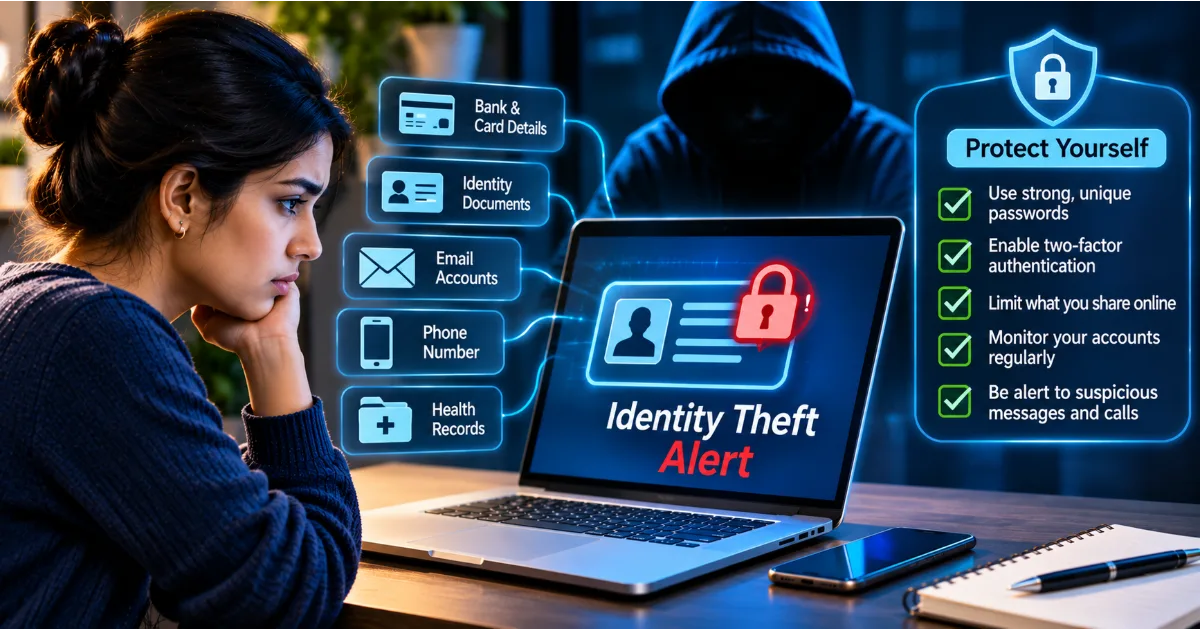
Remember that convenience should never come at the expense of security. A few extra moments spent creating and protecting a strong password can help prevent unauthorized access, identity theft, financial loss, and exposure of sensitive information.
Your digital accounts contain valuable information. Protecting them begins with the passwords and authentication methods you choose today.
#PasswordSecurity #StrongPasswords #CybersecurityAwareness #OnlineSafety #DigitalSecurity