The Growing Danger of Phishing in the Digital World
The internet has made communication, shopping, banking, education, business operations, and information sharing easier than ever. People receive emails, text messages, social media notifications, payment alerts, delivery updates, and account verification requests throughout the day. While these digital services provide convenience, they also create opportunities for cybercriminals to deceive unsuspecting users.
One of the most common cybersecurity threats affecting individuals and organizations is phishing. Unlike attacks that depend entirely on technical vulnerabilities, phishing often targets human behaviour. Criminals create messages and websites that appear legitimate, hoping that users will trust them, reveal confidential information, download malicious files, or transfer money.
A phishing message may appear to come from a bank, government department, delivery company, employer, social media platform, or a person you know. It might inform you that your account has been suspended, a payment has failed, a package is waiting for delivery, or an important document requires your signature. The message usually encourages you to take immediate action.
The danger lies in the fact that these messages can look convincing. Attackers increasingly use professional designs, realistic logos, copied branding, convincing language, and personalized information to make fraudulent communication appear genuine.
Continue Reading
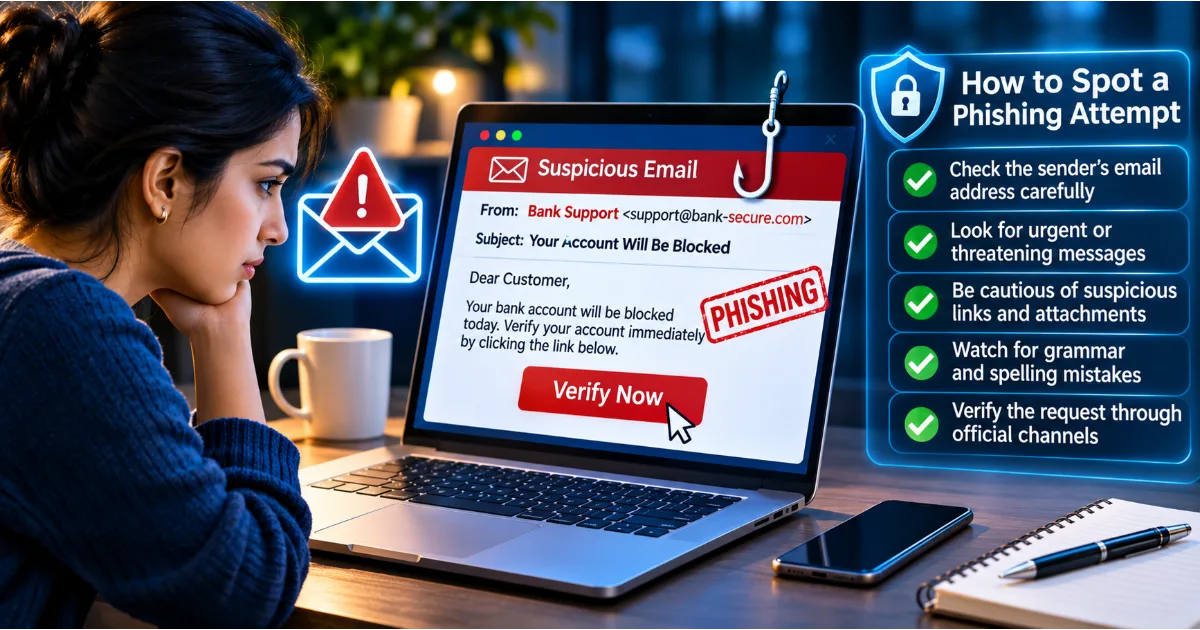
Imagine receiving an email claiming that your bank account will be blocked unless you verify your identity. The email contains the bank's logo, a professional-looking layout, and a prominent verification button. You click the button and arrive at a website that looks almost identical to the bank's official login page. You enter your username, password, and verification code. Within moments, the attacker may use those details to attempt access to your real account.
This is how phishing can turn an ordinary digital interaction into a serious security incident.
Understanding phishing attacks is essential for anyone who uses the internet. This article explains what phishing is, how it works, the different types of phishing attacks, how to identify suspicious communication, what to do after clicking a malicious link, and how individuals and businesses can protect themselves.
What Is a Phishing Attack?
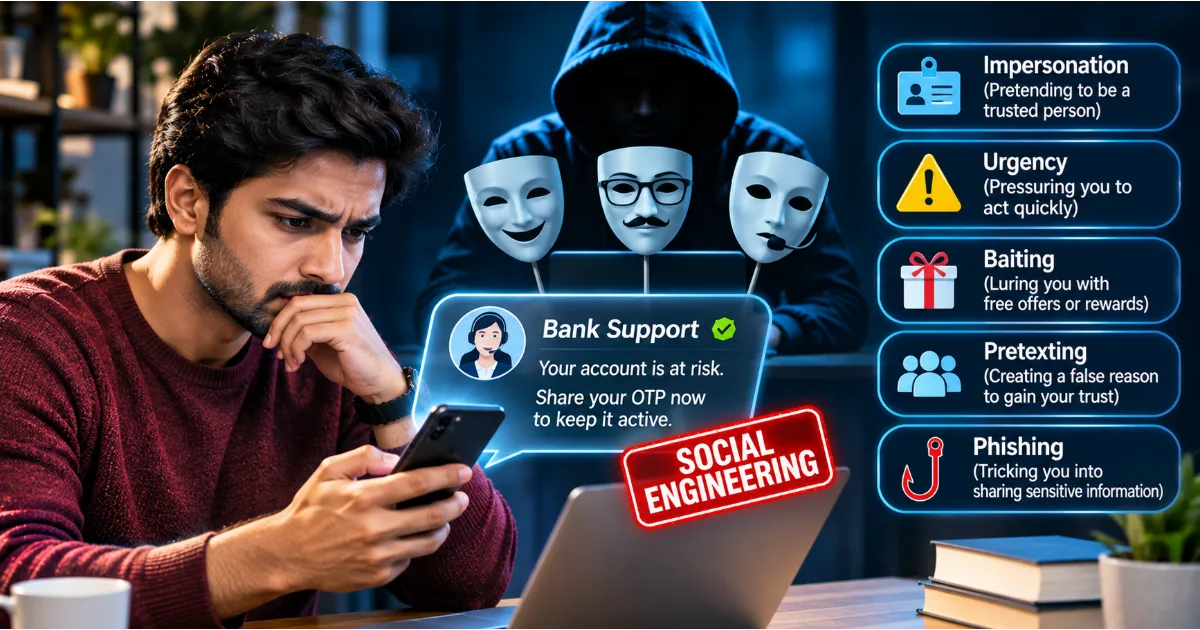
Phishing is a form of social engineering in which cybercriminals impersonate trusted individuals or organizations to trick people into revealing sensitive information, performing unsafe actions, or providing access to digital accounts and systems.
The term describes an attack that attempts to lure victims into taking actions that benefit the attacker.
These actions may include entering passwords on fraudulent websites, sharing one-time passwords, downloading malicious attachments, approving unauthorized login requests, disclosing financial information, or transferring money.
Phishing commonly takes place through email, but it is not limited to email communication. Attackers also use SMS messages, phone calls, messaging applications, social media platforms, fake websites, and collaboration tools.
The central idea is deception. Rather than directly forcing access to an account, the attacker attempts to persuade the victim to provide the information or authorization needed to compromise it.
Phishing attacks can target a single individual, a group of employees, customers of a financial institution, or an entire organization. Some campaigns are sent to thousands of people using generic messages, while others are carefully prepared for specific individuals.
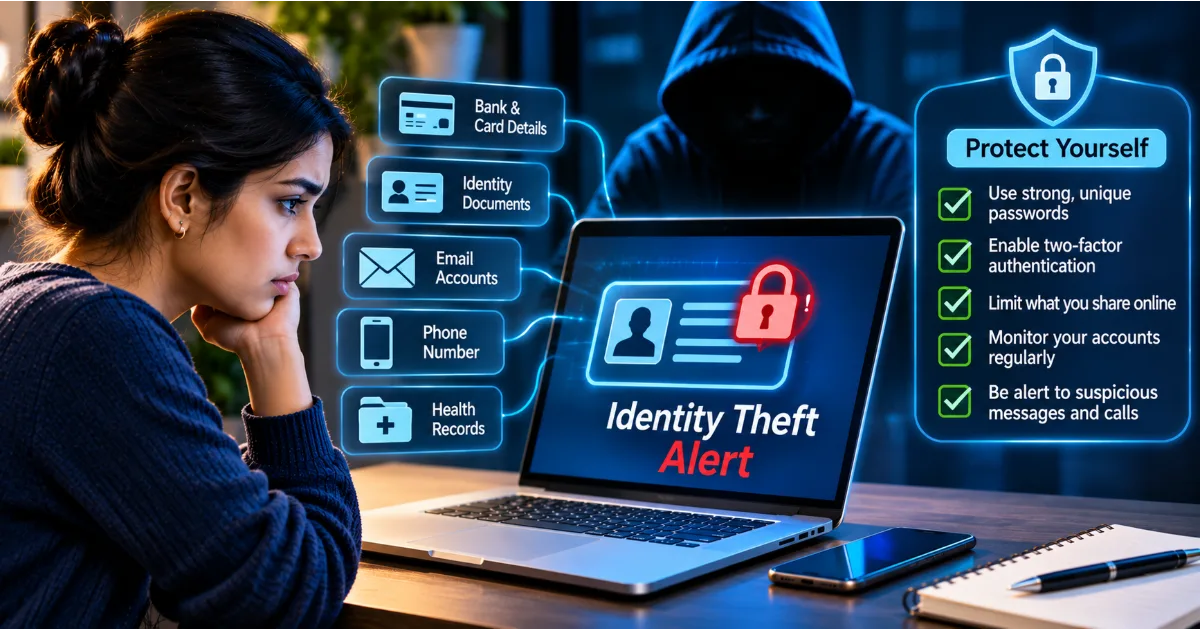
The consequences can include identity theft, financial fraud, account takeover, data exposure, business email compromise, and ransomware incidents.
How Does a Phishing Attack Work?
Most phishing attacks follow a recognizable pattern, although the exact methods may differ.
Step 1: Selecting a Target
The attacker identifies potential victims. These may be ordinary internet users, employees, business owners, students, financial professionals, or individuals with access to valuable information.
Some attackers select targets randomly using large lists of email addresses and phone numbers. Others research their victims using publicly available information, professional profiles, social media posts, and organizational websites.
The more information an attacker collects, the easier it may become to create a convincing message.
Step 2: Creating a Convincing Message
The attacker prepares a message that appears to come from a trusted source.
It may imitate a bank, payment provider, government department, employer, delivery company, or popular online service.
The message usually contains a reason for contacting the victim and a request for action. For example, it may claim that an account needs verification, a payment requires confirmation, or an important document is waiting.
The attacker may copy logos, colours, formatting, and writing styles from legitimate organizations.
Step 3: Creating a Sense of Urgency
Many phishing messages attempt to influence the victim's emotions.
They may suggest that an account will be suspended, a payment will be cancelled, a refund will expire, or a security problem must be resolved immediately.
The objective is to encourage quick action without allowing the recipient enough time to verify the request.
Fear, curiosity, excitement, and financial pressure are common psychological techniques used in phishing.
Step 4: Directing the Victim to a Malicious Destination
The message may contain a link to a fraudulent website, an attachment containing malicious software, or instructions to contact a fake support representative.
A fraudulent website may imitate the appearance of a genuine service.
The attacker may ask the victim to enter login credentials, personal information, payment details, or authentication codes.
Step 5: Stealing Information or Obtaining Access
Once the victim provides the requested information, the attacker may collect it and use it for unauthorized purposes.
Stolen passwords may be used to access accounts. Financial details may support payment fraud. Personal information may be used for identity theft or further targeted scams.
Some phishing campaigns also deliver malware, allowing attackers to compromise devices or gain access to organizational systems.
Step 6: Exploiting the Compromised Account
After obtaining access, attackers may change account settings, steal information, impersonate the victim, contact their friends or colleagues, or attempt to compromise other accounts.
In business environments, a compromised employee account may be used to access confidential files, manipulate invoices, or send additional phishing messages to coworkers.
This demonstrates why identifying phishing attempts early is so important.
Different Types of Phishing Attacks Everyone Should Know
Phishing attacks come in several forms. Understanding their differences helps users recognize suspicious activity across different communication channels.
1. Email Phishing
Email phishing is one of the most familiar forms of phishing.
Attackers send fraudulent emails that imitate legitimate organizations or individuals. The messages may contain suspicious links, malicious attachments, fake payment requests, or requests for confidential information.
Common examples include fake bank alerts, password reset notifications, account suspension warnings, delivery updates, and payment confirmation requests.
These emails are frequently sent to large numbers of recipients. Even if only a small percentage of people respond, the campaign may still be profitable for criminals.
Always verify the sender's actual email address and examine unexpected links before interacting with them.
2. Spear Phishing
Spear phishing is a targeted phishing attack directed at a particular person, organization, or group.
Unlike generic phishing messages, spear phishing uses information about the target to create more convincing communication.
For example, an employee may receive an email that appears to come from their manager and refers to an ongoing project. The message may request access to a document, confidential information, or an urgent payment.
The attacker may research the employee's role, colleagues, business relationships, and professional responsibilities before preparing the message.
Because spear phishing can include accurate personal or organizational information, it may be difficult to recognize.
Verify unusual requests through an independent communication channel, especially when money, credentials, or confidential information are involved.
3. Whaling Attacks
Whaling is a targeted form of phishing that focuses on senior executives and other high-value individuals.
Targets may include company founders, chief executive officers, finance directors, senior managers, and government officials.
These individuals may have access to sensitive business information, financial approvals, strategic documents, and administrative systems.
A whaling message may impersonate a legal advisor, business partner, board member, or senior executive.
It may request confidential information, financial transfers, or access to important company resources.
Organizations should establish verification procedures for sensitive financial and administrative requests rather than relying only on the apparent identity of the sender.
4. Smishing: Phishing Through SMS Messages
Smishing is phishing conducted through text messages.
A victim may receive an SMS claiming that a bank transaction has failed, a delivery is delayed, a payment is pending, or a mobile account needs verification.
The message may contain a link directing the user to a fraudulent website.
Smishing can be particularly effective because people often trust text messages and may read them while distracted.
For example, a message claiming that a delivery cannot be completed unless a small redelivery fee is paid may encourage someone to enter payment information on a fake website.
Do not trust a message simply because it appears in an ordinary SMS conversation. Verify delivery and payment information through the official application or website.
5. Vishing: Voice-Based Phishing
Vishing refers to phishing conducted through telephone or voice communication.
An attacker may pretend to be a bank employee, technical support representative, government official, police officer, or customer service agent.
The caller may claim that suspicious activity has been detected on your account and that immediate action is required.
They may ask for an OTP, password, payment details, remote device access, or a money transfer.
Some attackers use caller ID spoofing to make a call appear to originate from a legitimate organization.
Never share confidential authentication information with an unsolicited caller. End the call and contact the organization using a verified official number.
6. Clone Phishing
Clone phishing involves creating a fraudulent copy of a previously received legitimate email or message.
An attacker may copy the appearance and structure of an original message but replace its attachment or link with a malicious one.
For example, someone may receive what appears to be an updated copy of a document they previously requested.
Because the communication resembles an earlier legitimate interaction, the recipient may be less suspicious.
Be careful with unexpected replacement attachments, revised payment instructions, or links in messages that appear to continue an earlier conversation.
7. Social Media Phishing
Social media phishing uses platforms such as Facebook, Instagram, LinkedIn, and other online networks to deceive users.
Attackers may create fake profiles, impersonate customer support teams, distribute malicious links, or send messages claiming that an account has violated platform policies.
A user may receive a message warning that their profile will be suspended unless they complete a verification process.
Some criminals also compromise legitimate accounts and use them to send fraudulent messages to existing contacts.
Verify unexpected support requests through the platform's official account settings rather than relying on direct messages.
8. Business Email Compromise
Business Email Compromise, commonly called BEC, is a type of cyber-enabled fraud in which criminals impersonate or compromise business email accounts to manipulate financial transactions or obtain sensitive information.
An attacker may pretend to be a senior executive requesting an urgent payment or a supplier asking for updated bank account details.
For example, a finance employee may receive an email that appears to come from a regular vendor requesting payment to a new bank account.
If the employee processes the payment without independent verification, the funds may be transferred to an account controlled by criminals.
Businesses should verify changes to payment instructions through previously established contact details and require appropriate approval for financial transactions.
9. QR Code Phishing
QR code phishing, sometimes called quishing, uses malicious QR codes to direct users to fraudulent websites or other unsafe destinations.
A QR code may appear on a poster, email, printed document, restaurant notice, parking payment notice, or delivery communication.
When scanned, it may open a fake login page or request sensitive information.
The challenge is that the destination is not immediately visible in the printed QR code.
Before opening a QR destination, examine the website address displayed by your device. Avoid entering passwords or payment information on unfamiliar websites.
10. Search Engine and Advertisement-Based Phishing
Some attackers create fraudulent websites that appear in search results or use deceptive advertisements to attract visitors.
A user searching for customer support, account recovery, software downloads, or financial services may encounter an imitation website.
The site may look professional and include contact information, logos, and customer support details.
Never assume that the first search result is automatically legitimate. Check the website's domain carefully and use official bookmarks or known addresses for important services.
How to Identify a Phishing Email
Recognizing suspicious emails is one of the most valuable online safety skills.
Although phishing emails are becoming more sophisticated, several warning signs can help identify them.
Check the Sender's Email Address
Look beyond the display name shown in your inbox.
A message may display the name of a bank or well-known company while using an unrelated email address.
Examine the full sender address and domain. Watch for additional words, spelling changes, unusual domain endings, or characters that imitate the genuine organization.
However, remember that sender addresses can also be spoofed or accounts can be compromised. A familiar-looking address is not proof that the message is safe.
Look for Urgent or Threatening Language
Phishing emails often attempt to create panic.
They may say that your account will be blocked, your payment will be cancelled, or legal action will follow unless you respond immediately.
Legitimate organizations may send important notifications, but an unexpected demand for immediate action should always be verified.
Pause before clicking or responding.
Examine Links Carefully
A visible link may display the name of a legitimate organization while directing the user to a different website.
On a computer, you can often inspect the destination by moving the pointer over the link without clicking it.
On a smartphone, use the link preview or other available inspection features carefully.
Watch for misspelled domains, unfamiliar subdomains, shortened links, and unusual website addresses.
When in doubt, open the official application or enter the known website address yourself.
Be Careful With Unexpected Attachments
Attachments may contain malicious software or documents designed to trick users into enabling unsafe functionality.
Unexpected files, particularly those presented as invoices, payment receipts, account statements, or urgent documents, should be treated cautiously.
Do not open attachments simply because the message appears to come from someone you know.
Verify unexpected files with the sender through a separate communication channel.
Look for Unusual Requests
A request for your password, OTP, recovery code, or full payment information should raise immediate concern.
A message may also ask you to install remote access software, disable security controls, or move a conversation to another platform.
Verify such requests independently before taking action.
Check the Message Context
Ask yourself whether you were expecting the message.
Did you recently make a purchase? Are you expecting a delivery? Did you request a password reset? Does the sender normally communicate with you in this way?
Unexpected messages are not automatically fraudulent, but they deserve additional attention.
How to Identify a Fake Website
Fraudulent websites are often designed to imitate legitimate online services.
They may copy logos, page layouts, login forms, and branding to create a false impression of authenticity.
Before entering sensitive information, examine the website carefully.
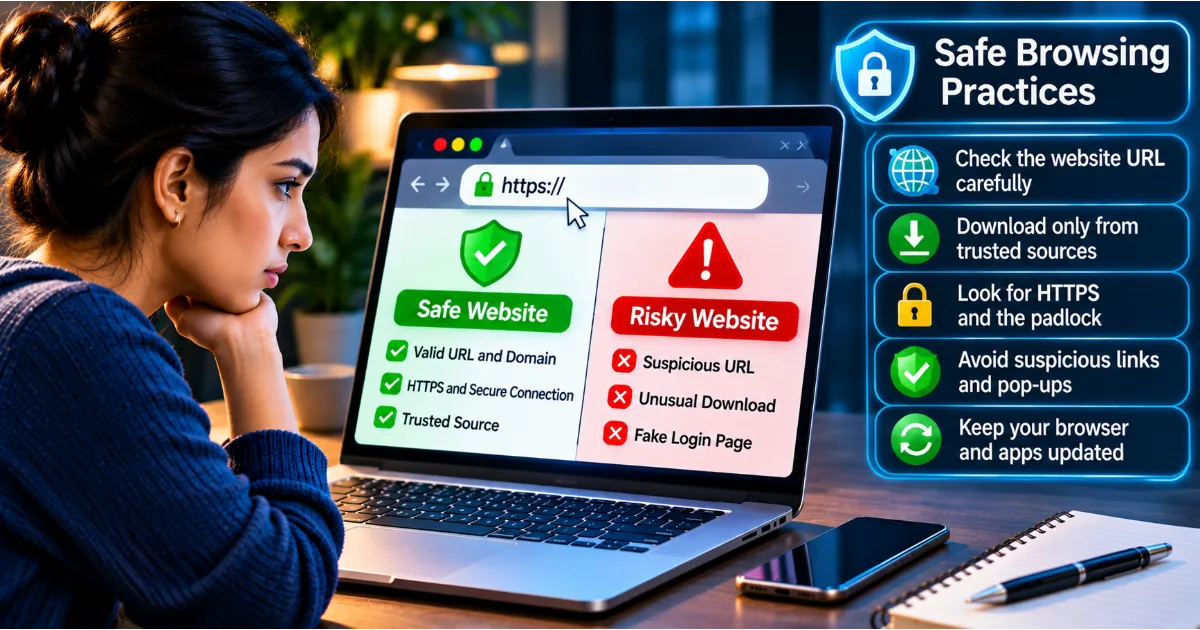
Verify the Domain Name
The domain name is an important indicator of website identity.
Attackers may register domains that resemble genuine websites through small spelling changes, additional words, or misleading combinations.
For example, a fraudulent website may include a bank's name followed by unrelated words or characters.
Read the complete domain rather than relying on the logo or page title.
Do Not Rely Only on HTTPS
A website using HTTPS encrypts communication between the browser and the website, but HTTPS alone does not establish that the website is legitimate.
Fraudulent websites can also obtain valid TLS certificates.
The presence of a padlock symbol should therefore never be treated as proof that a website is trustworthy.
Verify the actual domain and the reason you are visiting the website.
Examine Login Requests
Be suspicious when a website requests information that is unnecessary for the service.
An ordinary delivery tracking page should not need your banking password. A basic account verification process should not require you to disclose an unrelated service's login credentials.
Consider whether the requested information makes sense in the context of the service.
Avoid Unexpected Downloads
Do not download software, browser extensions, or mobile applications from unfamiliar websites simply because a message instructs you to do so.
Use official application stores or verified developer websites.
Review permissions before installing applications.
Check the Website Through Independent Sources
If you receive an unexpected link claiming to represent an important organization, visit the organization's known official website separately.
Look for the relevant notification in your account dashboard or contact its verified customer support service.
Do not use contact details supplied only in the suspicious message.
Why Phishing Attacks Are Becoming More Difficult to Detect
Phishing has evolved beyond poorly written emails containing obvious spelling mistakes.
Modern attackers can use professional templates, accurate branding, stolen information, compromised accounts, and automated tools to produce convincing messages.
Artificial intelligence has also made it easier to generate fluent text, translate messages, and personalize communication.
As a result, users cannot rely only on grammar mistakes or unusual writing styles to identify phishing.
A perfectly written message can still be fraudulent.
The sender's identity, the destination website, the context of the request, and the action being requested are more important indicators.
Cybercriminals may also use information obtained from public sources to personalize their messages. A phishing email that mentions your workplace, recent purchase, or professional relationship may appear trustworthy.
Always verify sensitive requests independently, even when the communication contains accurate details.
What Should You Do If You Accidentally Click a Phishing Link?
Clicking a suspicious link does not automatically mean that your device or account has been compromised. However, the situation should be assessed carefully.
The appropriate response depends on what happened after the link was opened.
If you only opened a suspicious page and did not enter information, download files, or approve permissions, close the page and avoid interacting with it further.
If you entered a password, immediately access the genuine service through its official application or a trusted website address and change the affected password. If the same password was used elsewhere, replace it on those accounts too.
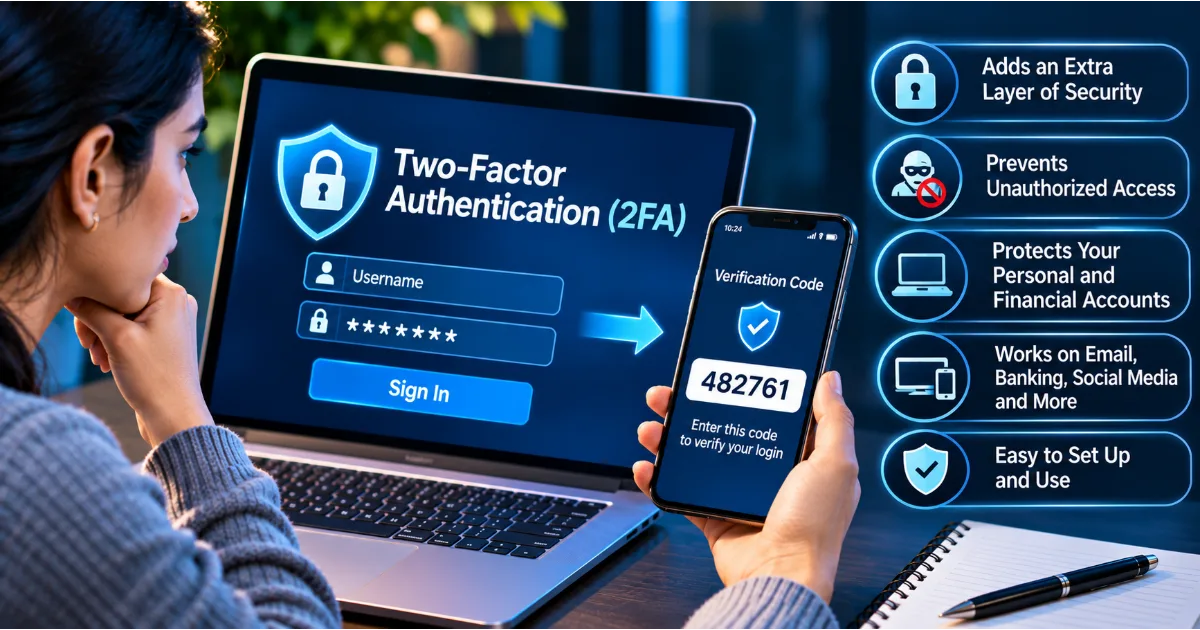
Enable or review multi-factor authentication and check active sessions for unfamiliar devices.
If you entered financial information, contact your bank or payment provider through its official communication channels. Ask them to review potentially unauthorized transactions and take appropriate protective action.
If you downloaded or executed a suspicious file, disconnect the affected device from the network if there is a credible indication of compromise. Use reputable security software to examine the device and seek professional technical support when necessary.
If you approved an unexpected authentication request, immediately review account activity, change affected credentials, and revoke unfamiliar sessions.
Finally, report the incident to the relevant service provider or organizational security team. Early reporting can help prevent further damage.
How to Report Phishing Attempts
Reporting phishing attempts helps service providers, organizations, and cybersecurity authorities identify fraudulent campaigns and protect other users.
If you receive a suspicious email, use the reporting or phishing option available in your email application. Avoid forwarding the message to random addresses or interacting with its attachments.
If the message impersonates a bank, payment provider, or other financial institution, report it through the organization's official fraud reporting process.
In India, individuals can report cybercrime through the National Cyber Crime Reporting Portal. Financial cyber fraud can also be reported through the national cybercrime helpline at 1930. Contacting your bank immediately is important when money or payment information may have been compromised.
If a phishing message targets your workplace, inform the IT or information security team. They may be able to block the sender, identify other affected employees, and investigate suspicious account activity.
Reporting an incident is not something to feel embarrassed about. Phishing is designed to deceive people, and early reporting can reduce the consequences.
How Individuals Can Protect Themselves From Phishing
Online safety begins with developing habits that reduce the likelihood of falling for fraudulent communication.
First, avoid clicking unexpected links in emails, SMS messages, and social media conversations. If a message claims that an account requires attention, open the official application or website independently.
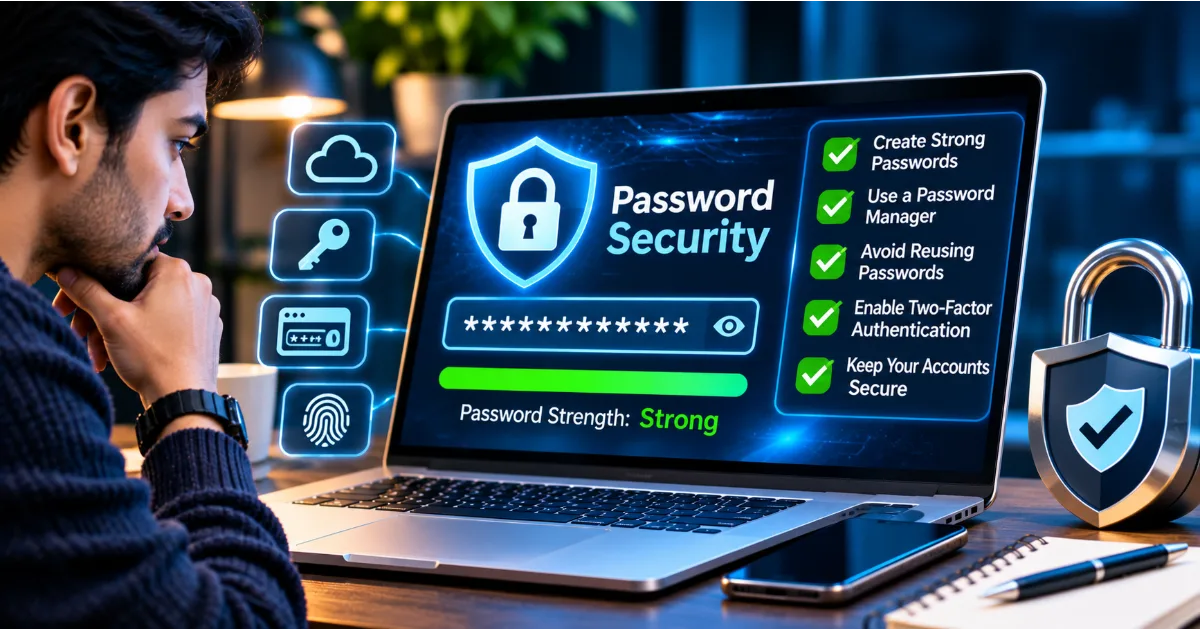
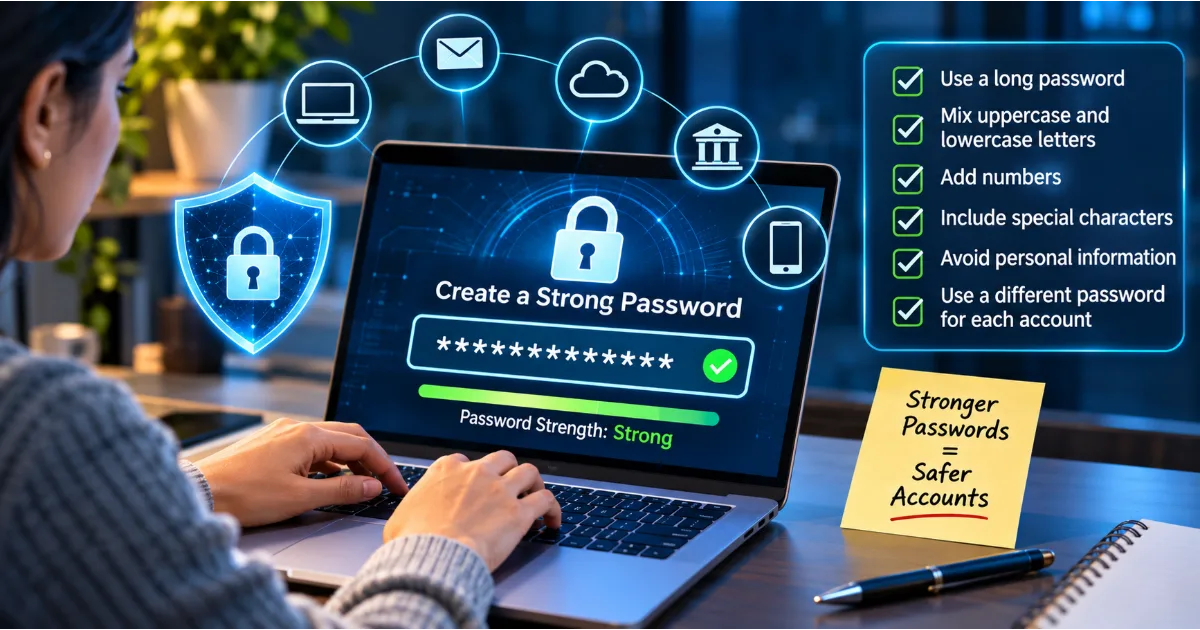
Second, protect important accounts with unique passwords and multi-factor authentication. This makes it harder for attackers to misuse stolen credentials.
Third, keep your operating system, browser, smartphone applications, and security software updated. Updates frequently address vulnerabilities that could otherwise be exploited.
Fourth, avoid downloading files from unknown sources. Even documents and images can be used as part of malicious campaigns.
Fifth, be careful about the personal information you publish online. Public information about your workplace, family, travel, purchases, and professional relationships can help criminals prepare personalized phishing messages.
Finally, develop a habit of verifying unusual requests. If someone asks for money, credentials, confidential documents, or urgent account access, confirm the request through a separate and trusted communication channel.
How Businesses Can Prevent Phishing Attacks
Phishing presents a significant risk to organizations because employees frequently communicate with customers, suppliers, partners, and colleagues through digital channels.
A single successful attack can expose confidential information, compromise employee accounts, interrupt operations, or result in financial loss.
Businesses should therefore combine employee awareness with technical security controls.
Employee Cybersecurity Awareness Training
Employees should receive regular training on identifying suspicious emails, fraudulent links, impersonation attempts, malicious attachments, and unexpected authentication requests.
Training should include practical examples based on realistic workplace situations.
Employees should understand that reporting a suspicious message is encouraged, even when they are uncertain whether it is malicious.
Email Security Solutions
Organizations should deploy appropriate email security controls to detect spam, malicious attachments, suspicious links, impersonation attempts, and other common threats.
Email authentication technologies such as SPF, DKIM, and DMARC can help receiving systems evaluate whether messages are authorized to use a particular domain.
These technologies are valuable components of email security, although they do not eliminate every phishing risk.
Multi-Factor Authentication
Businesses should require MFA for important accounts, particularly email, cloud services, remote access, administrative systems, and financial applications.
Phishing-resistant authentication methods should be prioritized for privileged accounts and high-risk users wherever practical.
Least Privilege Access
Employees should receive only the permissions necessary to perform their responsibilities.
If an ordinary user account is compromised, limited permissions can reduce the attacker's ability to access sensitive systems.
Administrative privileges should be restricted and monitored.
Payment Verification Procedures
Businesses should establish independent verification procedures for changes to supplier bank details, urgent payment requests, and unusual financial transactions.
For example, a finance employee should verify a supplier's new bank account through an independently established contact number rather than relying on the phone number provided in the suspicious email.
Incident Response Planning
Organizations should maintain a documented process for responding to phishing incidents.
Employees should know whom to contact, how to report suspicious messages, and what steps to follow if credentials have been disclosed.
Security teams should be prepared to disable compromised accounts, revoke sessions, investigate suspicious activity, preserve evidence, and communicate with affected stakeholders.
Practical Phishing Prevention Checklist
Before responding to an unexpected digital message, ask yourself a few important questions.
Is the sender's identity genuine? Does the message create unnecessary urgency? Is it asking for a password, OTP, financial information, or confidential documents? Does the link lead to the organization's actual domain? Was the communication expected? Can the request be independently verified?
If something seems unusual, stop and investigate.
Do not let urgency replace verification. A legitimate request should be capable of being confirmed through an appropriate official channel.
For businesses, establish clear procedures for payments, account recovery, confidential document sharing, and access approvals.
For individuals, protect important accounts, update devices, and develop the habit of checking before clicking.
Conclusion: Think Before You Click, Verify Before You Trust
Phishing is one of the most persistent cybersecurity threats because it targets human behaviour as much as technology. Cybercriminals use fake emails, SMS messages, phone calls, social media profiles, QR codes, and fraudulent websites to convince people to reveal sensitive information or perform unsafe actions.
Recognizing phishing requires more than checking for spelling mistakes or suspicious-looking logos. Users must examine the sender, verify website addresses, understand the context of requests, and remain cautious when messages create urgency or demand confidential information.
Strong passwords, multi-factor authentication, updated devices, secure browsing practices, and regular cybersecurity awareness can significantly reduce exposure to phishing attacks.
Businesses must also invest in employee education, email security, access controls, payment verification, and incident response procedures.
Most importantly, remember that no message should be trusted simply because it looks professional or appears to come from a familiar organization.
A few moments spent verifying a message can prevent financial loss, identity theft, account compromise, and serious data exposure.
Think before you click. Verify before you share. Report when something looks suspicious.
#PhishingAwareness #CybersecurityAwareness #OnlineSafety #PhishingPrevention #DigitalSecurity