Why Cybersecurity Matters in Everyday Life
The internet has become an essential part of modern life. People use digital platforms to communicate with friends and family, attend online classes, manage bank accounts, make payments, shop for products, run businesses, work remotely, store personal photographs, and access important services. Smartphones, laptops, cloud applications, social media platforms, and connected devices have made everyday activities faster and more convenient. However, this growing dependence on digital technology has also created new opportunities for cybercriminals to steal information, commit financial fraud, manipulate users, and disrupt businesses.
Many people believe that cybersecurity is primarily a concern for large companies, government organizations, banks, and technology professionals. In reality, cybersecurity affects everyone who uses the internet. A student receiving a suspicious scholarship message, an employee opening an unexpected email attachment, a small business owner using the same password across multiple accounts, or a customer scanning an unfamiliar QR code can all become targets of cyberattacks.
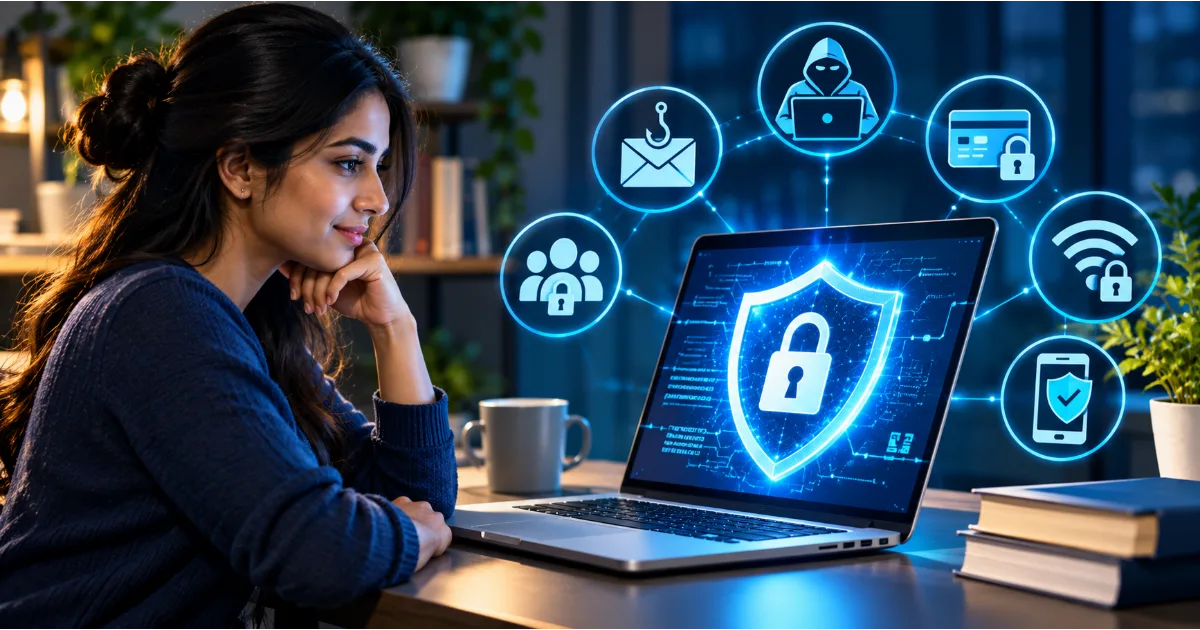
Cybersecurity is not simply about installing antivirus software or creating a complicated password. It is about understanding digital risks, protecting sensitive information, recognizing suspicious activities, and developing responsible online habits. Even basic precautions can significantly reduce the chances of becoming a victim of common cyber threats.
This beginner's guide explains what cybersecurity means, how cyberattacks happen, why personal and business information needs protection, which threats internet users should understand, and what practical steps everyone can take to stay safe online.
Continue Reading
What Is Cybersecurity?
Cybersecurity refers to the technologies, processes, policies, and practices used to protect computers, smartphones, networks, applications, servers, and digital information from unauthorized access, damage, theft, disruption, and other malicious activities.
In simple terms, cybersecurity means protecting everything that connects to or stores information in the digital world. It helps ensure that personal information remains private, financial transactions remain secure, business systems continue operating, and digital services are protected against malicious activities.
Consider an ordinary situation. You use your smartphone to access your bank account, make a payment through a digital payment application, and send personal documents through email. Each activity involves information that could be valuable to a cybercriminal. If someone gains unauthorized access to your email, they might attempt to reset passwords for other accounts. If your banking credentials are stolen, your financial information could be exposed. If malicious software enters your smartphone, it might monitor activities or attempt to collect sensitive information.
Cybersecurity practices are designed to prevent such incidents, detect suspicious activities, and reduce the damage when security problems occur.
Cybersecurity applies to individuals, educational institutions, startups, large corporations, financial institutions, hospitals, government departments, and virtually every organization that depends on digital infrastructure.
Why Is Cybersecurity Important?
The importance of cybersecurity has increased because digital information has become one of the most valuable assets in modern society. Personal photographs, identification documents, payment details, customer records, business strategies, confidential communications, and intellectual property are increasingly stored and exchanged electronically.
Without appropriate security measures, this information can be exposed to unauthorized individuals.
Protecting Personal Information
Personal information includes your full name, residential address, phone number, email address, date of birth, identification details, financial information, and other details that can identify you.
Cybercriminals may collect this information through phishing messages, fake websites, malicious applications, data breaches, or social engineering techniques. Once obtained, personal information can be misused for identity theft, impersonation, financial fraud, or targeted scams.
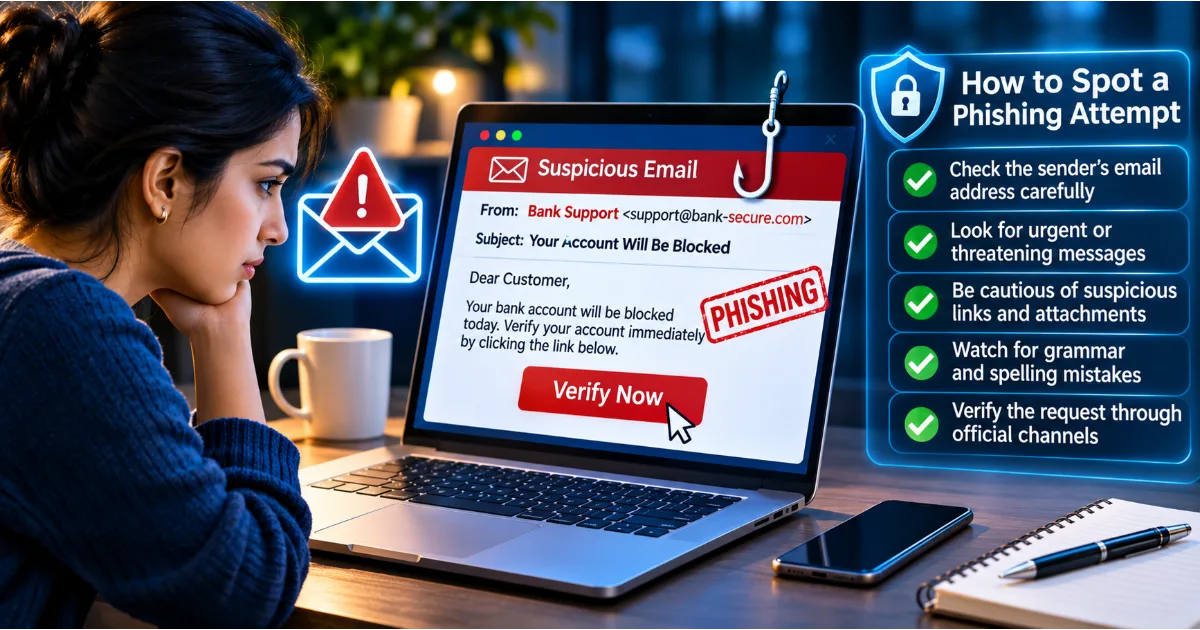
For example, a person might receive a message claiming that their bank account needs immediate verification. The message directs them to a website that looks similar to the bank's official website. If they enter their login credentials, those details may be collected by the attacker.
Protecting personal information requires careful sharing practices, secure accounts, awareness of suspicious messages, and appropriate privacy settings.
Preventing Financial Fraud
Digital payments and online banking have made financial transactions convenient, but they have also introduced security challenges.
Fraudsters may use fake customer support numbers, fraudulent payment requests, malicious applications, QR code manipulation, phishing websites, and impersonation tactics to trick people into transferring money or revealing confidential financial information.
Imagine receiving a phone call from someone claiming to represent your bank. The caller says that your account will be blocked unless you share an OTP. The caller may sound professional and create a sense of urgency. However, legitimate banking security practices do not require customers to disclose their confidential OTPs or passwords to callers.
Cybersecurity awareness helps individuals recognize these warning signs before making a costly mistake.
Protecting Businesses and Organizations
Businesses store valuable information about customers, employees, suppliers, financial transactions, products, and internal operations. A successful cyberattack can expose confidential records, interrupt services, damage customer relationships, and create substantial financial losses.
A small company may believe that it is unlikely to attract cybercriminals because it does not operate on the scale of a multinational corporation. However, attackers frequently target smaller organizations because they may have limited security resources, outdated software, weak passwords, or insufficient employee training.
Cybersecurity helps businesses protect their systems, maintain operational continuity, safeguard customer information, and preserve trust.
Maintaining Privacy and Digital Freedom
People share information online through social media, messaging platforms, shopping websites, cloud services, and mobile applications. They may not always understand how much information they reveal or how that information can be used.
Strong cybersecurity practices help users maintain greater control over their accounts, devices, communications, and personal information.
Understanding the Three Fundamental Principles of Cybersecurity
One of the most important concepts in cybersecurity is the CIA Triad. It represents three fundamental principles used to protect information systems: Confidentiality, Integrity, and Availability.
Confidentiality
Confidentiality means ensuring that information is accessible only to authorized individuals or systems.
For example, your bank account information should be accessible to you and authorized banking personnel, not to an unknown person who obtains your login credentials.
Encryption, access controls, authentication, and secure communication protocols help maintain confidentiality.
Integrity
Integrity means ensuring that information remains accurate, complete, and protected against unauthorized modification.
Imagine that a company maintains digital records of customer payments. If someone secretly changes transaction amounts or modifies account information, the records become unreliable.
Digital signatures, access permissions, checksums, audit logs, and other security mechanisms help maintain data integrity.
Availability
Availability means ensuring that authorized users can access information and services when they need them.
For example, customers should be able to access their banking applications, hospitals should be able to retrieve essential patient records, and employees should be able to use authorized business systems.
Cyberattacks, hardware failures, software problems, and network disruptions can affect availability. Regular backups, disaster recovery plans, redundancy, and infrastructure monitoring help reduce these risks.
Together, confidentiality, integrity, and availability provide a foundation for designing effective cybersecurity systems.
Common Types of Cybersecurity Threats Everyone Should Know
Understanding common cyber threats is essential because attackers use different techniques depending on their objectives. Some attempt to steal passwords, while others seek financial information, confidential documents, or control over digital devices.
1. Phishing Attacks
Phishing is a type of cyberattack in which criminals impersonate trusted organizations or individuals to trick people into revealing sensitive information or performing unsafe actions.
Phishing attacks commonly arrive through emails, SMS messages, social media messages, and messaging applications.
A fraudulent message may claim that your bank account has been suspended, your delivery is delayed, your subscription is expiring, or an important document requires immediate attention.
The message usually includes a link to a fake website or an attachment containing malicious content.
For example, you might receive an email that appears to come from a popular online shopping platform. It claims that an order cannot be delivered until you update your payment information. The link opens a fraudulent page designed to collect your card details.
To reduce phishing risks, examine the sender's address, avoid clicking unexpected links, verify requests through official channels, and never share passwords or OTPs through unsolicited communications.
2. Malware
Malware is short for malicious software. It refers to programs intentionally designed to damage systems, steal information, monitor activities, disrupt operations, or gain unauthorized access to devices.
Malware can enter a device through infected downloads, malicious email attachments, compromised websites, unauthorized software, or unsafe applications.
Different types of malware perform different functions.
A virus attaches itself to legitimate files or programs and may spread when infected files are executed. A worm can spread across systems without requiring the same type of user interaction as a traditional virus. A Trojan disguises itself as legitimate software to persuade users to install it. Spyware secretly collects information about a user's activities.
Users should download software from trusted sources, keep operating systems updated, avoid suspicious attachments, and use reputable security tools.
3. Ransomware
Ransomware is a type of malware that prevents users or organizations from accessing their files or systems, commonly through encryption. Attackers then demand payment in exchange for a possible recovery mechanism.
For businesses, ransomware can interrupt operations, affect customer services, and expose confidential information.
Imagine a small company whose employees suddenly discover that important business files cannot be opened. A message appears demanding payment for a decryption key. If the company has not maintained secure backups, recovering its information may become extremely difficult.
Regular backups, restricted access permissions, security updates, employee awareness, and incident response planning are important defenses against ransomware.
Paying a ransom does not guarantee that attackers will restore the data or delete stolen information.
4. Password Attacks
Passwords are among the most common ways users authenticate themselves online. Unfortunately, weak or reused passwords create opportunities for attackers.
Cybercriminals may use automated tools to guess common passwords, test stolen credentials, or exploit information exposed through previous data breaches.
Credential stuffing is an attack in which criminals use usernames and passwords obtained from one compromised service to attempt access to other services.
This becomes particularly dangerous when people reuse the same password across email, banking, shopping, and social media accounts.
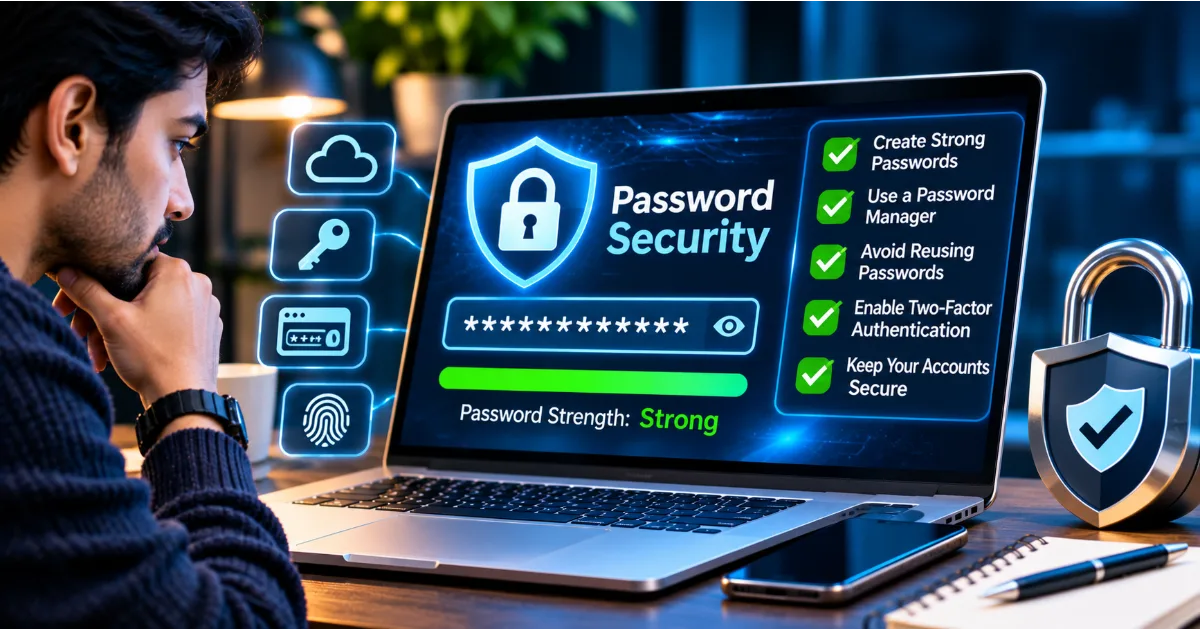
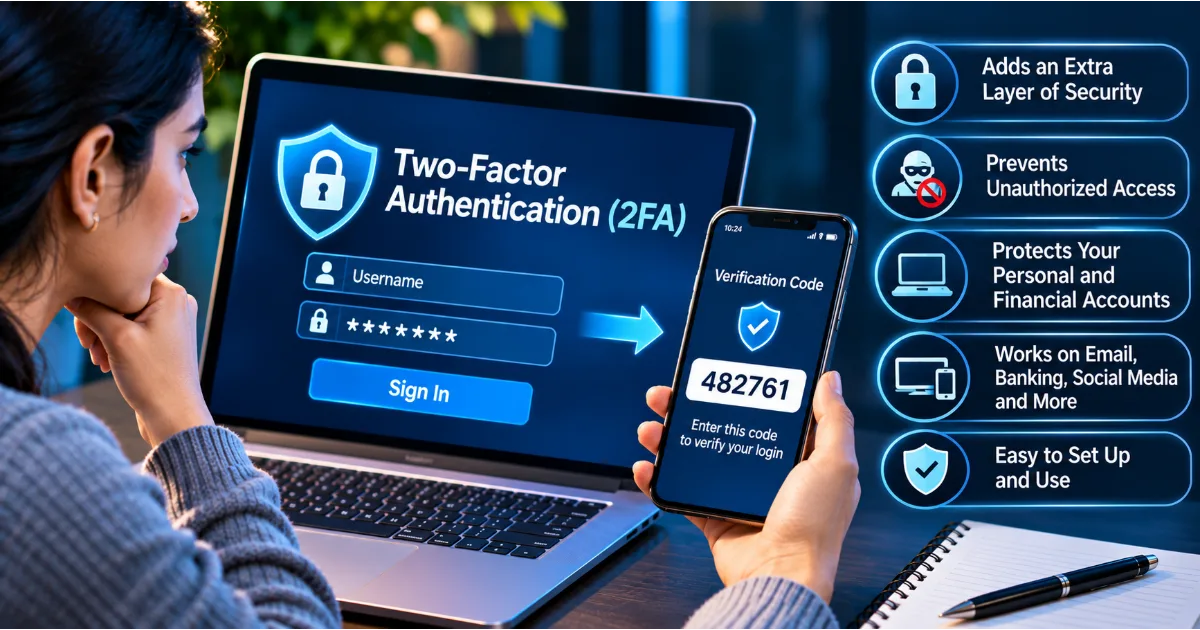
Use unique passwords for different services, preferably stored in a reputable password manager. Enable multi-factor authentication wherever available.
5. Social Engineering
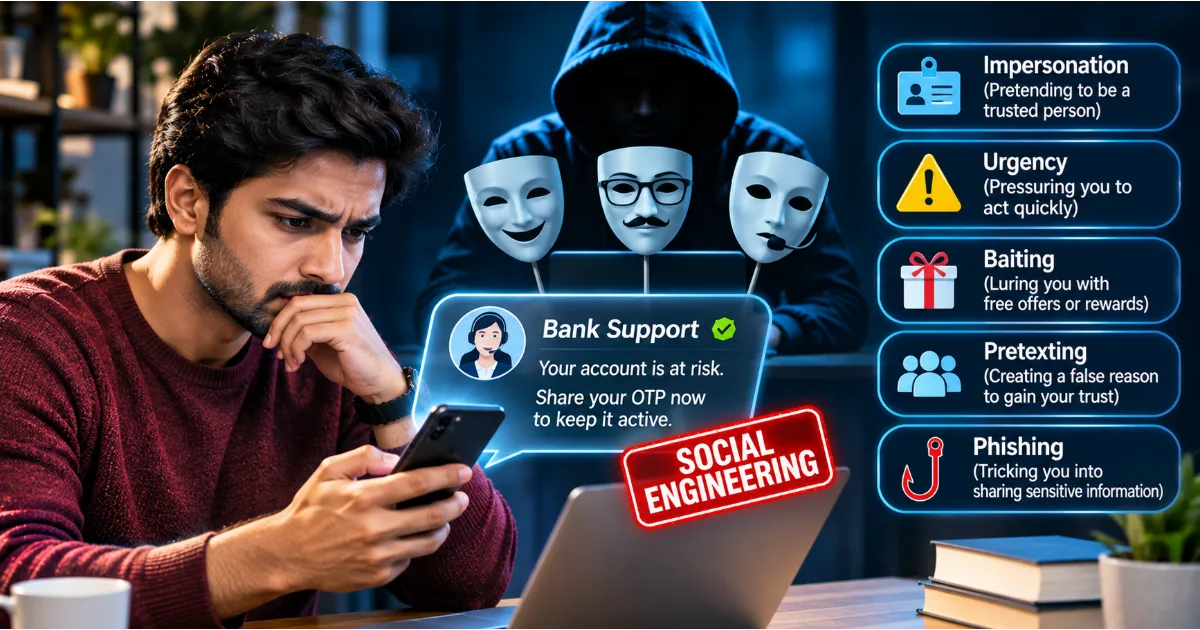
Social engineering involves manipulating people into revealing confidential information, granting access, transferring money, or performing actions that compromise security.
Unlike attacks that focus primarily on technical weaknesses, social engineering exploits human emotions and decision-making.
Attackers may use fear, urgency, authority, curiosity, sympathy, or trust to influence victims.
For example, a fraudster might impersonate a company's senior executive and ask an employee to make an urgent payment to a supposedly confidential business account.
Another attacker might pretend to be a technical support representative and persuade someone to install remote access software.
The best defense is to verify unusual requests independently, especially when they involve money, credentials, confidential information, or access to devices.
6. Identity Theft
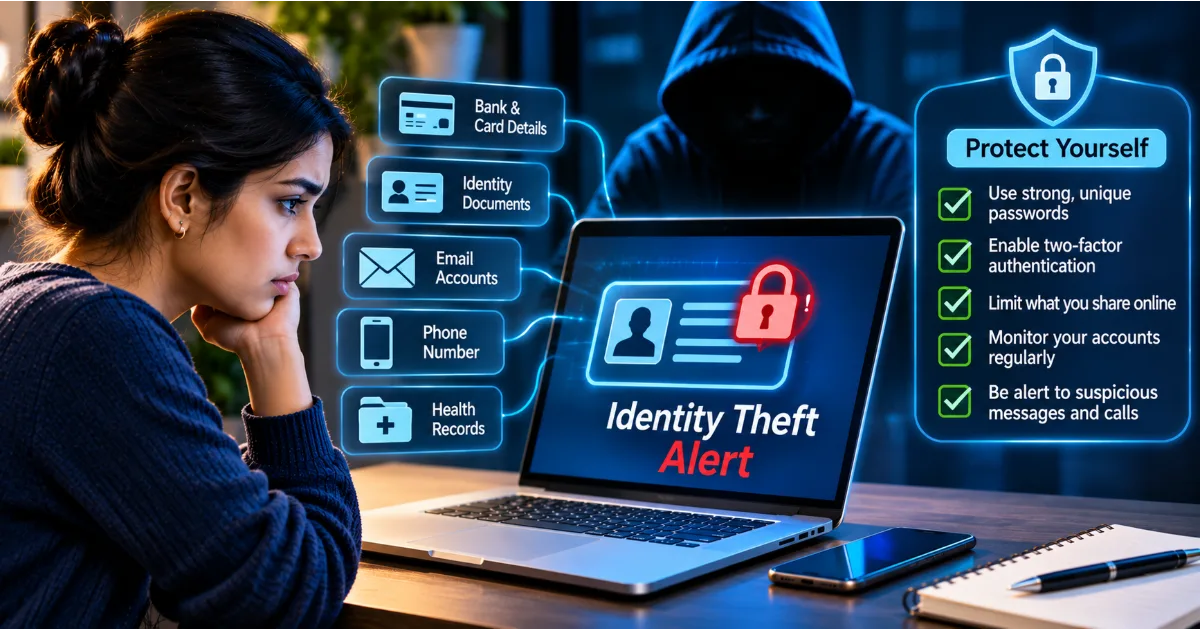
Identity theft occurs when someone uses another person's personal information without authorization, often to commit fraud or impersonate that individual.
Stolen information may include identification numbers, financial details, phone numbers, account credentials, or personal documents.
Criminals may use this information to attempt fraudulent transactions, create unauthorized accounts, impersonate victims, or conduct targeted scams.
Avoid sharing sensitive documents unnecessarily. Use secure storage, restrict access to personal records, and monitor financial and online accounts for unfamiliar activity.
7. Man-in-the-Middle Attacks
A man-in-the-middle attack occurs when an attacker intercepts or manipulates communication between two parties without their knowledge.
For example, a criminal may attempt to exploit an insecure or compromised network to observe information exchanged between a user and an online service.
Modern encryption and properly configured secure communication protocols help protect information during transmission.
Users should avoid sensitive transactions over untrusted networks, verify website security, and keep devices updated.
8. Denial-of-Service Attacks
A denial-of-service attack attempts to make a website, application, or network unavailable to legitimate users by overwhelming or disrupting the service.
Distributed denial-of-service attacks use multiple compromised devices to generate large volumes of traffic against a target.
These attacks can affect online businesses, financial services, educational platforms, and public infrastructure.
Organizations use traffic filtering, monitoring, infrastructure redundancy, and specialized protection services to reduce the impact.
Cybersecurity Risks in Everyday Internet Usage
Many security incidents happen during ordinary online activities. Understanding these situations helps people develop safer digital habits.
Online Shopping
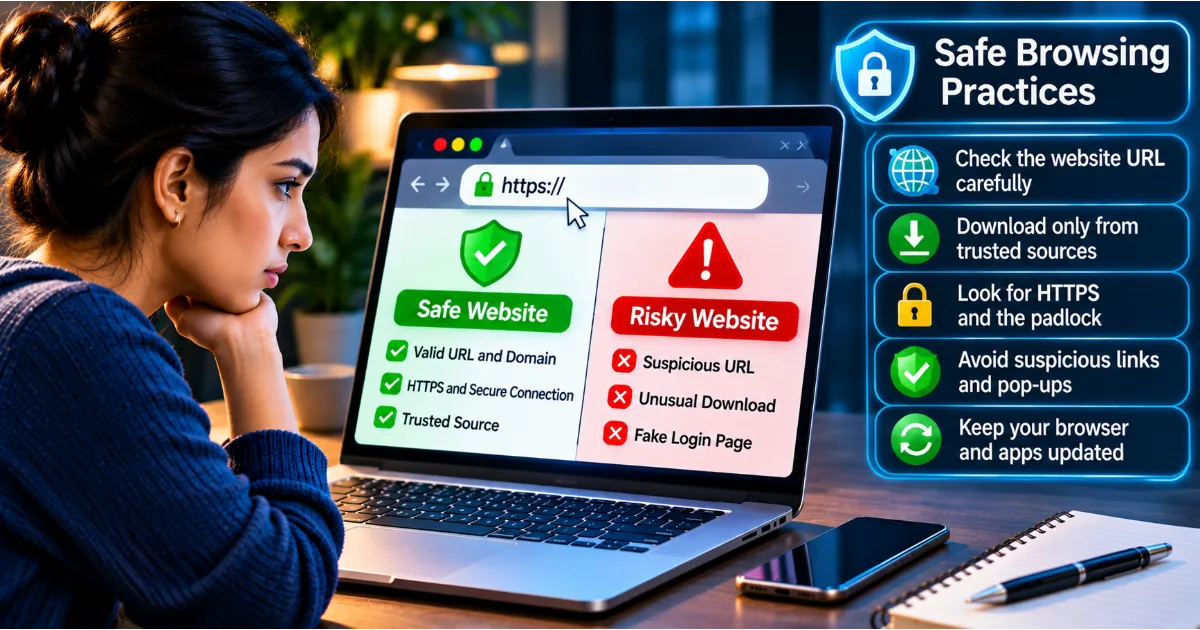
Fraudulent shopping websites may imitate legitimate stores and advertise unusually attractive prices to encourage purchases.
Some websites collect payment information without delivering the promised products. Others may use deceptive checkout processes or collect personal information for malicious purposes.
Before purchasing, verify the website's identity, examine seller information, read independent reviews, and use secure payment methods. Be cautious of websites that create extreme urgency or offer unrealistic discounts.
Social Media
Social media platforms contain valuable personal information. Public photographs, location updates, workplace details, birthdays, travel plans, and family information can help attackers create convincing impersonation attempts.
A criminal might study someone's public profile and use personal details to construct a believable message.
Review privacy settings, limit unnecessary personal disclosures, enable account authentication protections, and be careful when accepting unfamiliar connection requests.
Public Wi-Fi
Public Wi-Fi networks are available in airports, hotels, restaurants, libraries, and shopping centres. They are convenient, but users should not automatically assume that every available network is trustworthy.
Some networks may be poorly configured, while malicious hotspots may imitate legitimate public networks.
Avoid accessing sensitive accounts over networks you do not trust. Prefer mobile data or a reputable VPN when appropriate, verify network names with the establishment, and ensure websites and applications use encrypted connections.
Mobile Applications
Applications often request access to contacts, location, photographs, microphones, cameras, and other device resources.
Some permissions are necessary for an application's functionality, but others may be excessive.
For example, a basic calculator application generally does not need access to your contacts or microphone.
Download applications from official stores, review developer information, check permissions, and remove applications you no longer use.
Email and Messaging
Email and messaging platforms are common channels for phishing, impersonation, and malicious attachments.
Be particularly cautious of unexpected files, payment requests, account verification messages, and links that demand immediate action.
When a message appears to come from someone you know but requests money or confidential information, verify the request through another communication channel.
Essential Cybersecurity Practices Everyone Should Follow
Cybersecurity becomes more manageable when protection is built into everyday habits. You do not need to be a technical expert to improve your digital security.
Create Strong and Unique Passwords
A strong password should be difficult to guess and should not be reused across multiple accounts.
Avoid predictable combinations such as your name, date of birth, phone number, or common words.
Long passphrases made from unrelated words can be easier to remember while providing better protection than short, predictable passwords.
Use a reputable password manager to generate and store unique passwords securely.
Your primary email account deserves particular attention because it may be used to reset passwords for many other services.
Enable Multi-Factor Authentication
Multi-factor authentication adds another verification step beyond a password.
Depending on the service, this may involve an authenticator application, a security key, a passkey, or another supported verification method.
Even if someone obtains your password, additional authentication can make unauthorized access more difficult.
Where available, prefer phishing-resistant authentication methods such as passkeys or hardware security keys.
Keep Software Updated
Software updates often contain security fixes for vulnerabilities discovered by developers or security researchers.
An outdated operating system, browser, application, or router may contain weaknesses that attackers can exploit.
Enable automatic updates where practical and replace devices that no longer receive essential security updates.
Use Reputable Security Software
Security software can help identify malicious files, suspicious applications, unsafe websites, and other potential threats.
Choose reputable solutions, keep them updated, and avoid downloading unknown security applications that claim to offer unrealistic protection.
Remember that antivirus software is only one part of cybersecurity. It cannot prevent every phishing attack, fraudulent payment request, or social engineering attempt.
Back Up Important Information
Backups help recover information after accidental deletion, device failure, ransomware incidents, or other unexpected events.
Maintain backups of important photographs, documents, business files, and other valuable information.
For stronger protection, keep at least one backup separate from your primary device or network. Test restoration periodically to confirm that the backup is usable.
Review Privacy Settings
Privacy settings determine how much information other users and applications can access.
Review the visibility of your social media profiles, location sharing, contact permissions, advertising preferences, and account recovery options.
Remove unnecessary permissions and disable features that you do not use.
Verify Before You Trust
Whenever a message asks you to transfer money, disclose confidential information, download software, or provide account access, pause and verify the request.
Contact the organization using an independently verified phone number or official application.
Do not rely exclusively on contact details or links provided in a suspicious message.
Cybersecurity for Students and Young Internet Users
Students use digital technology for education, entertainment, communication, gaming, research, and collaboration. These activities create several opportunities for cybercriminals to target younger users.
Fake scholarship offers, fraudulent online courses, gaming account theft, impersonation, cyberbullying, and suspicious downloads are common areas of concern.
Students should understand the importance of protecting passwords, avoiding unknown links, maintaining privacy on social media, and reporting suspicious activities to trusted adults or institutional authorities.
Educational institutions should include digital safety awareness in their learning programmes. Students need to understand that information shared online can be copied, stored, and redistributed beyond their original audience.
A responsible digital citizen respects other people's privacy, avoids sharing harmful content, verifies information before forwarding it, and understands the consequences of online actions.
Cybersecurity for Small Businesses and Startups
Small businesses often depend on cloud platforms, payment gateways, customer relationship management systems, email services, websites, and third-party applications.
A security incident involving any of these services can affect business operations and customer trust.
Startups should establish basic security policies from the beginning rather than treating cybersecurity as an issue to address only after an incident.
Every employee should have an individual account with access limited to their responsibilities. Shared passwords should be avoided wherever possible. Business devices should receive regular updates, and important information should be backed up securely.
Companies should also establish procedures for reporting suspicious emails, lost devices, unauthorized access, and unexpected financial requests.
Employees who understand cybersecurity can become an important layer of organizational protection.
What Should You Do If You Suspect a Cyberattack?
Even people who follow security practices may encounter cyber incidents. Responding quickly and carefully can reduce further damage.
Step 1: Stop the Suspicious Activity
If you suspect that a link, attachment, application, or website is malicious, stop interacting with it.
Do not enter additional information or follow further instructions from the suspicious source.
Step 2: Secure Your Accounts
If an account may have been compromised, use a trusted device to change its password.
If the same password was used elsewhere, change it on those services as well.
Review active sessions, revoke unfamiliar access, and enable stronger authentication.
If your email account is compromised, secure it promptly because it may be used to reset other accounts.
Step 3: Contact the Relevant Organization
If your banking information or payment account is involved, contact the financial institution through its official channels.
If a social media or email account is compromised, use the platform's official account recovery process.
Inform your organization's IT or security team if a work device or business account may be affected.
Step 4: Preserve Evidence
Keep relevant messages, transaction details, screenshots, suspicious email headers, and other available information.
Avoid deleting evidence before the incident has been properly documented.
Step 5: Report the Incident
Reporting helps the relevant authorities and service providers investigate suspicious activities.
In India, individuals who experience cybercrime can report incidents through the National Cyber Crime Reporting Portal. For urgent financial cyber fraud, the national cybercrime helpline 1930 can be contacted promptly.
Use official reporting channels and provide accurate information.
Step 6: Monitor Your Accounts
Continue monitoring financial statements, email activity, account login notifications, and other important services.
Watch for password reset requests, unfamiliar transactions, unexpected verification messages, and suspicious changes to account settings.
Understanding Cybersecurity in the Age of Artificial Intelligence
Artificial intelligence is changing the cybersecurity landscape.
Security professionals use AI-based systems to analyse network activity, identify unusual behaviour, detect malicious patterns, and support incident response.
However, cybercriminals can also misuse AI to create more convincing phishing messages, generate fraudulent documents, imitate voices, and automate certain malicious activities.
For example, a person may receive a phone call that sounds like a family member asking for urgent financial assistance. The voice may have been artificially generated or manipulated.
Similarly, AI-generated emails may contain professional language, correct grammar, and personalized information, making them more difficult to identify through traditional warning signs.
People should therefore avoid relying only on spelling mistakes or poor message quality to recognize scams.
Verify unusual requests independently, especially when money, confidential information, or account access is involved.
Artificial intelligence can improve cybersecurity, but human awareness and responsible verification remain essential.
Common Cybersecurity Myths You Should Stop Believing
Several misconceptions prevent people from taking digital security seriously.
One common myth is that cybercriminals target only wealthy people and large businesses. In reality, attackers often use automated techniques to target large numbers of ordinary users.
Another misconception is that having antivirus software guarantees complete protection. Security software can identify many threats, but it cannot prevent every fraudulent phone call, social engineering attack, or voluntarily disclosed OTP.
Some users believe that private social media accounts eliminate all privacy risks. However, connected users can still take screenshots, share information, or have their own accounts compromised.
Another dangerous assumption is that a suspicious message is safe if it contains a familiar company logo. Logos, names, and visual designs can be copied easily.
Finally, many people believe that changing a password once is enough. Account security requires ongoing attention, especially when services announce data breaches or suspicious login activity.
Understanding these misconceptions helps people develop a more realistic approach to cybersecurity.
Building a Personal Cybersecurity Checklist
A practical checklist makes it easier to apply cybersecurity principles consistently.
Start by reviewing your most important digital accounts, including email, banking, social media, cloud storage, and shopping platforms.
Ensure that every account uses a unique password and enable multi-factor authentication wherever available.
Check whether your operating system, browser, applications, and home router are receiving security updates.
Review mobile application permissions and remove software that is unnecessary or untrusted.
Examine your social media privacy settings and limit the amount of personal information available publicly.
Create secure backups of important documents and photographs. Make sure you can recover the information if your device becomes unavailable.
Learn to recognize phishing messages, suspicious payment requests, fake customer support calls, and impersonation attempts.
Finally, establish a habit of verifying unusual requests before acting. A few moments of verification can prevent significant financial and personal damage.
The Role of Cybersecurity Awareness in Creating a Safer Digital World
Technology alone cannot create a completely secure digital environment. People make decisions every day about which links to open, which applications to install, what information to share, and whom to trust.
These decisions have a direct influence on personal and organizational security.
Cybersecurity awareness encourages individuals to understand the consequences of their online activities and take responsibility for protecting their digital identities.
Families can discuss online safety and teach children how to recognize suspicious behaviour. Educational institutions can introduce practical digital security lessons. Businesses can train employees to identify social engineering attempts and report incidents quickly. Technology providers can design services with security and privacy built into their products.
A safer digital environment requires cooperation between individuals, organizations, technology providers, and public institutions.
Cybersecurity should not be treated as a one-time activity. It is an ongoing process that develops as technology, user behaviour, and cyber threats change.
Conclusion: Your Digital Security Begins With Everyday Decisions
Cybersecurity is no longer limited to technical specialists or large organizations. It is a practical responsibility for everyone who uses the internet.
From protecting personal information and securing financial accounts to avoiding phishing messages and maintaining updated devices, small decisions can make a significant difference.
Understanding cybersecurity fundamentals helps users recognize threats before they cause harm. Strong passwords, multi-factor authentication, secure backups, privacy awareness, software updates, and careful verification provide a useful foundation for safer digital activities.
No security measure can eliminate every risk. However, informed users are better prepared to identify suspicious behaviour, respond to incidents, and protect the information that matters to them.
As digital technology continues to become part of everyday life, cybersecurity awareness must become an everyday habit as well.
The first step towards a safer internet is understanding that your digital identity deserves the same attention and protection as your identity in the physical world.
#CybersecurityAwareness #OnlineSafety #DigitalSecurity #CyberSafety #DataPrivacy